How to backdate a document
Legally, you cannot issue documents of the same type and document set with dates earlier than the last document issued (even if it has been cancelled).
If you wish to generate a document of the same type (Invoice, Receipt, Credit Note) with a date prior to the last document issued, the solution is to create a new document set or use a set that has not been used recently.
Follow these steps:
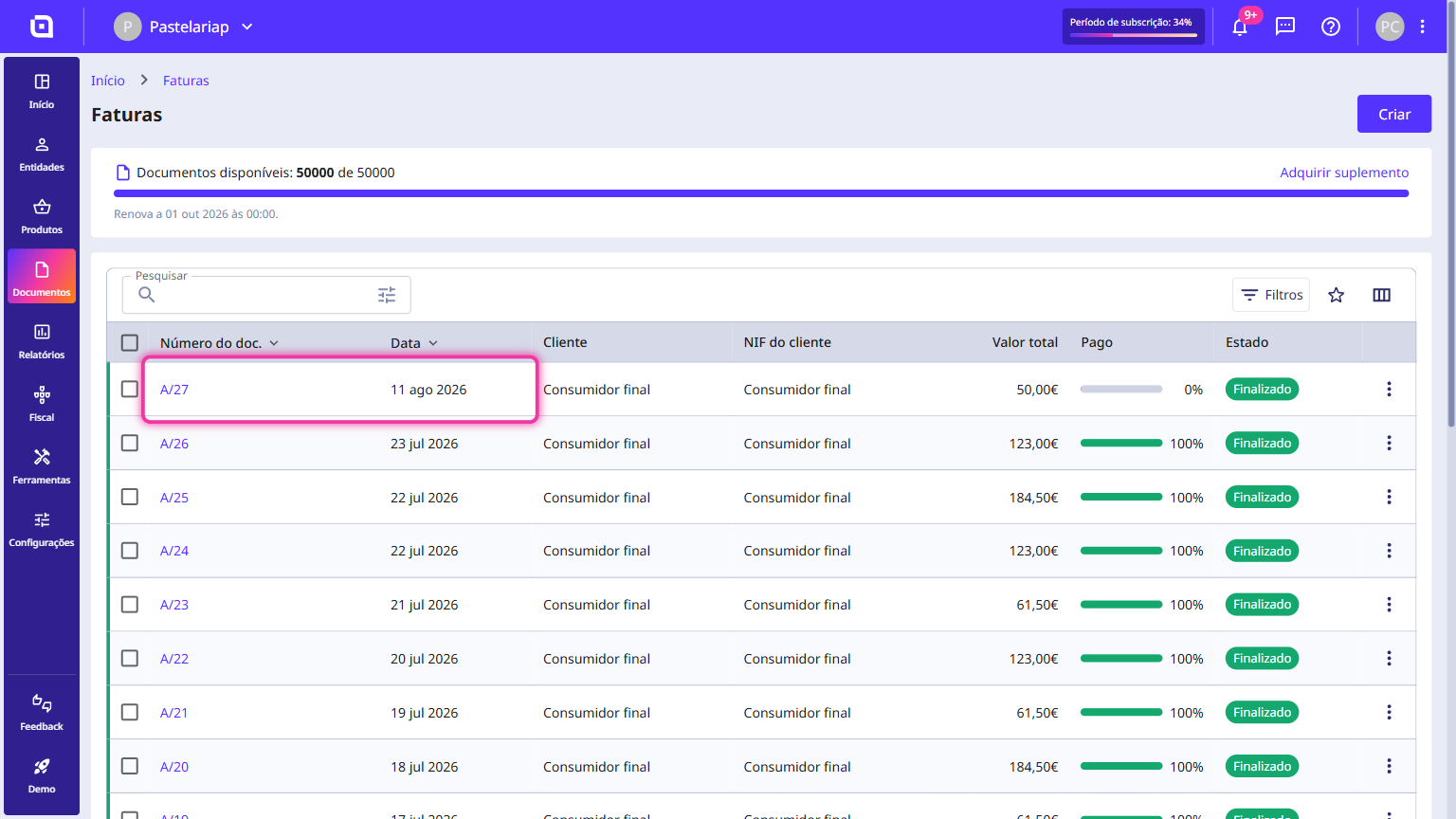
1. In this example, the last invoice in document set A was issued on 11/08/2026.
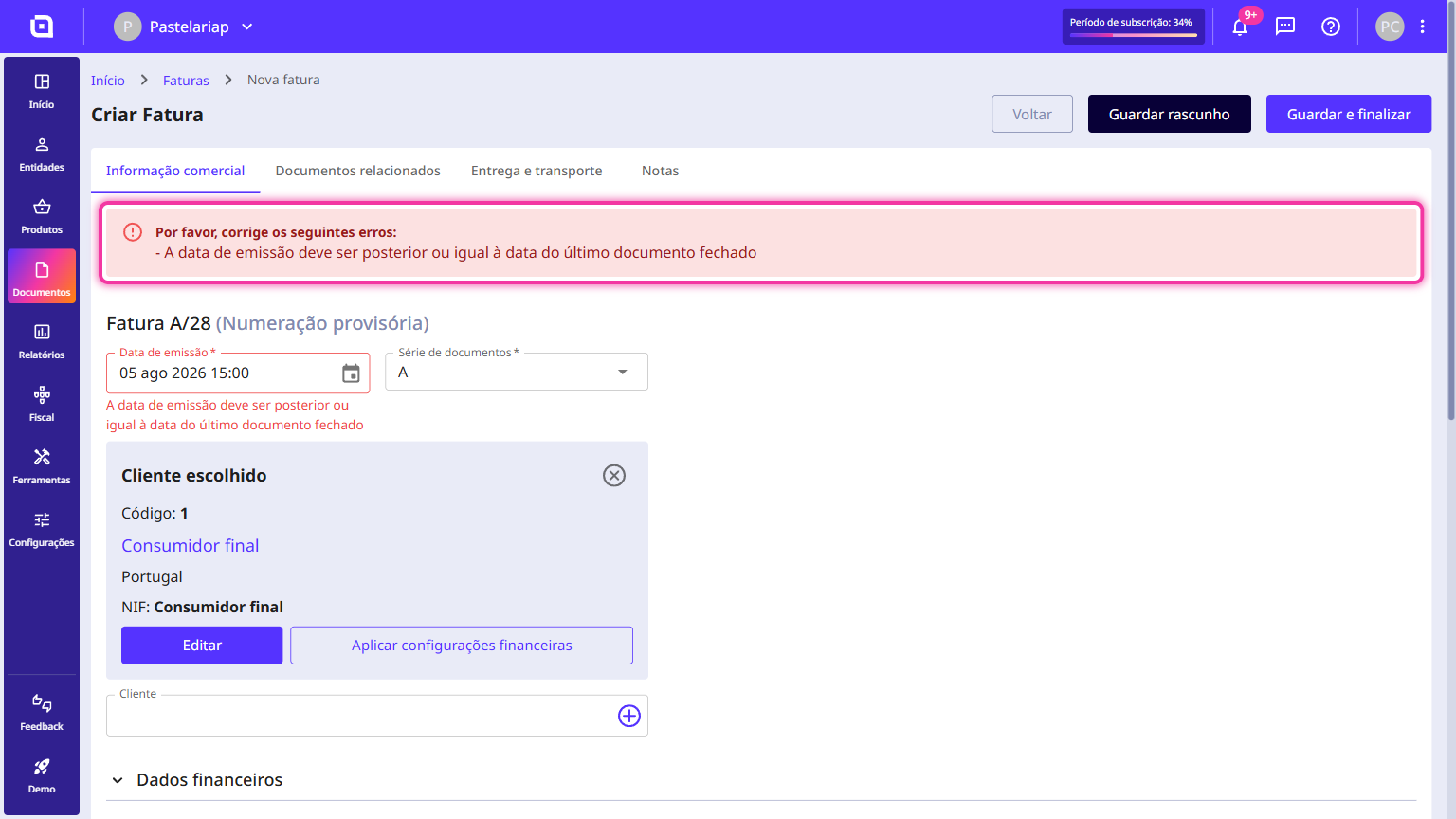
If you attempt to issue a new invoice in that set with an earlier date, a warning will appear indicating that the date must be equal to or later than the date of the last invoice, which in this case is 11/08/2026.
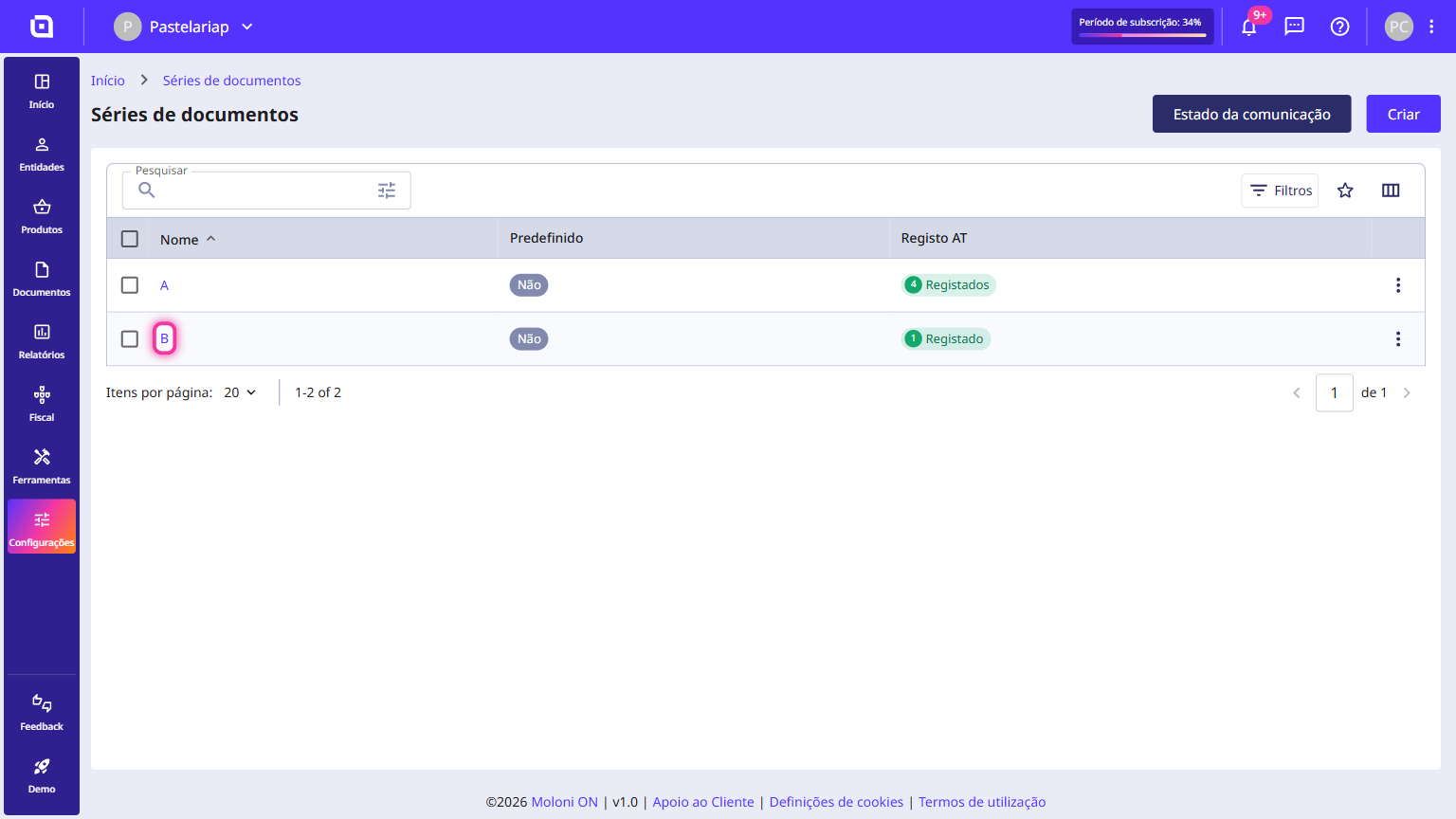
2. The solution is to create a new set and issue the documents with the desired date, or use a set that has not been used recently. To learn how to create a document set, please consult this guide.
3. Issue a new invoice using the new set and choose a date prior to 11/08/2026.
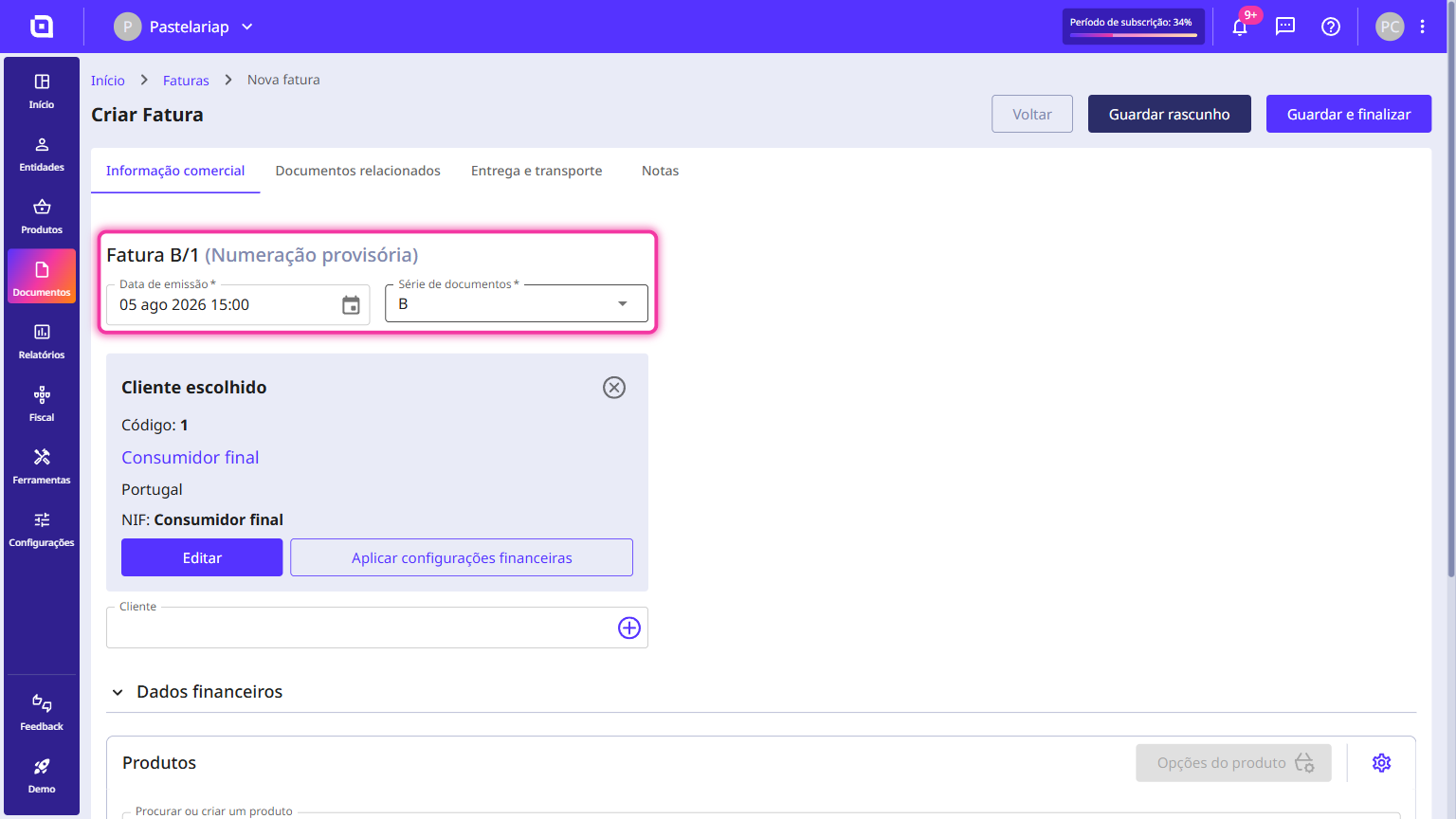
The document has been created successfully.