How to insert units of measure
Follow the steps:
1. Go to the menu Settings > Other settings > Units of measure.

2. A list will be displayed with the units of measure that have been added to your account. To create a new unit of measure, click Create.

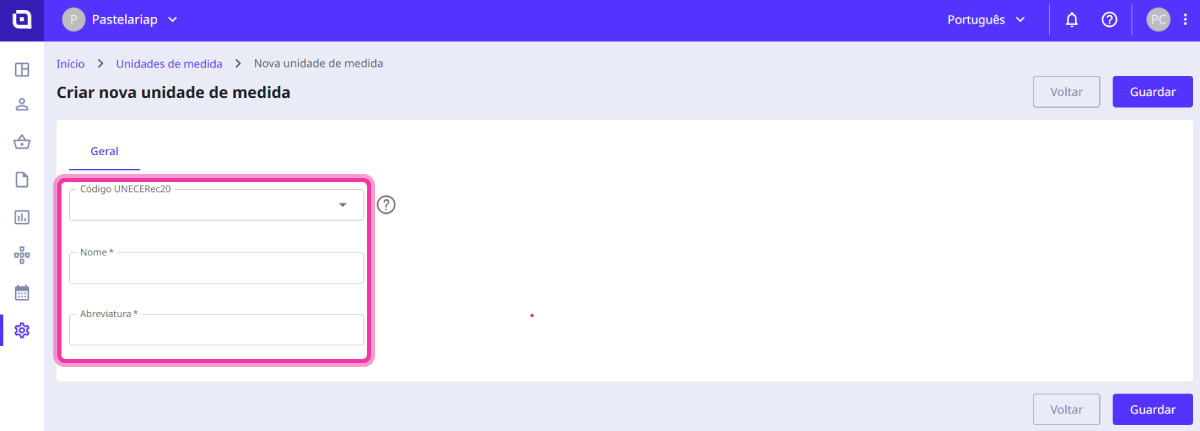
3. In this section, you must fill in the following fields:
- UNECERec20 code - this field must be filled in if you intend to export documents according to the CIUS-PT standard. Exporting according to the CIUS standard implies that the units of measure defined in your account must correspond to a UNECERec20 code;
- Name - refers to the name of the unit of measure;
- Abbreviation - refers to how it will be represented in documents.
4. Click Save.

As soon as you add a new product, you will see that the new unit of measure has already been added to the Unit field.