Need help?
How to import customers
In Moloni ON, you can import customers, with the option to select different columns containing the required data.
Follow these steps:
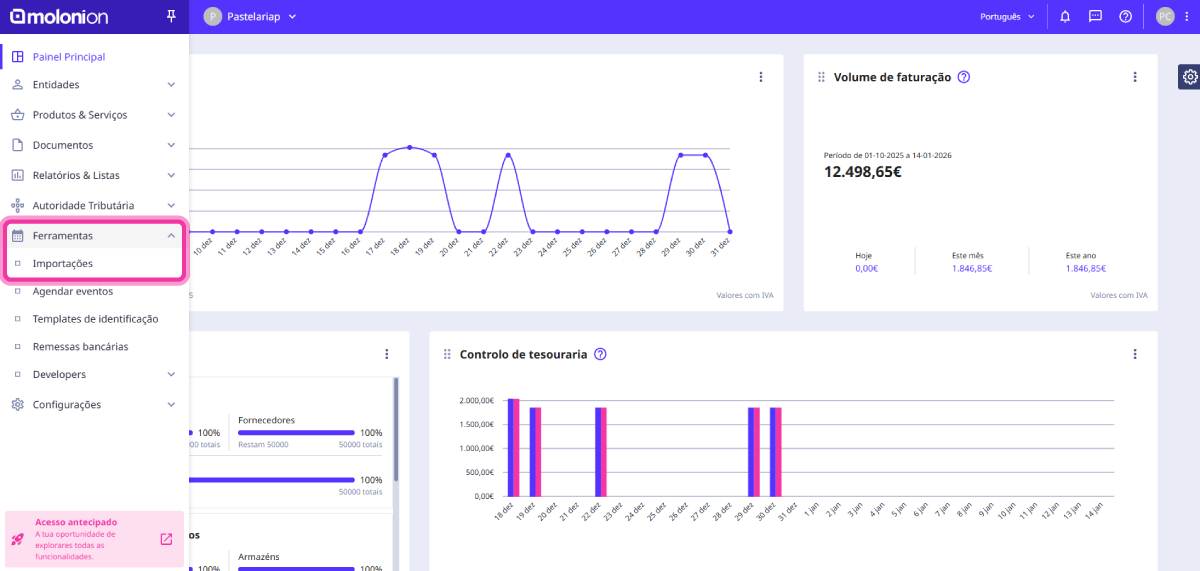
1. In the Client Area, in the top left corner, access the Tools menu and click on Imports.
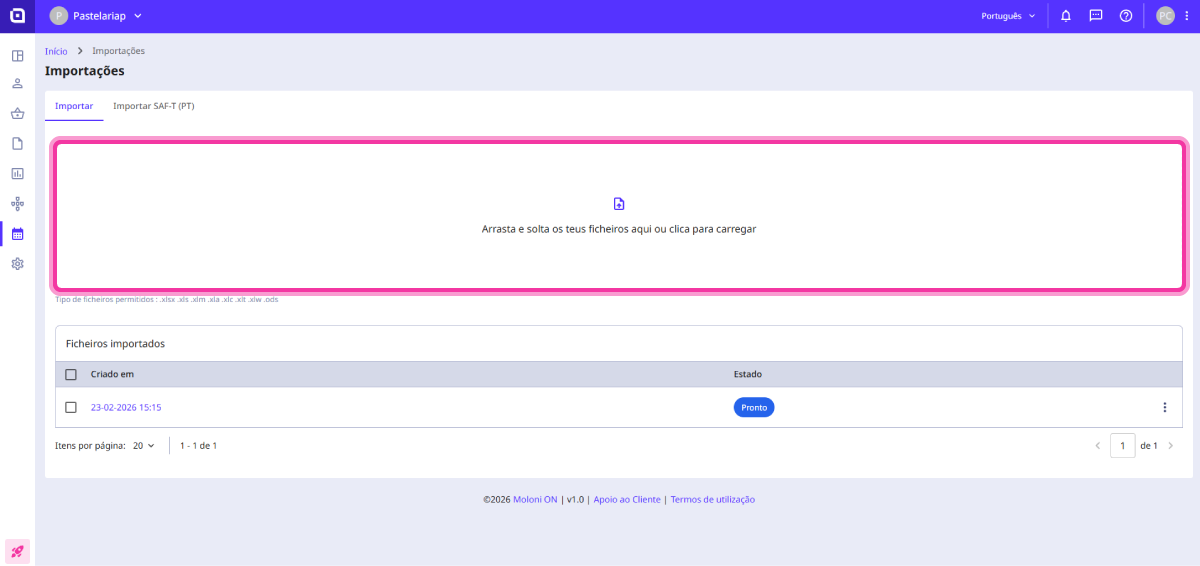
2. Drag the desired file to the imports area, located in the centre of the page.
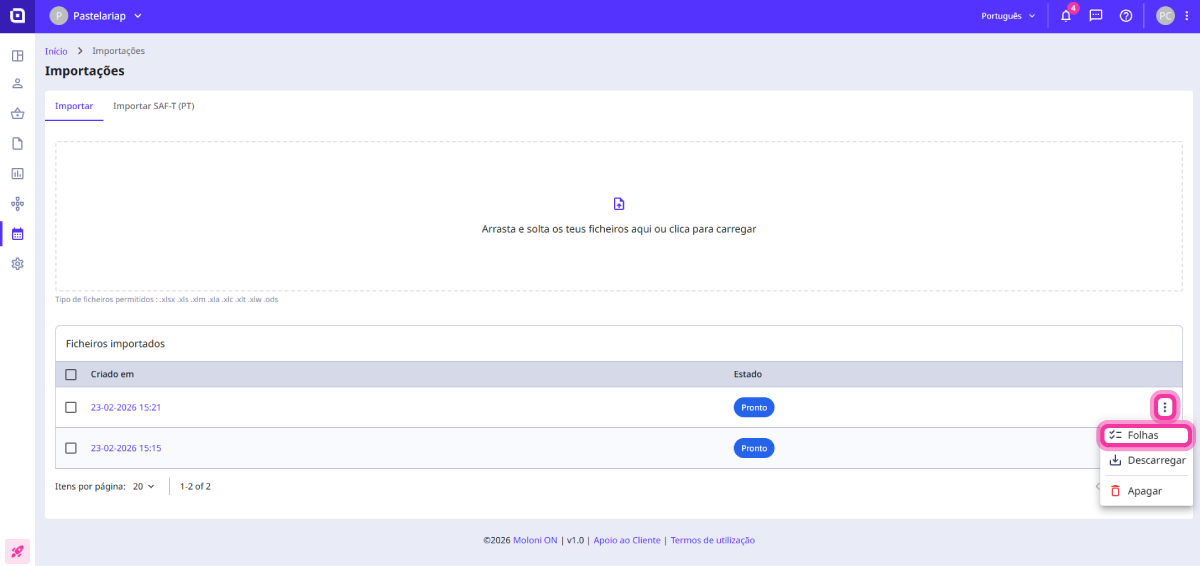
3. Moloni ON will notify you when the file is ready through notifications. Click on the 3-dot menu and select the Sheets option.
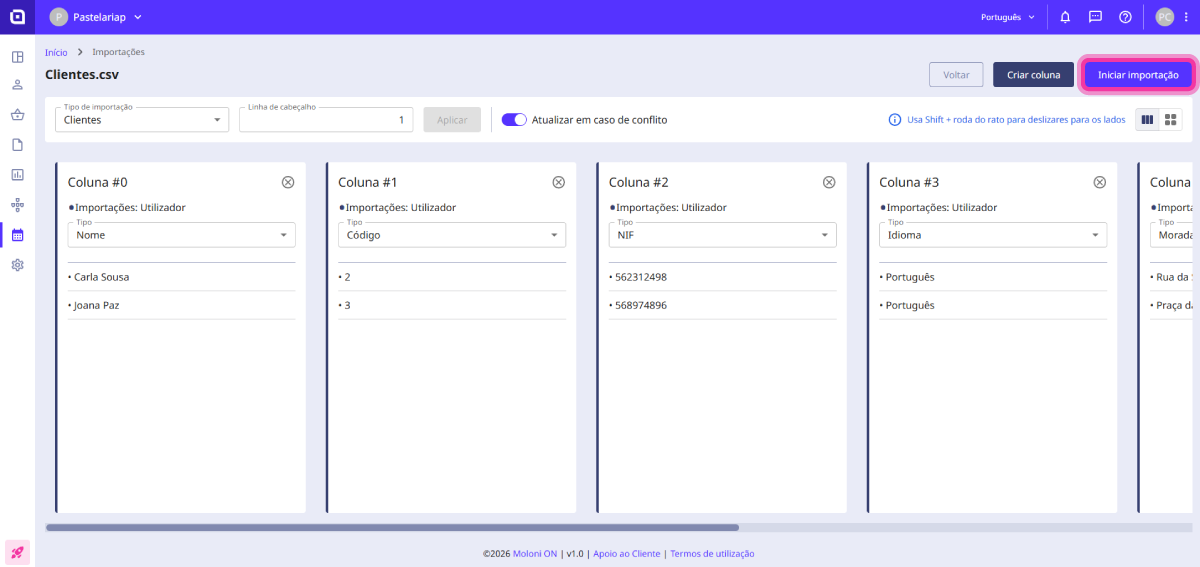
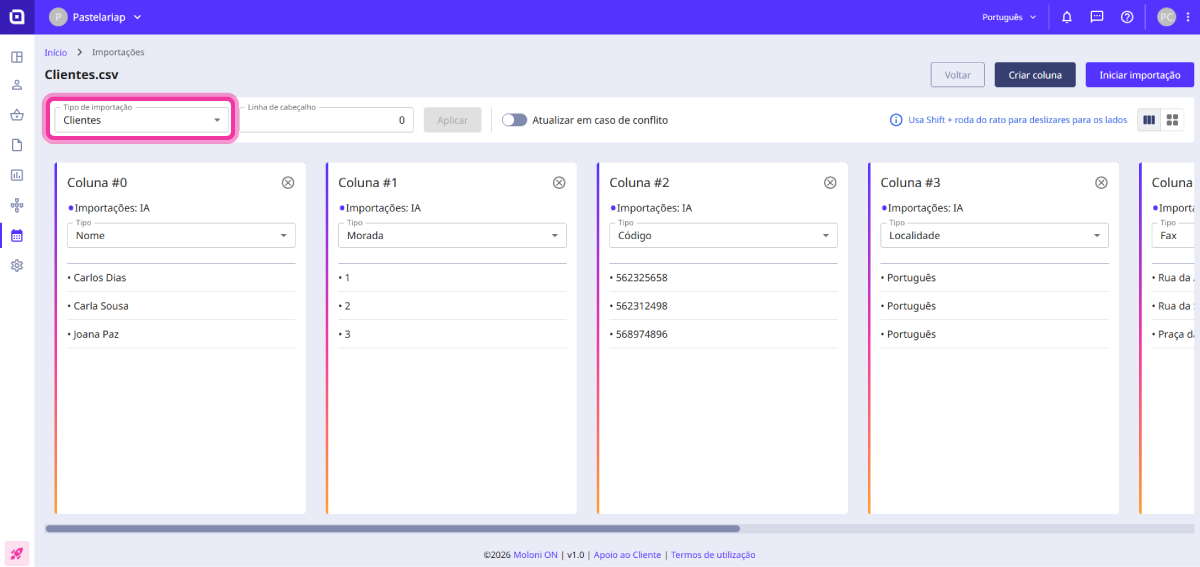
4. Start organising: in Import type, select Customers.
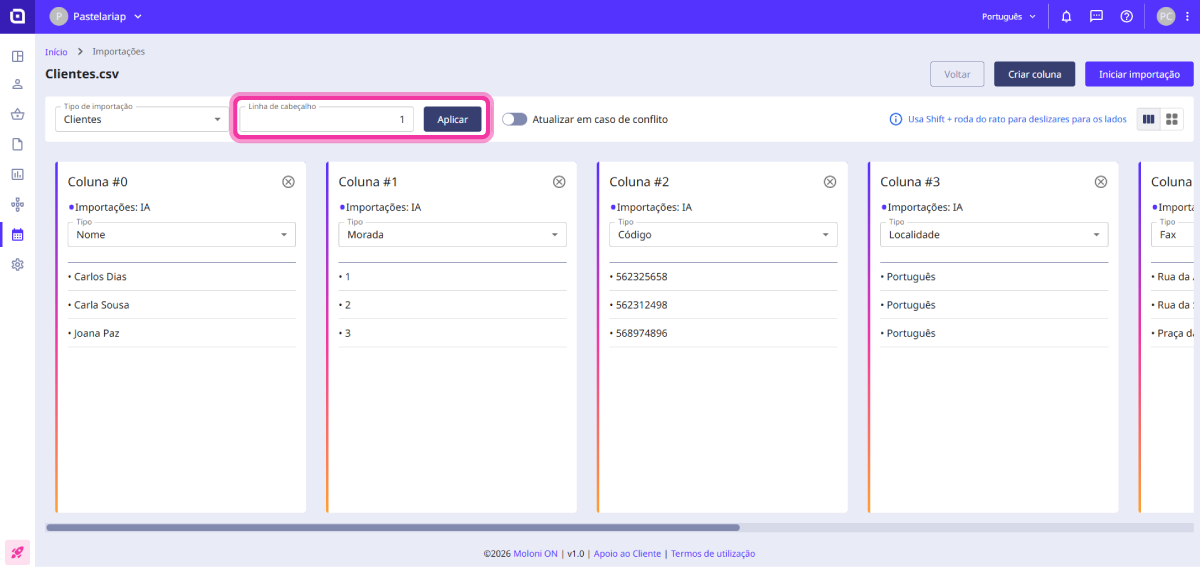
5. In the Header line, select the line corresponding to the file's header and click the Apply button.
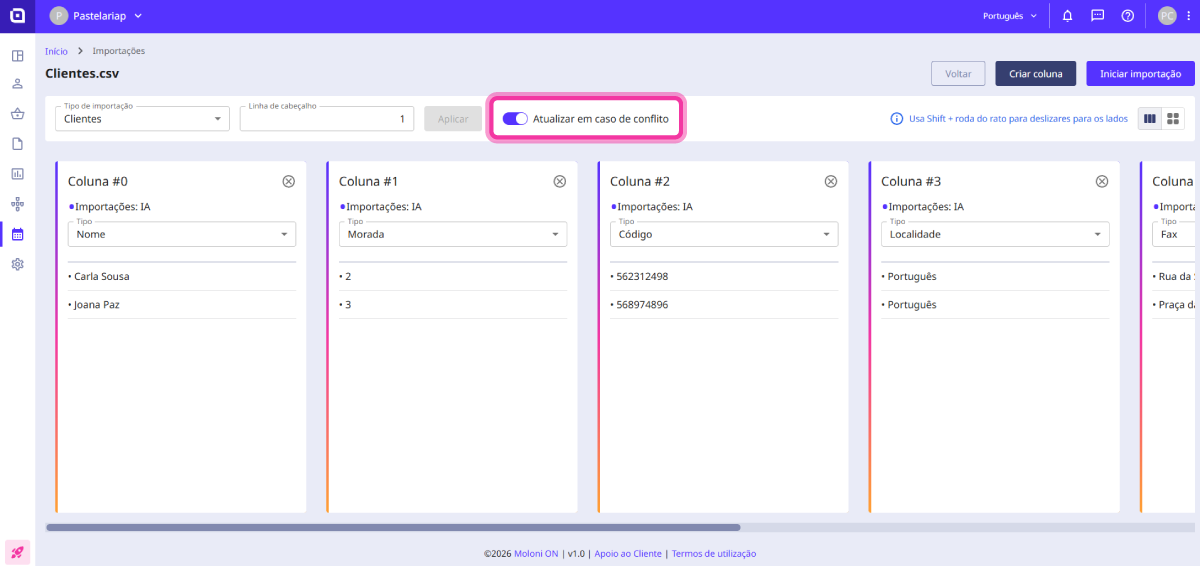
6. If you wish to update existing information, enable the Update in case of conflict option.
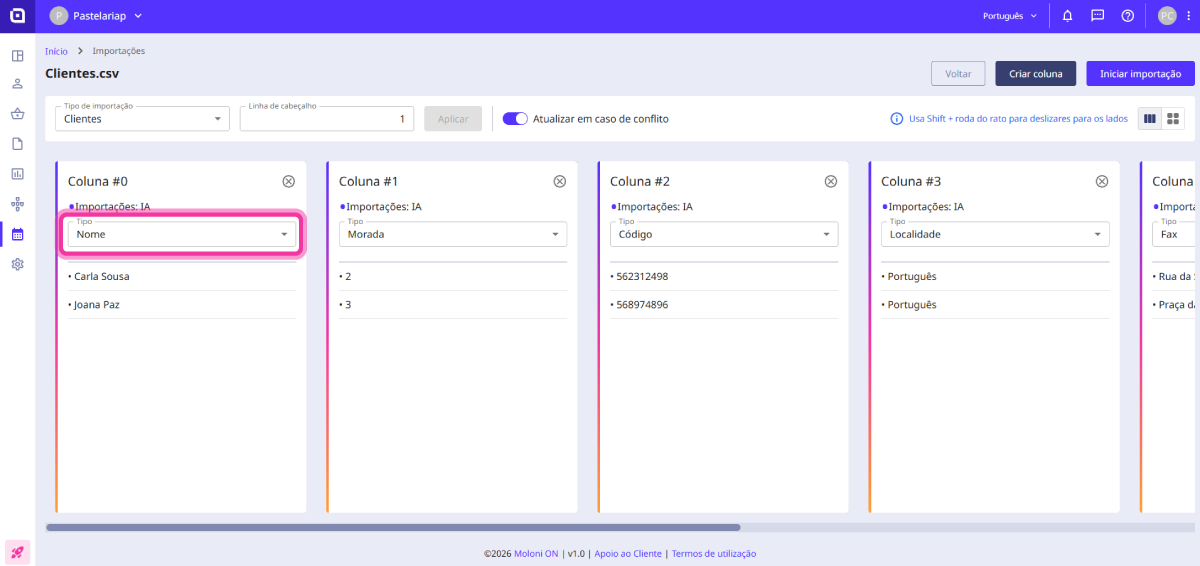
7. For each column in the Type field, select the desired option.
8. You can add new columns by clicking the Create column button.
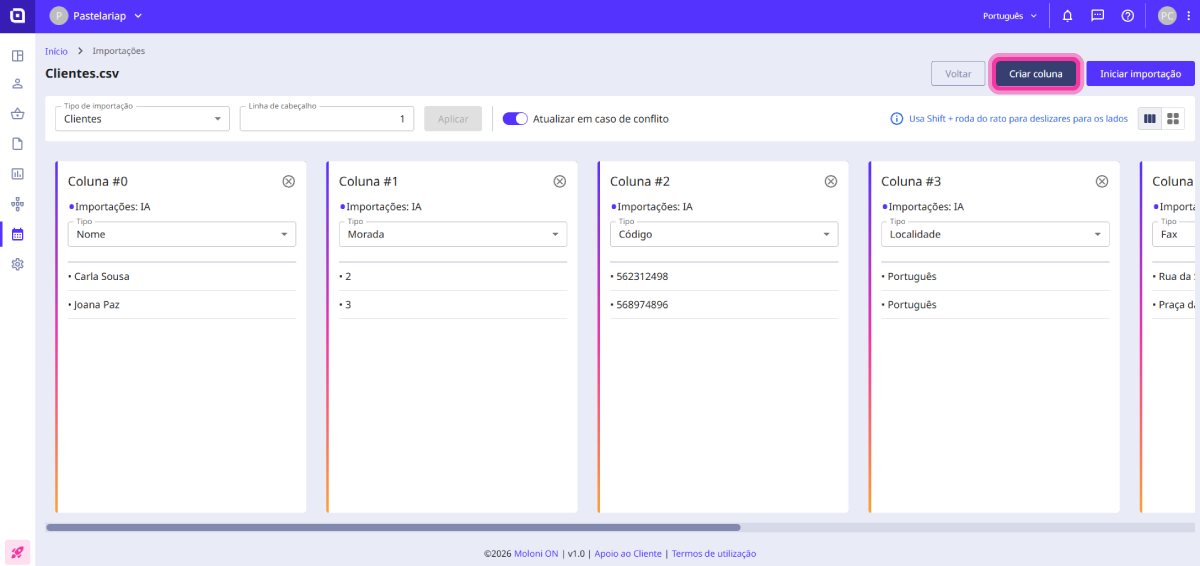
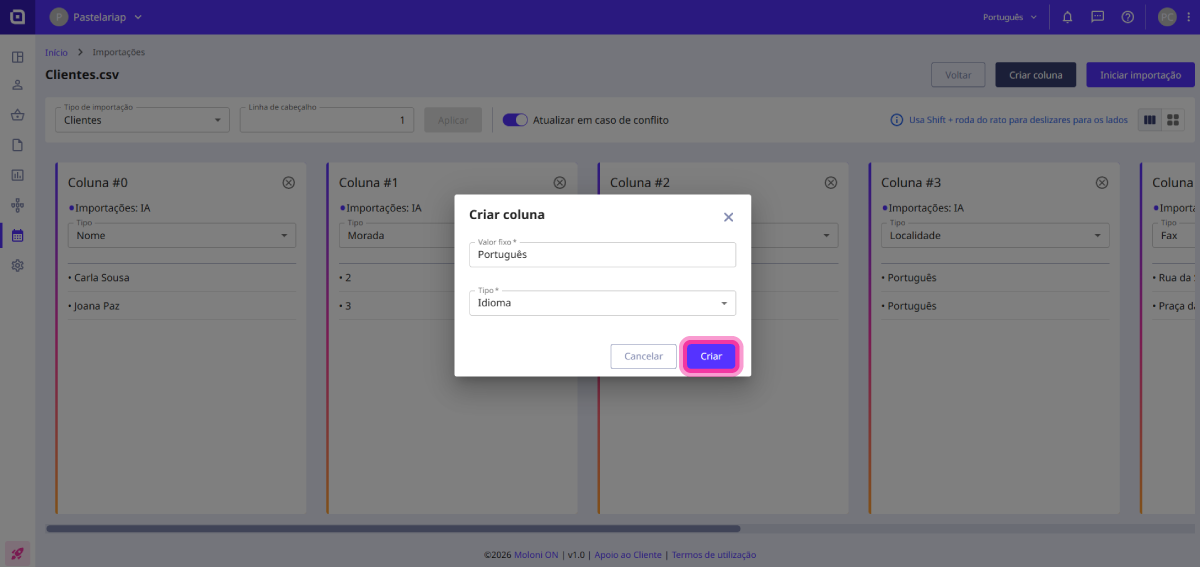
In the Fixed value field, you can enter, for example, Portuguese. Under Type, select the desired option and click the Create button.
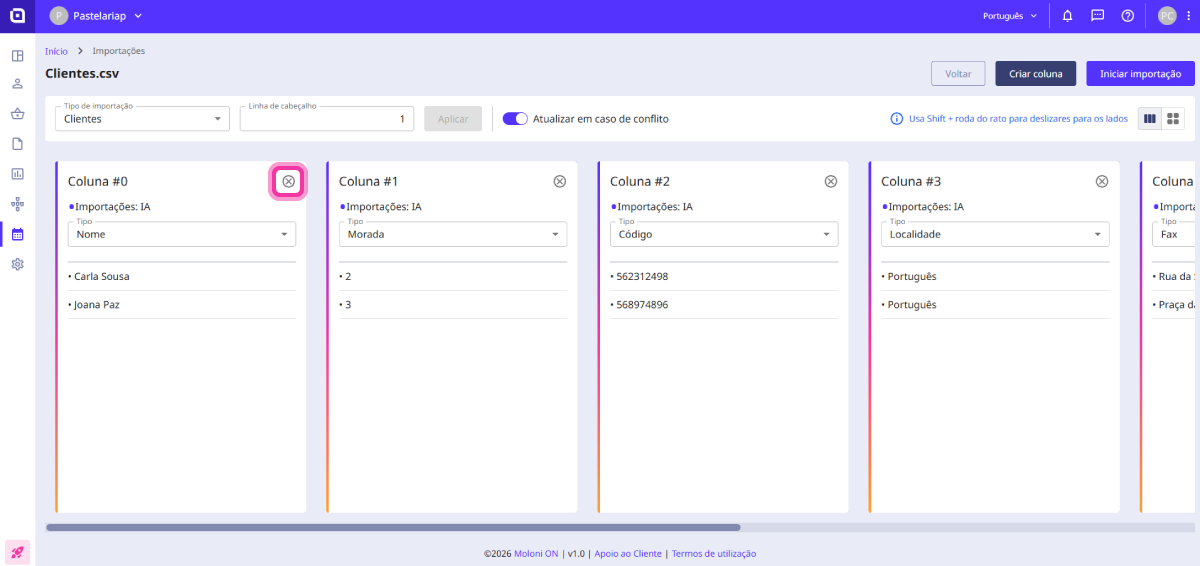
9. You can also remove columns you do not wish to import using the Delete button.
10. Once the information is organised, click the Start import button to import the customers.