How to set up the connection with TA
Follow the steps:
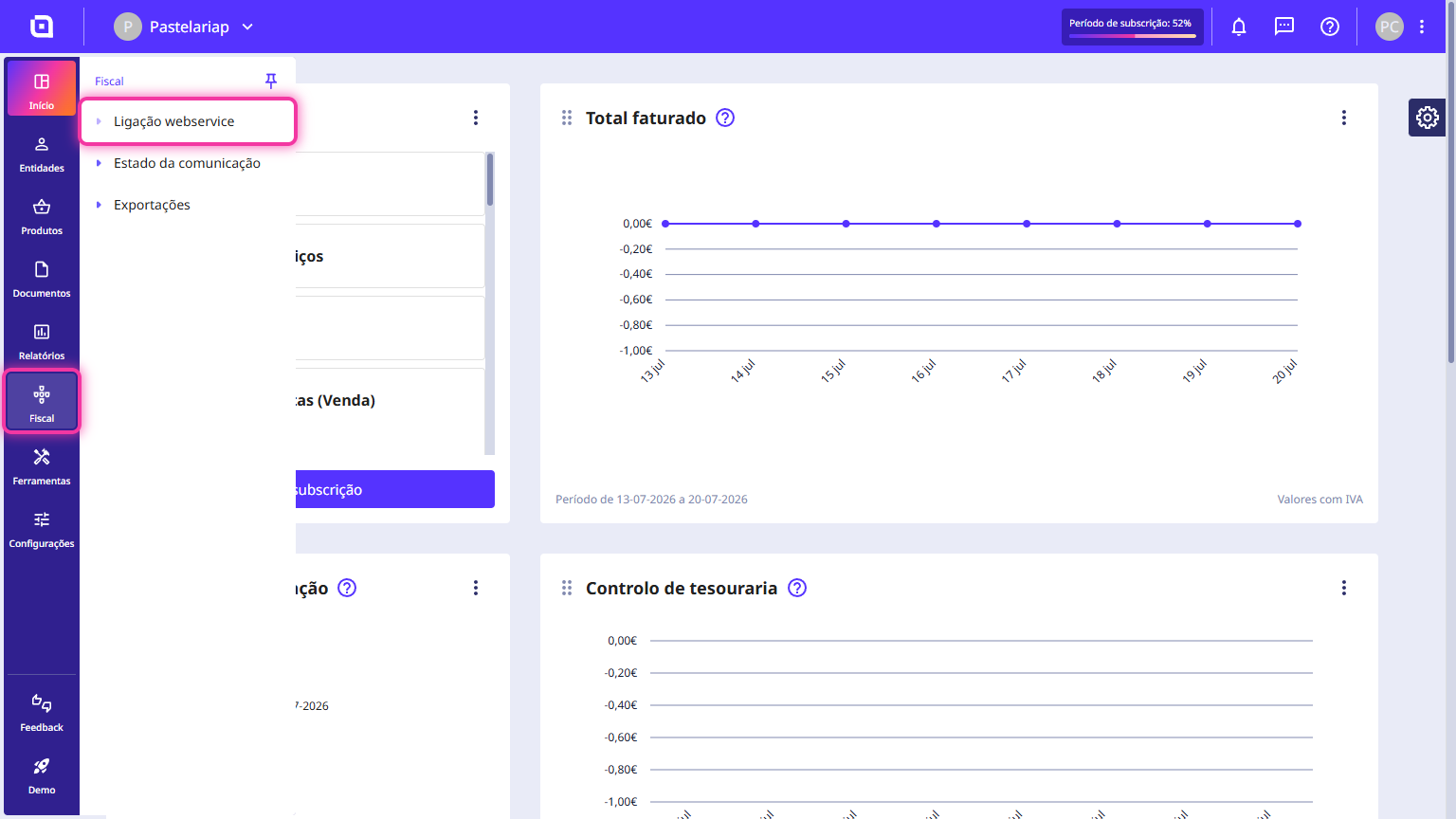
1. Go to the menu Fiscal and click Web service connection.
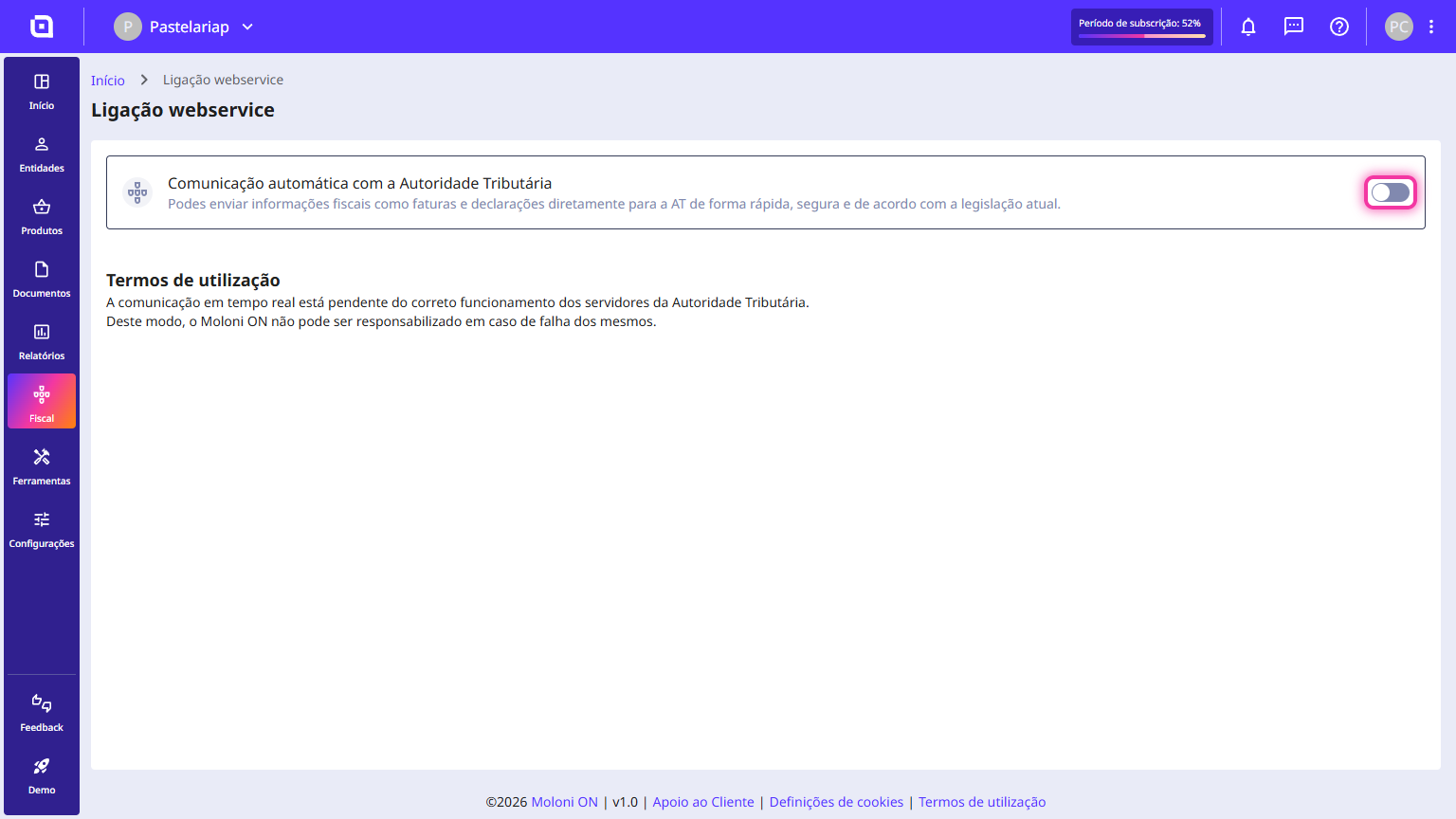
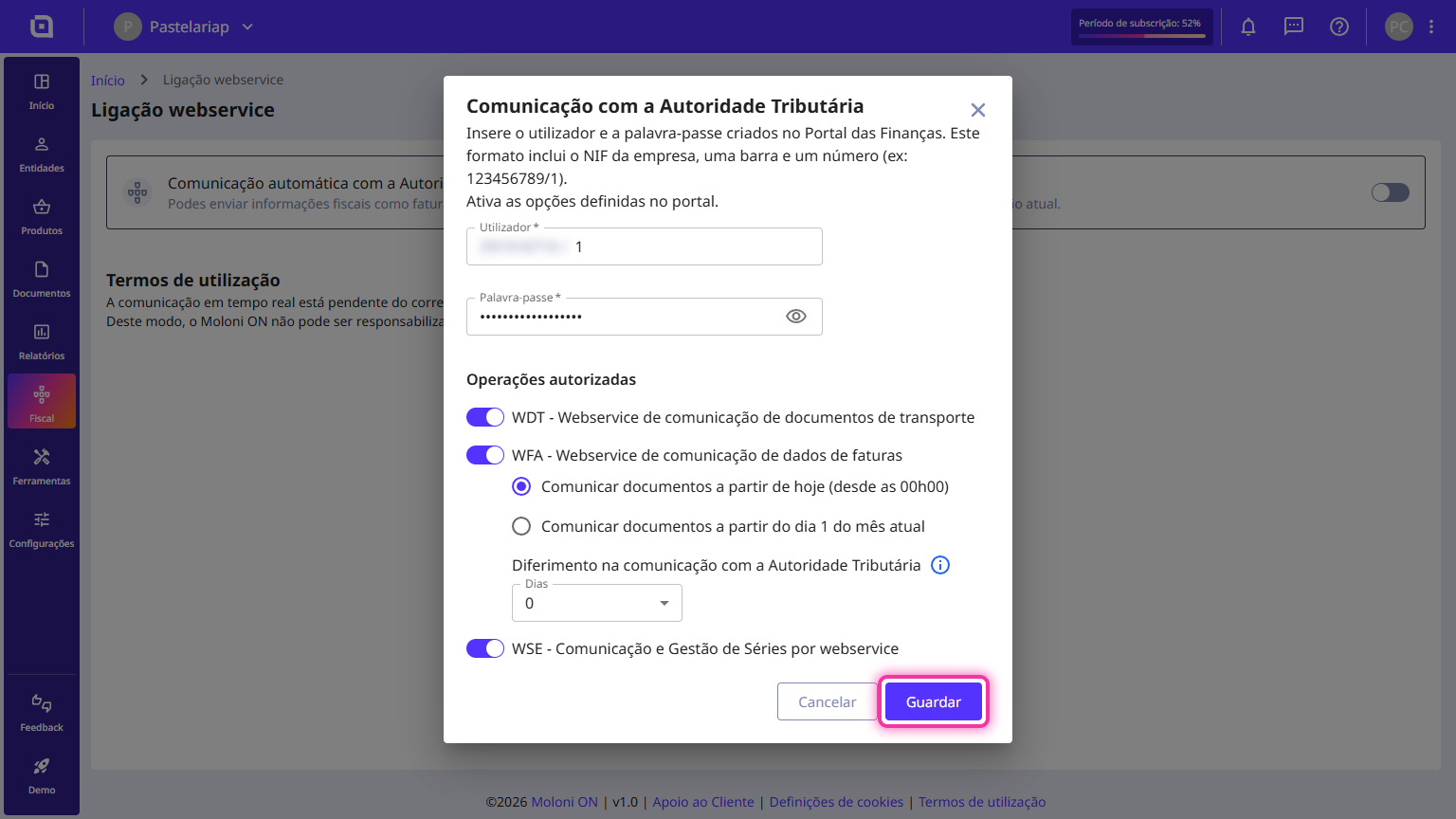
2. Activate the option Automatic communication with the Tax Authority.
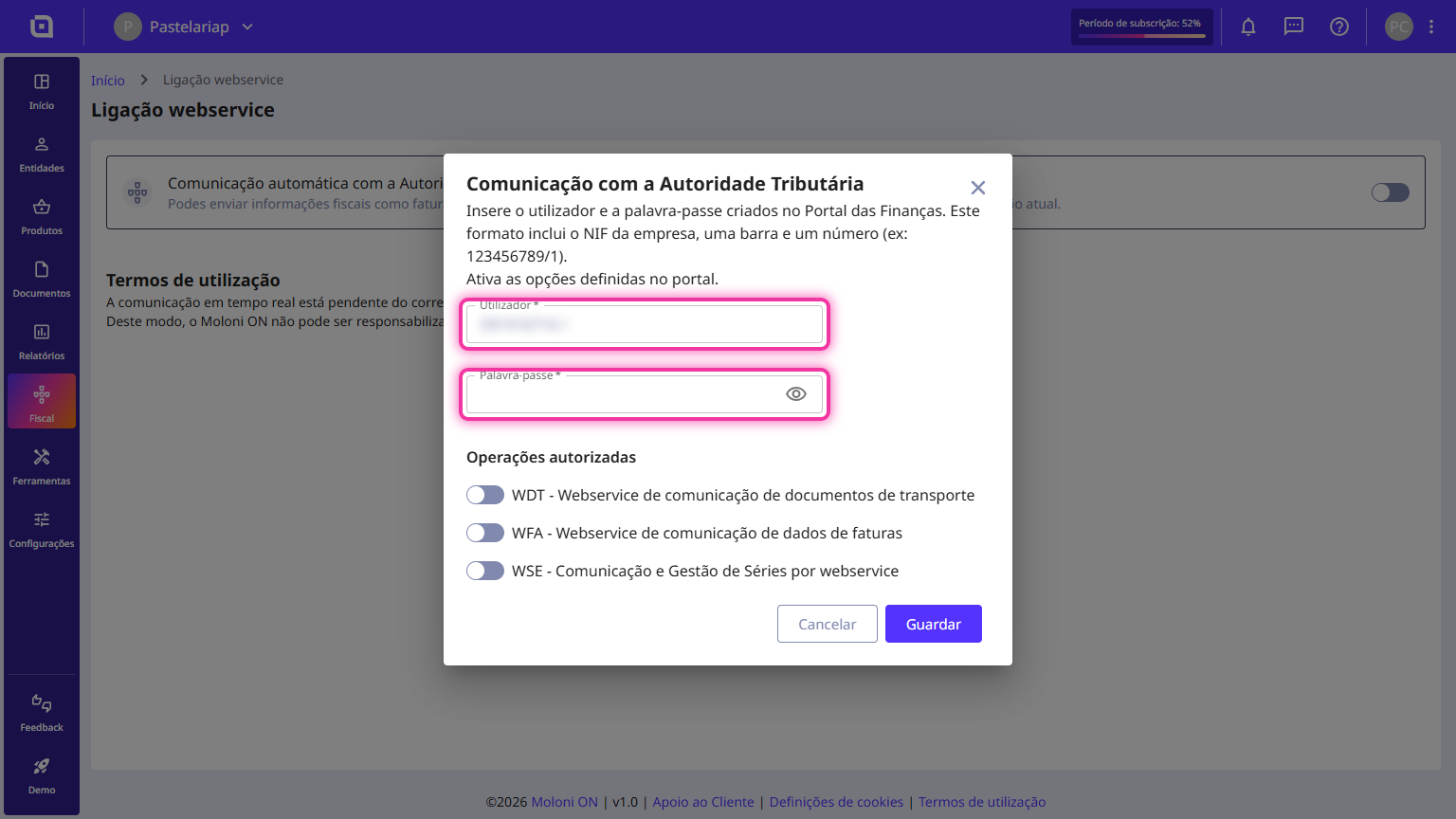
3. Enter the user created on the TA website and the password.
4. In the Authorised Operations section, select the desired operations.
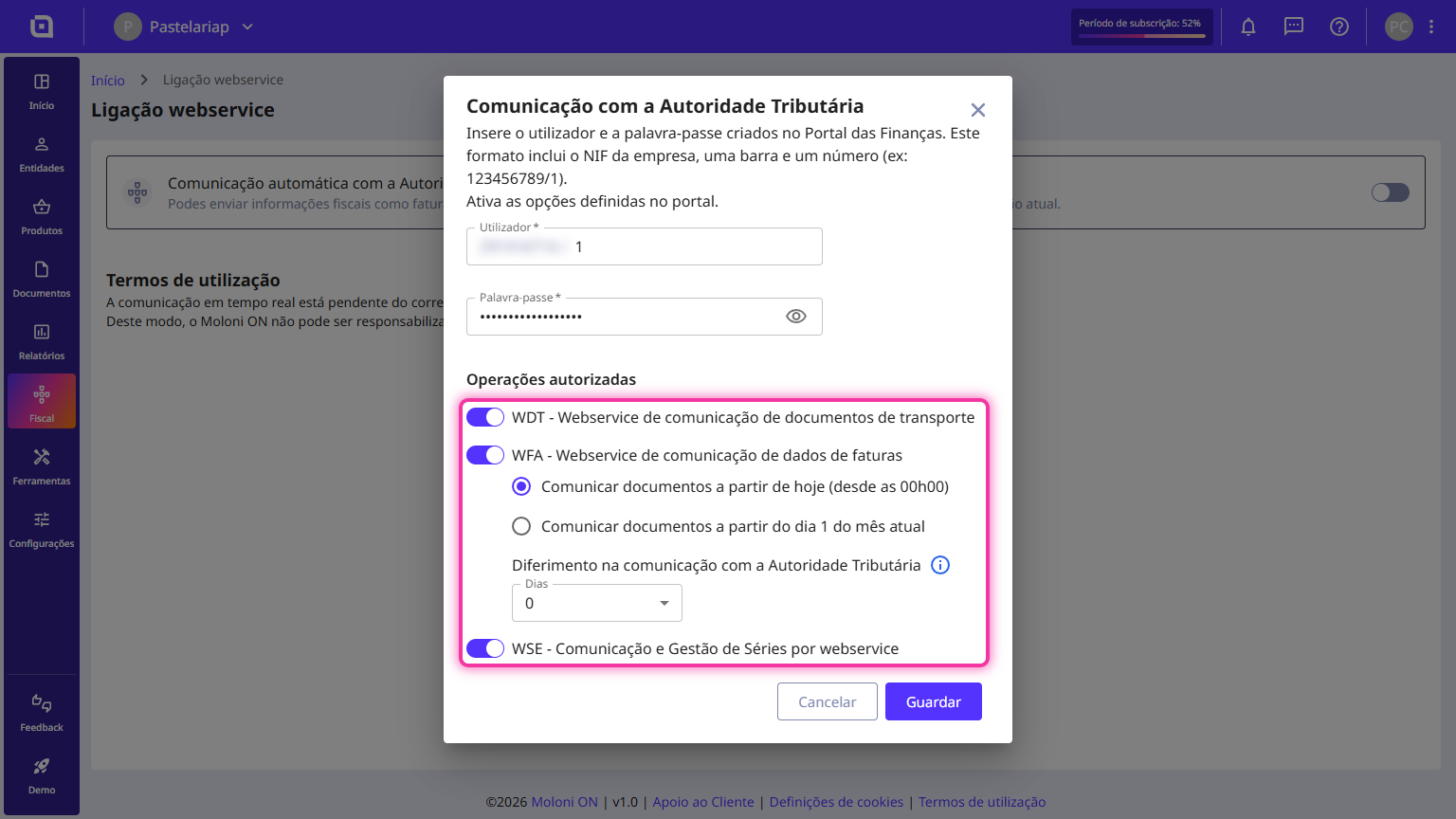
5. Click on Save.
Who is required to communicate invoice details to the TA?
According to Decree-Law No. 198/2012 of 24 August, all persons, whether singular or collective, who have their head office, permanent establishment, or tax domicile in Portuguese territory and carry out operations subject to VAT there, are obliged to communicate the details of invoices issued under the terms of the VAT Code to the Tax Authority (TA), by electronic data transmission, through one of the following means:
- By real-time electronic data transmission, integrated into an electronic invoicing program;
- By electronic data transmission, by submitting a structured standardised file based on the SAF-T (PT) file, created by Ministerial Order No. 321-A/2007, of 26 March, amended by Ministerial Order No. 302/2016, of 2 December, containing the invoice details;
- By direct insertion on the Portal das Finanças;
- By another electronic means, under terms to be defined by Ministerial Order of the Minister of Finance.
I can't activate communication due to errors in my account. What should I do?
Check if:
- You have invalid tax identification numbers for your clients. There may be an error in a client's tax number.
- All products have an associated VAT rate or an exemption reason in case they do not charge tax.
If the problem persists, please request our help by email at apoio@molonion.pt