How to export a SAF-T (PT) file
Follow the steps:
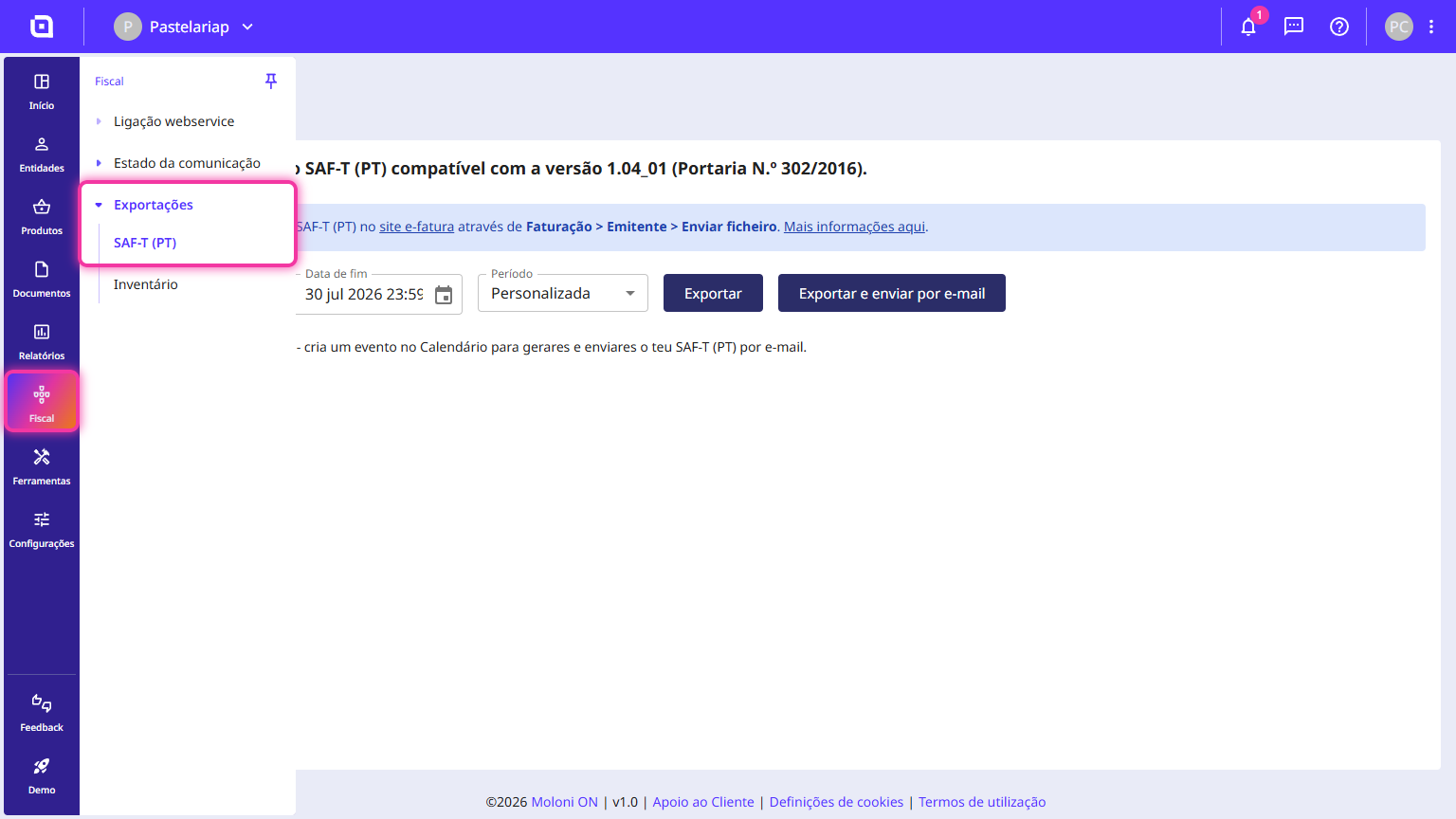
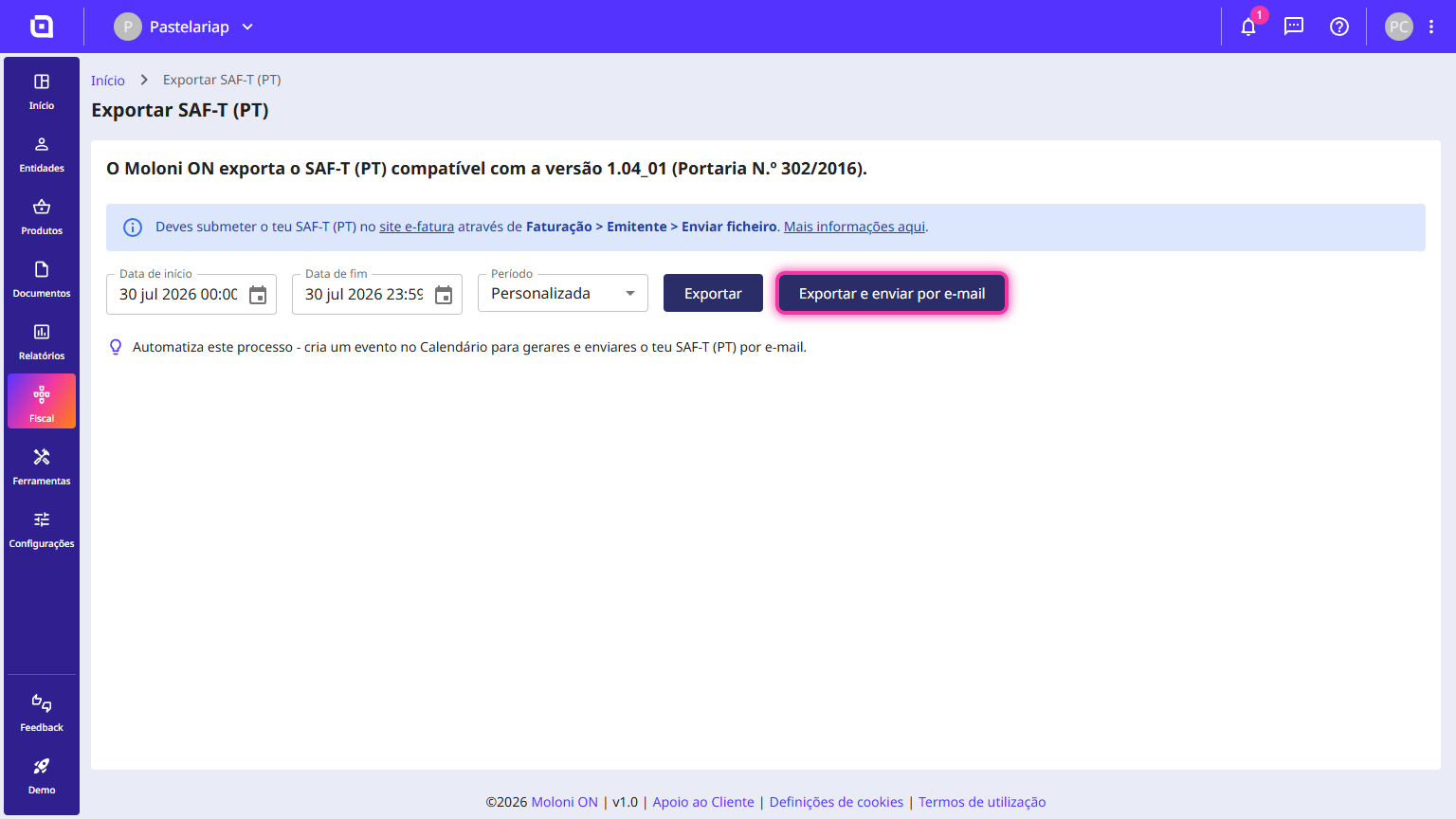
1. Go to the menu Fiscal > Exports > SAF-T (PT).
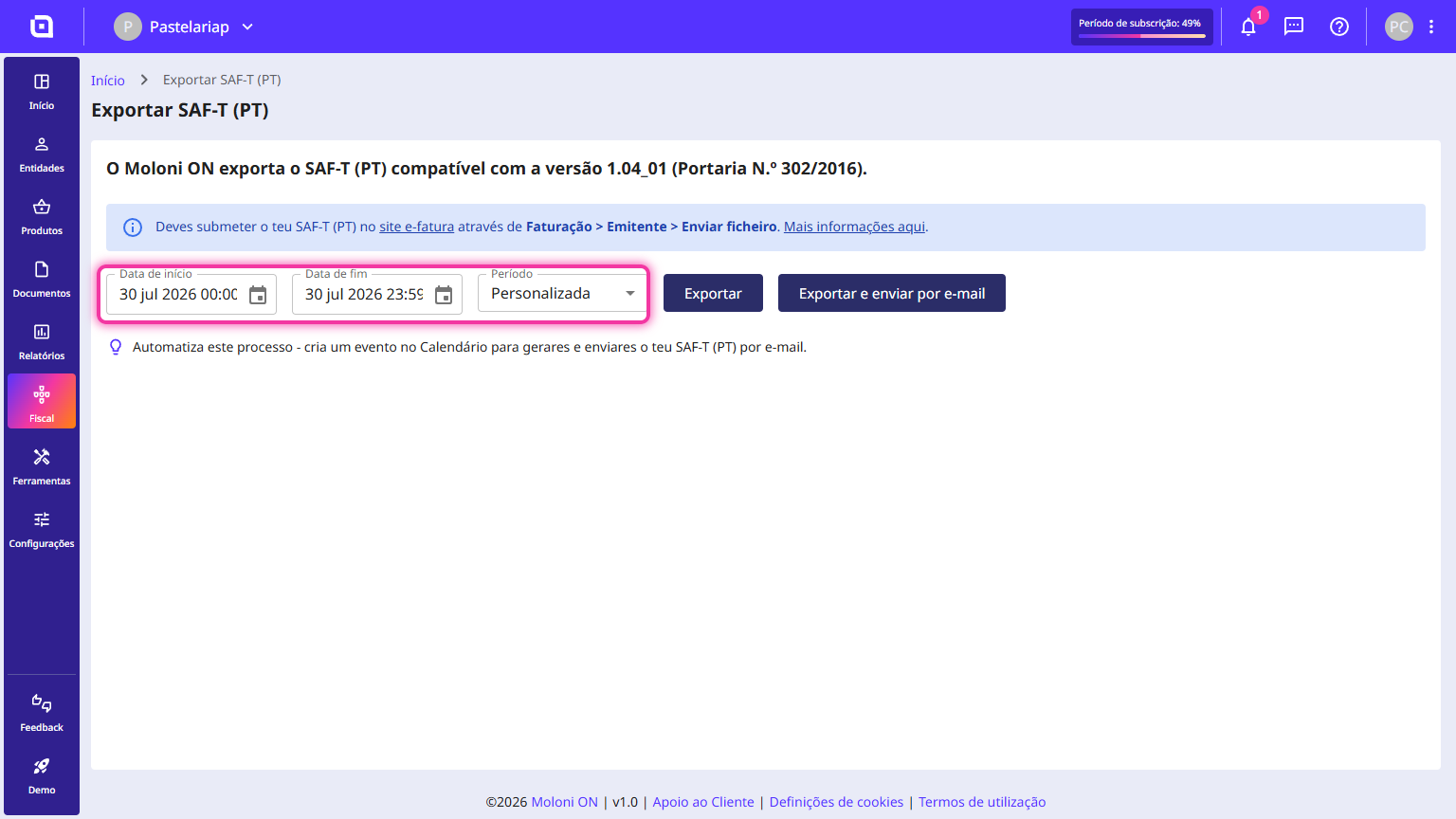
2. You can manually enter the desired dates or select a predefined range.
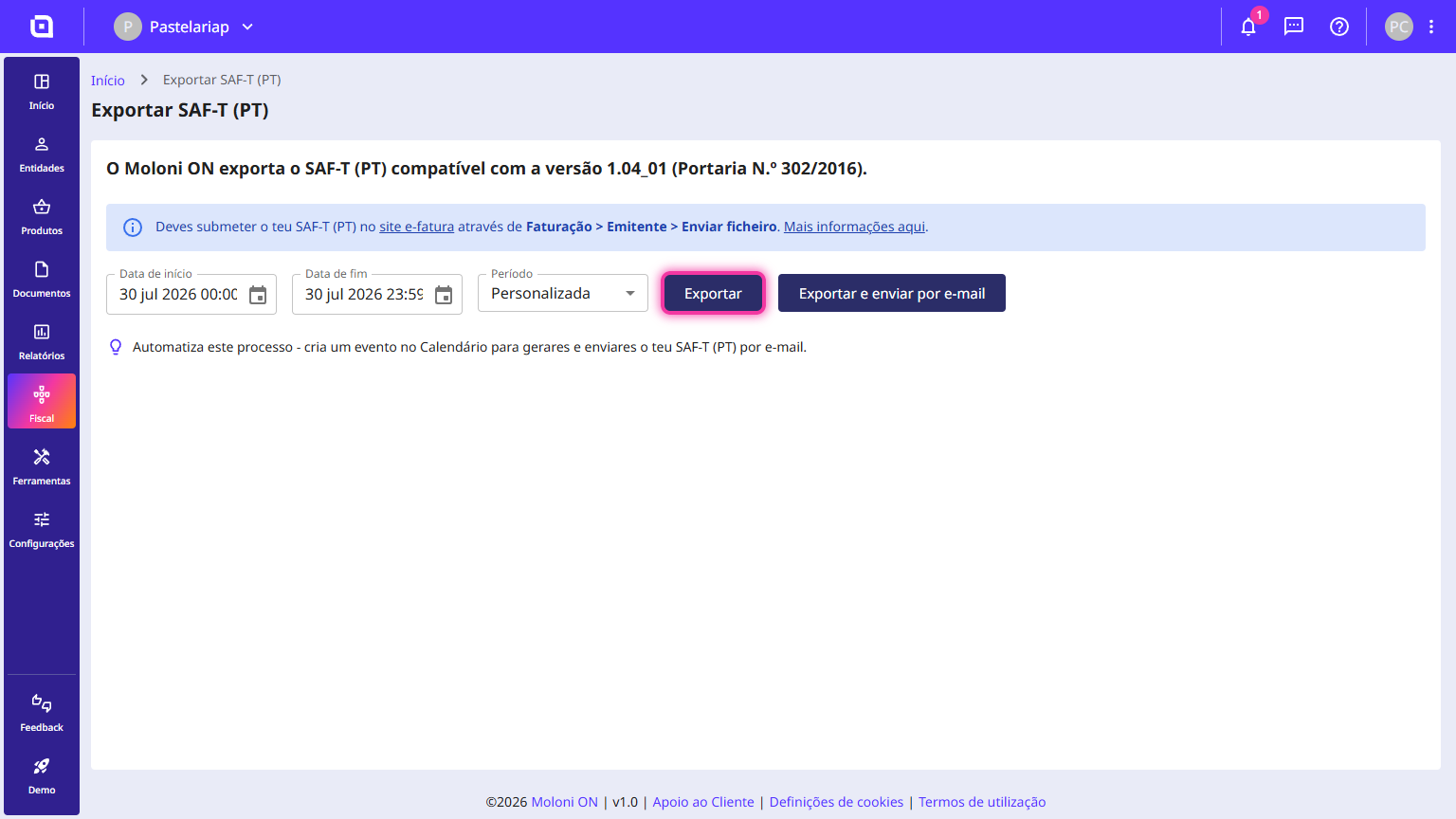
3. Click the Export button.
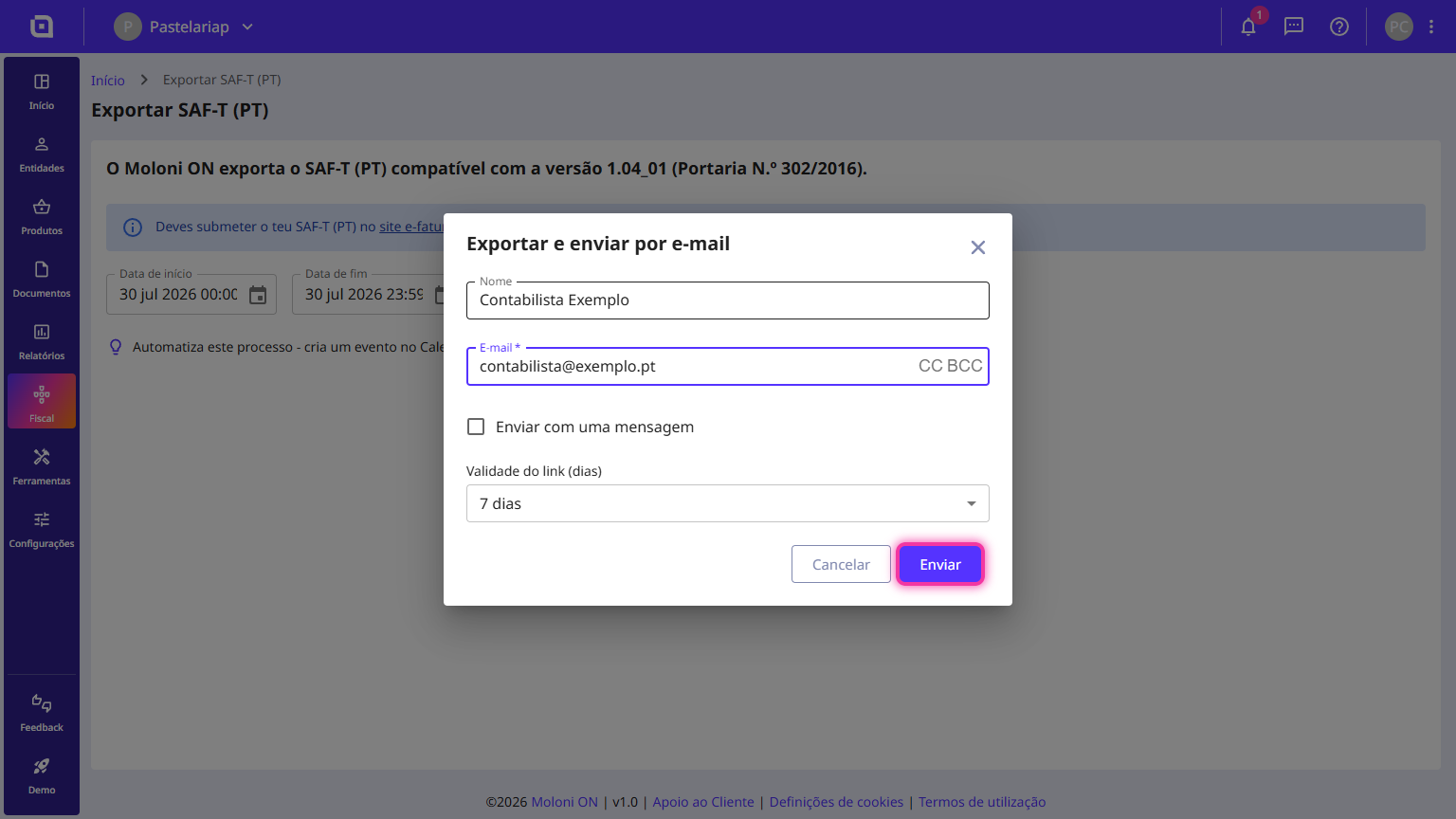
4. If you want to send your SAF-T (PT) file directly to an accountant, click the Export and send by email button.
5. Fill in the requested details and click the Send button.
My SAF-T (PT) file does not pass validation. What should I do?
The generated SAF-T (PT) is compatible with the version 1.04 format (Ordinance No. 302/2016), which is the latest version available from the Tax Authority. Confirm that you have selected this version in the submission settings for your SAF-T (PT) file.
If this is not the problem, the second step is to confirm which validator you are using.
Many users search on search engines for the SAF-T (PT) validator and the address for old validators still appears. These old validators do not support the new changes, have errors, and are often inappropriate or not in line with the change in the law.
Make sure you validate your SAF-T (PT) file on the e-fatura website, as you can validate and test it without having to submit it.
Do not open the generated SAF-T (PT) file
Some users open the generated file in text editors or other similar programs, running the risk of changing its format. If this happens, the file is no longer valid for the TA services, and you must generate a new file to submit again.
If you continue to experience errors, please contact Customer Support so we can analyse the errors via the file you are submitting.
How to submit my SAF-T(PT) file on the TA website
To send a SAF-T(PT) file to the TA, simply submit it through the e-fatura website.
Follow these steps:
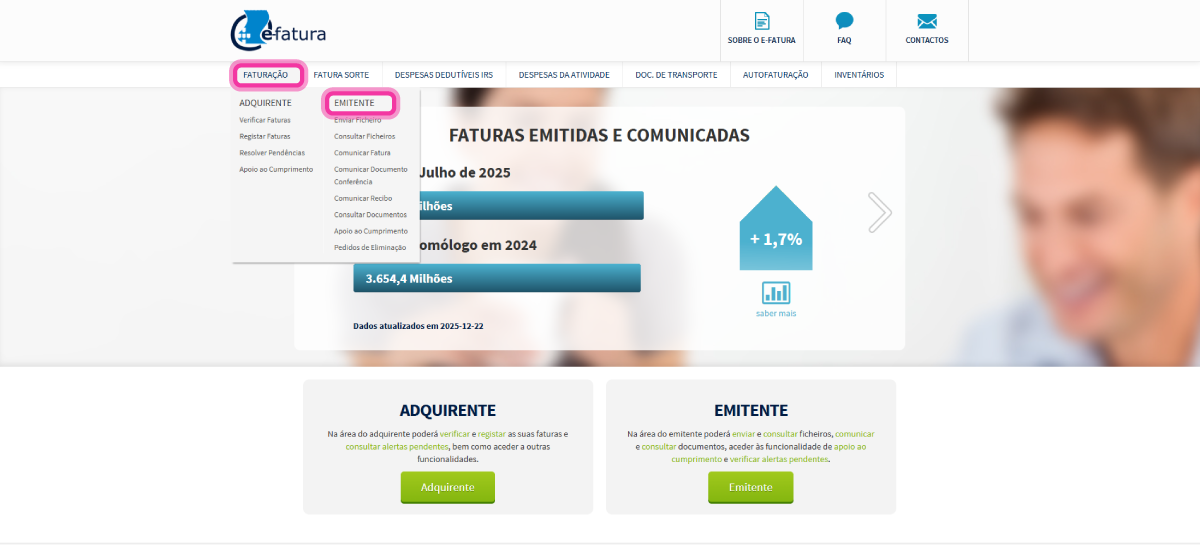
1. Access the e-fatura website.
2. Go to the Faturação menu and click on the Emitente option.
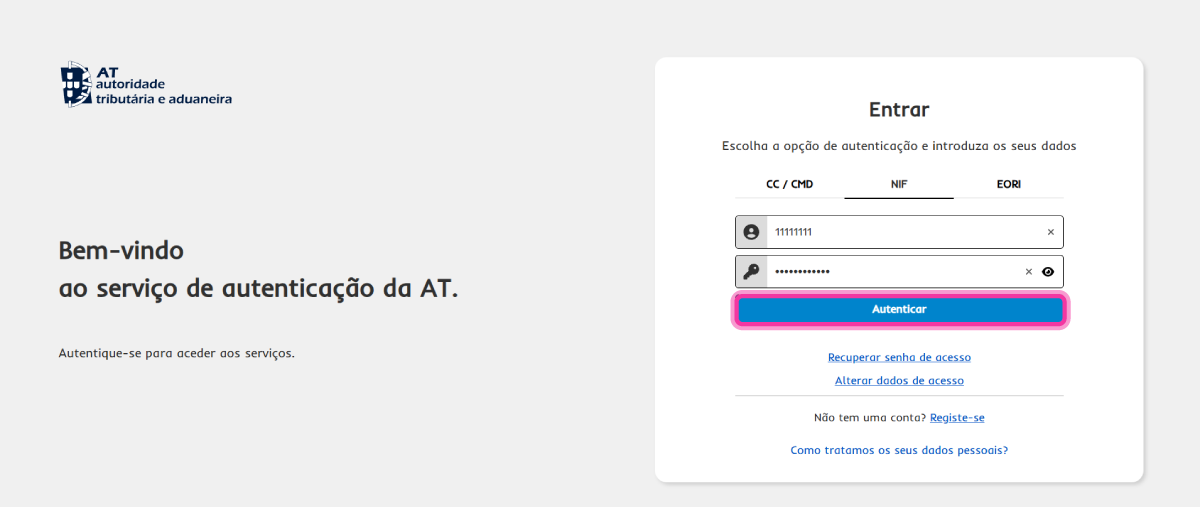
3. Enter your login details and click the Autenticar button.
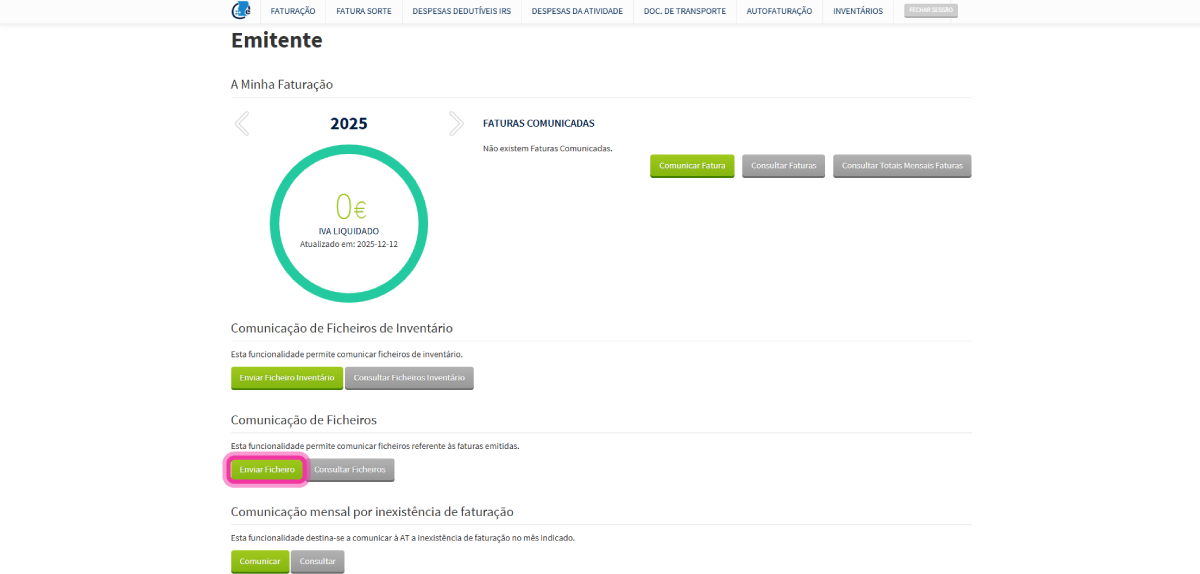
4. In the Comunicação de Ficheiros section, click the Enviar Ficheiro button.
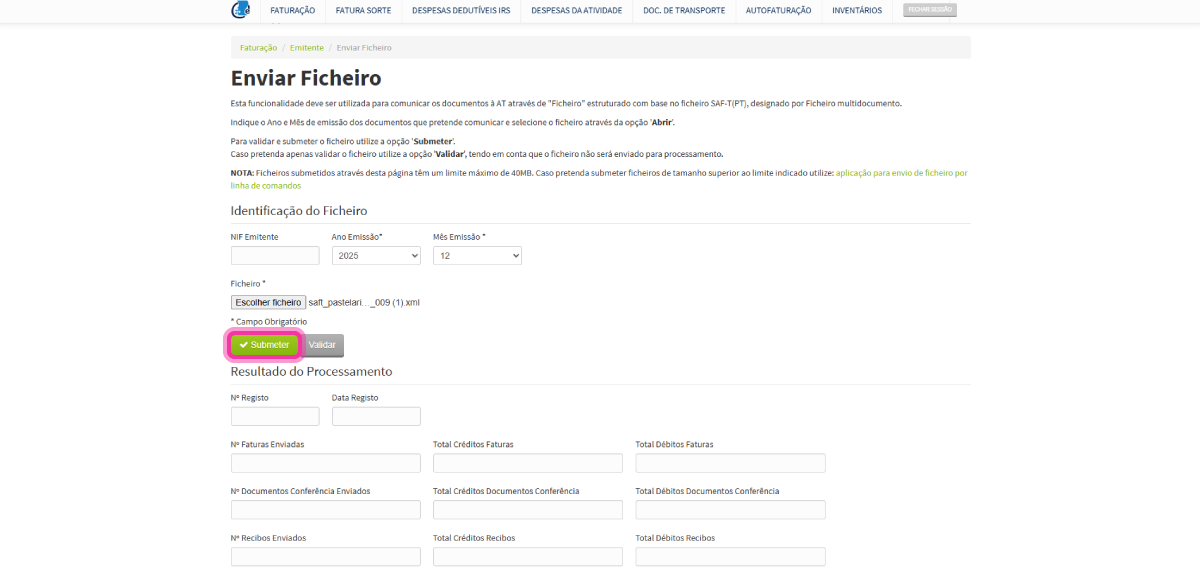
5. Enter the file details, such as the Ano Emissão and Mês Emissão and click the Escolher ficheiro button to locate the SAF-T (PT).
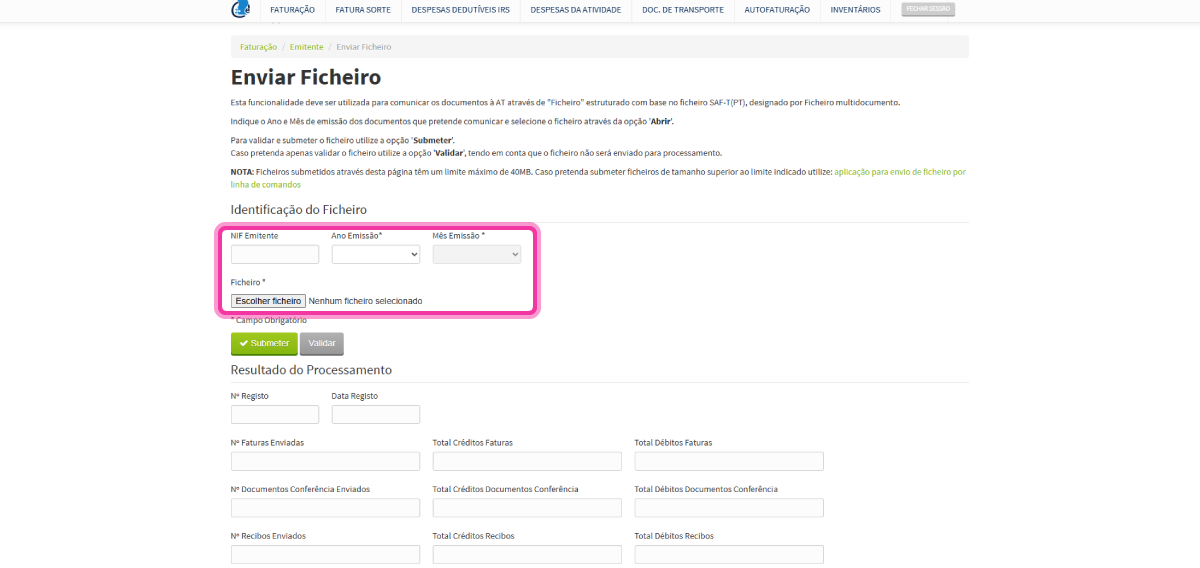
6. The SAF-T (PT) file has been added to the platform. Click the Submeter button to send the file.