How to create a new user on the TA website
Follow the steps:
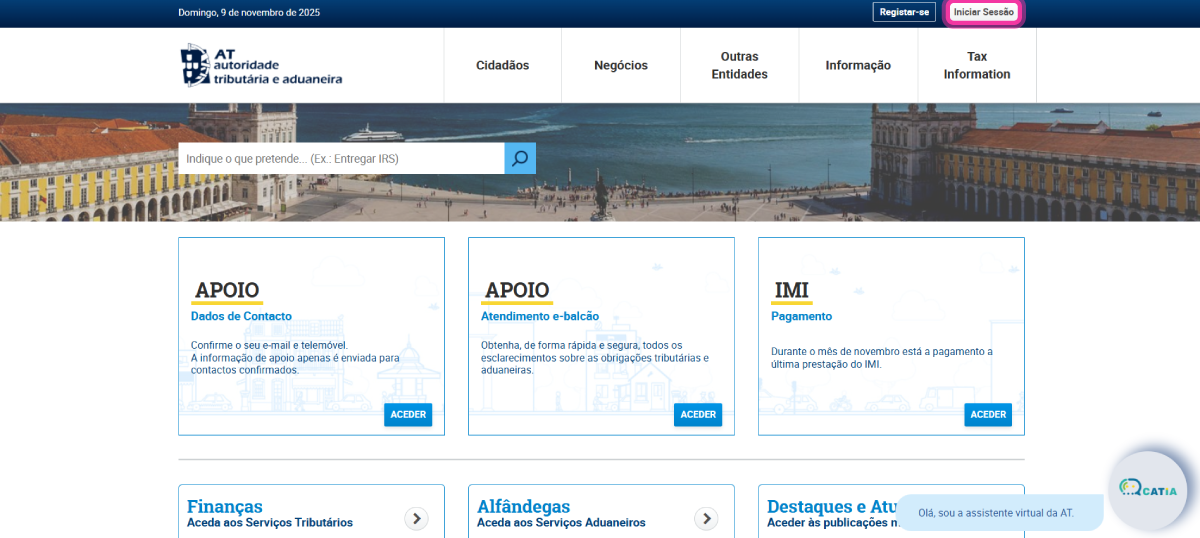
1. Access the Tax Authority website.
2. Click on Iniciar Sessão to log in.
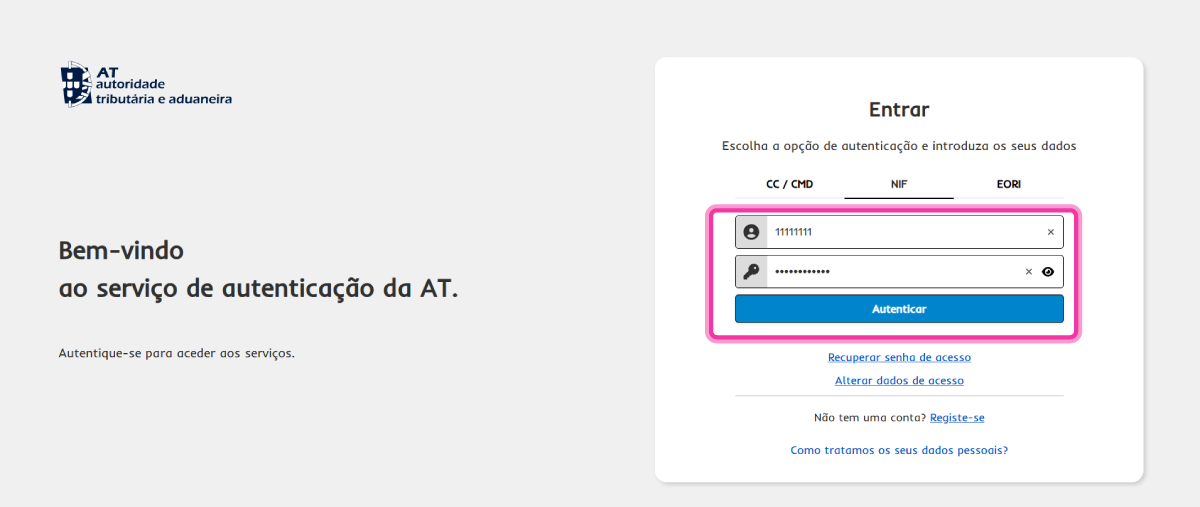
3. Select the authentication method and enter your access credentials. Click Autenticar. If you are authenticating via CC/CMD, click AUTENTICAÇÃO.GOV and follow the instructions provided.
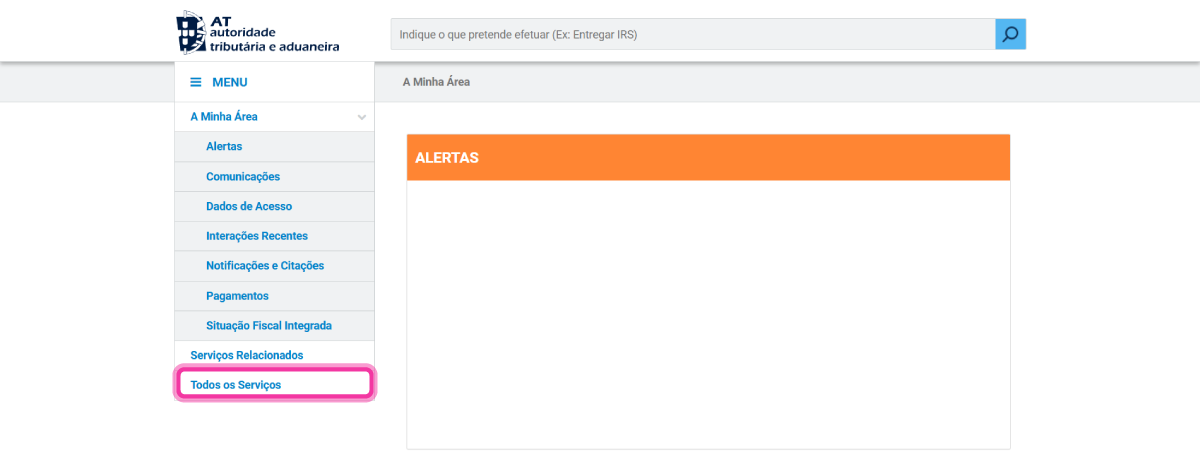
4. Click on Todos os Serviços.
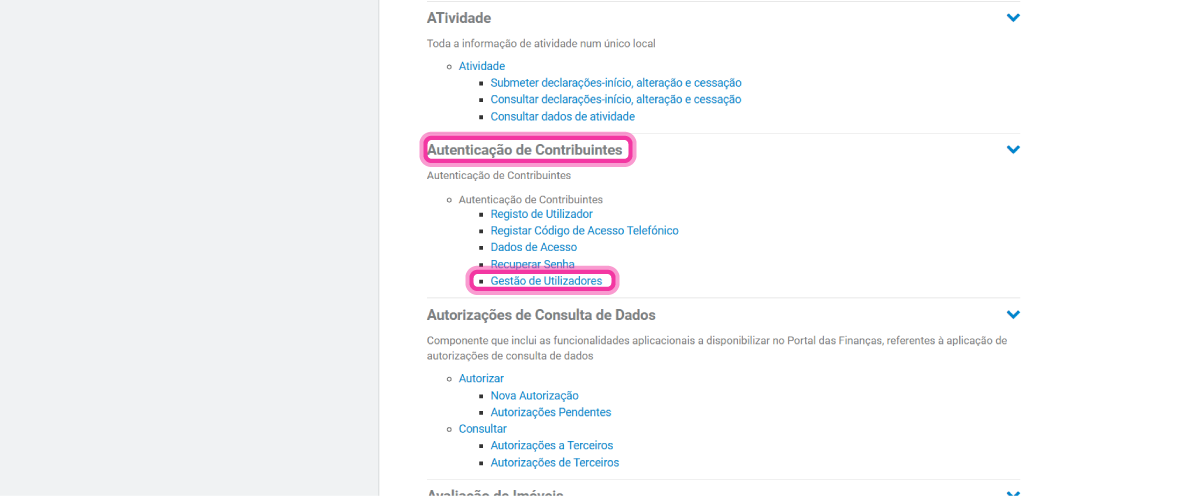
5. Look for the group Autenticação de Contribuintes and click on Gestão de Utilizadores.
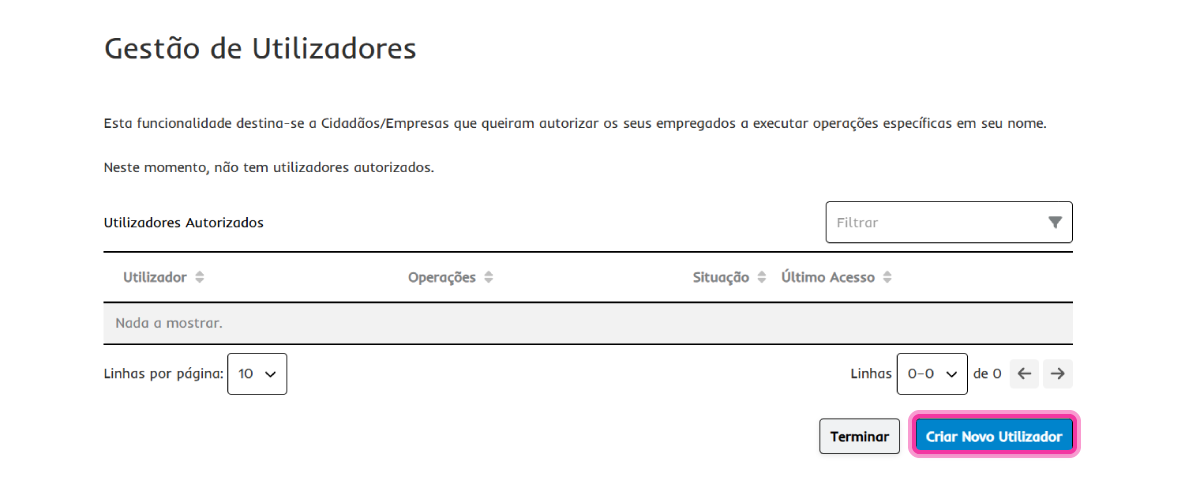
6. Click on Criar Novo Utilizador.
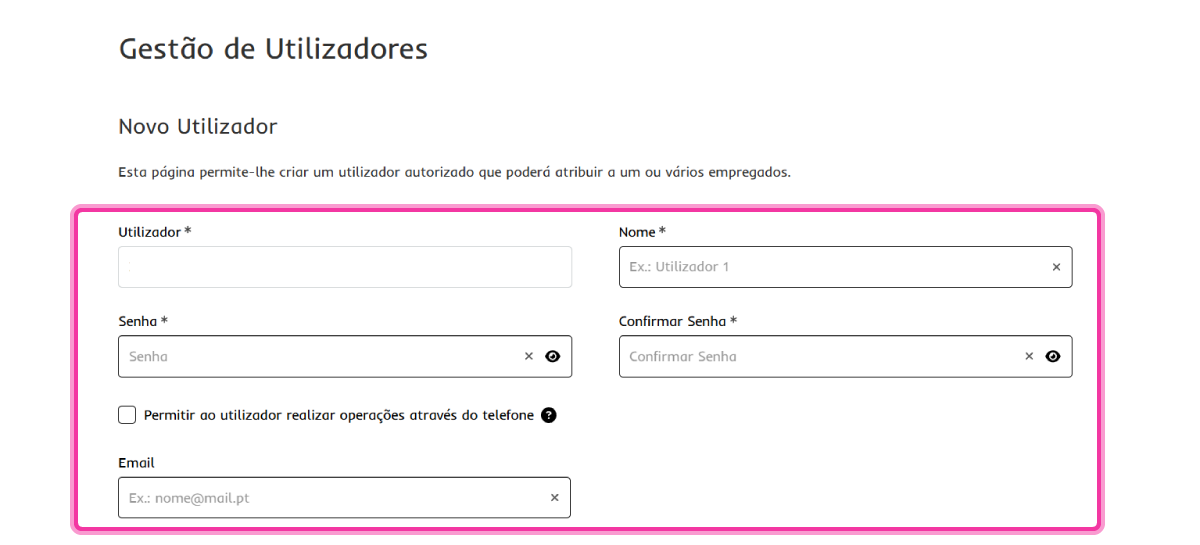
7. Fill in the form fields.
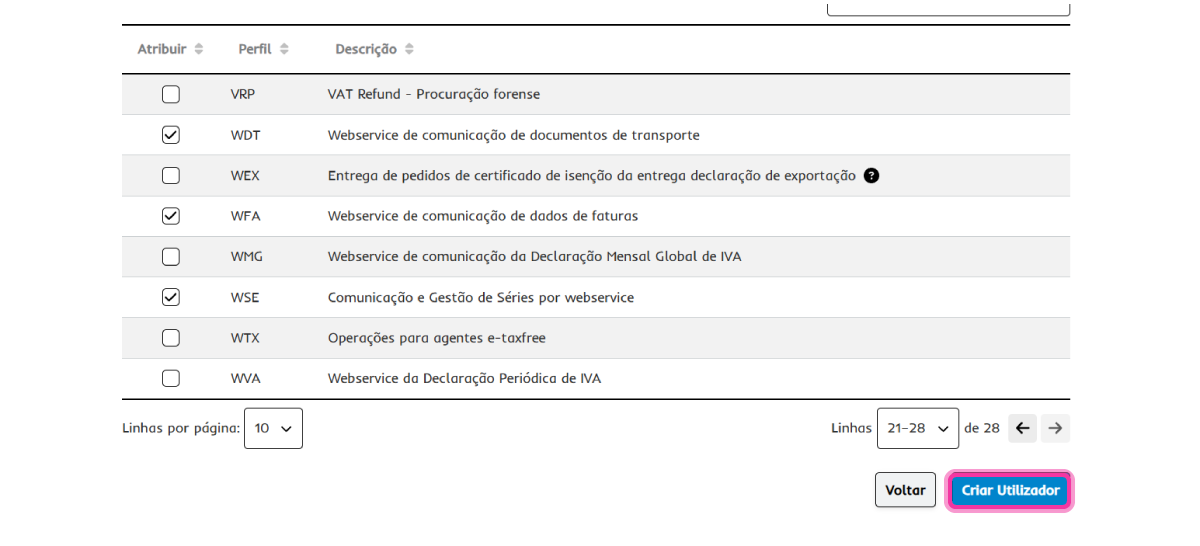
8. You must activate the user permissions according to the desired connection type:
- If you wish to communicate sales documents, activate the option WFA - Webservice de comunicação de dados de faturas.
- If you wish to communicate transport documents, activate the option WDT - Webservice de comunicação de dados de documentos de transporte.
- If you wish to communicate your series via webservice, activate the option WSE - Comunicação e Gestão de Séries por webservice.
- If you wish to communicate the various types of documents, activate all 3 options.
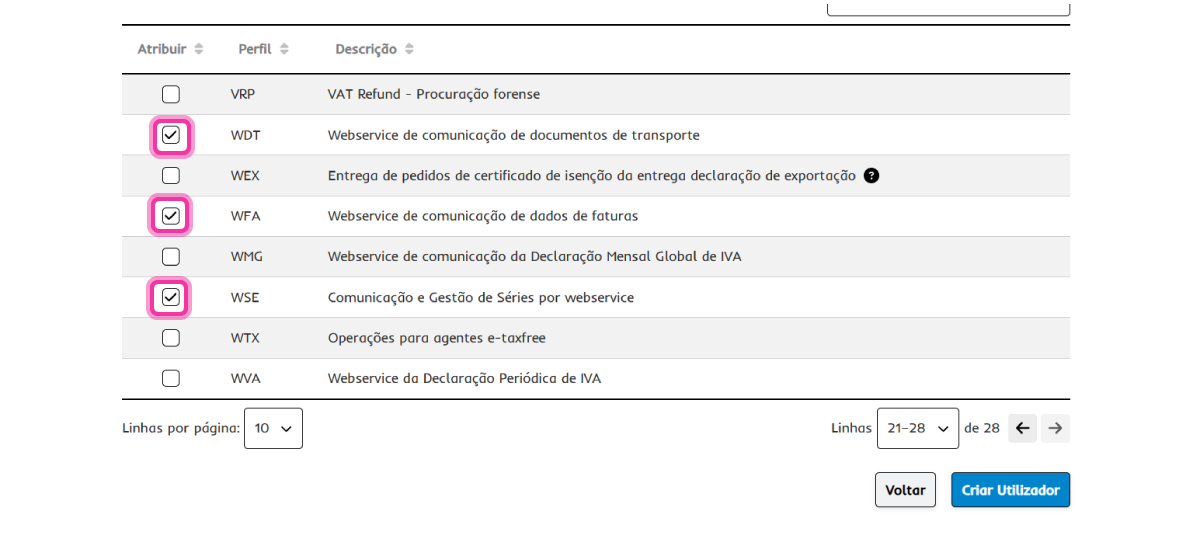
9. Click on Criar Utilizador.