How to check the status of document sets communicated to the TA
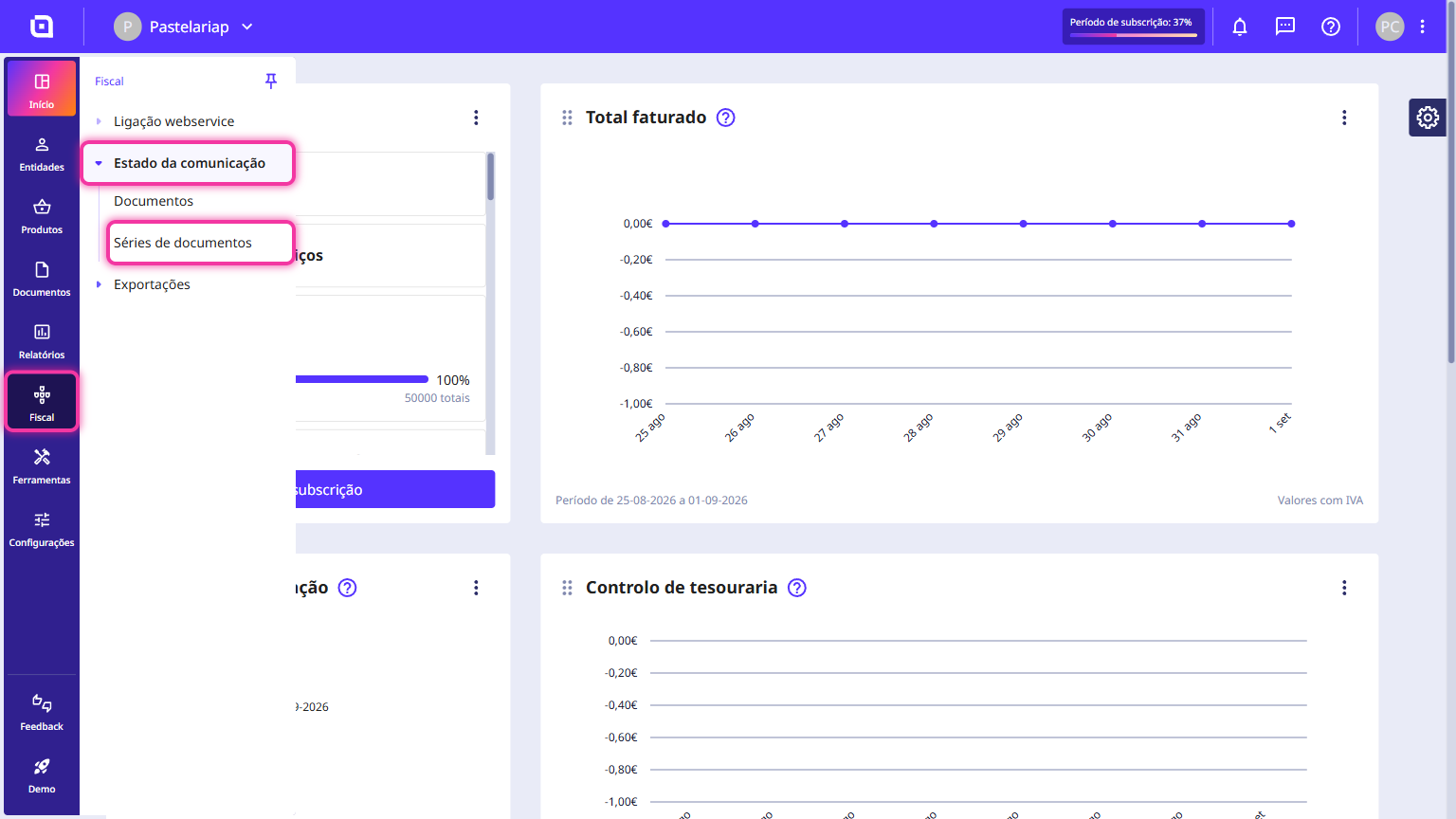
You check the status of the document sets communicated to the TA in the Client Area, under Fiscal > Communication status > Document sets. The list shows, set by set, the document type, the TA code assigned, the communication status and the date of the last update - so you know straight away what is already registered with the TA.
Follow these steps:
1. In the Client Area, go to the Fiscal menu, select Communication status and click on Document sets.
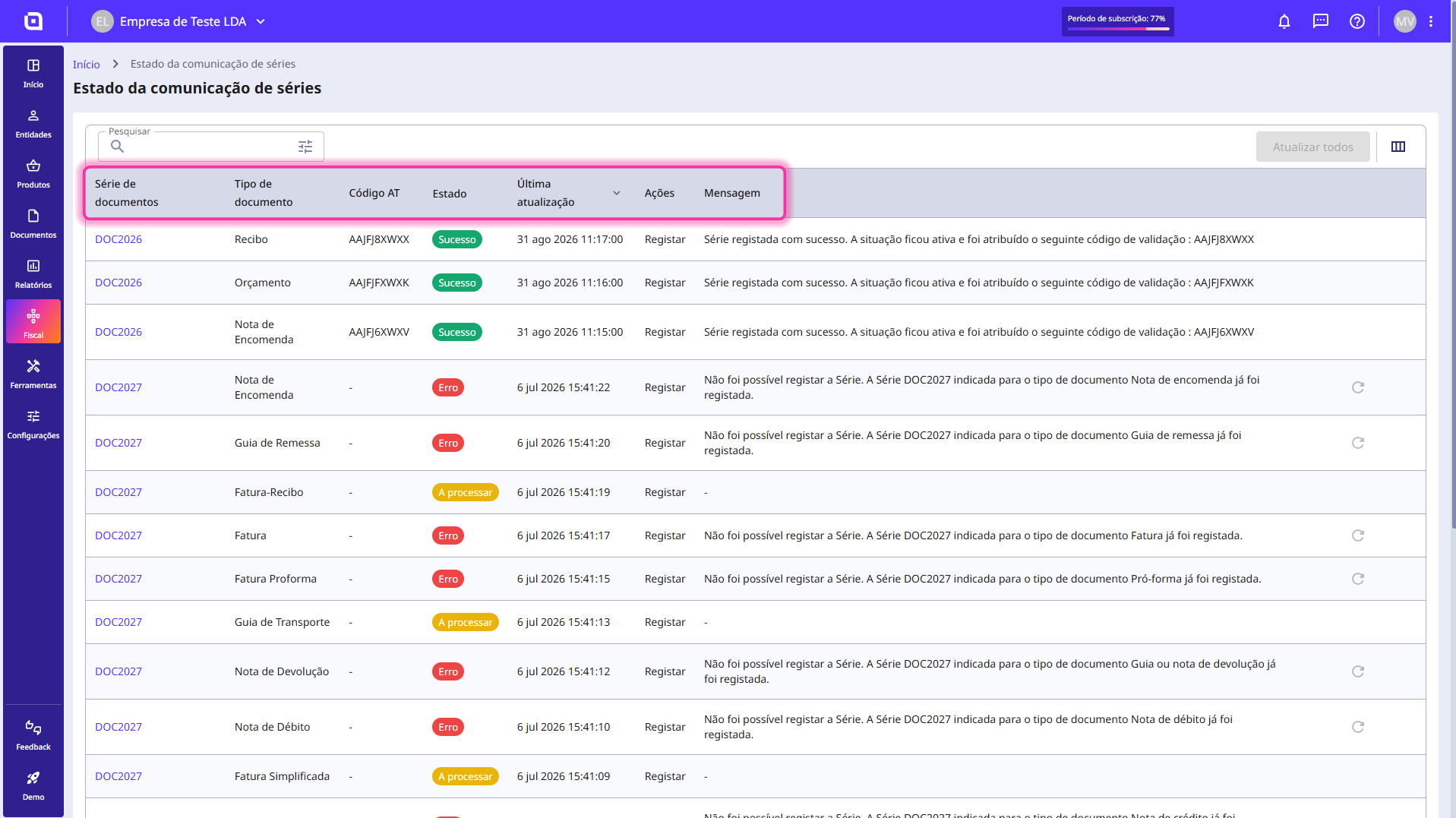
2. In this section, you will find a list of every document set communication record.
The list is divided by the columns:
- Document set;
- Document type;
- TA code;
- Status;
- Last update;
- Operation;
- Message.
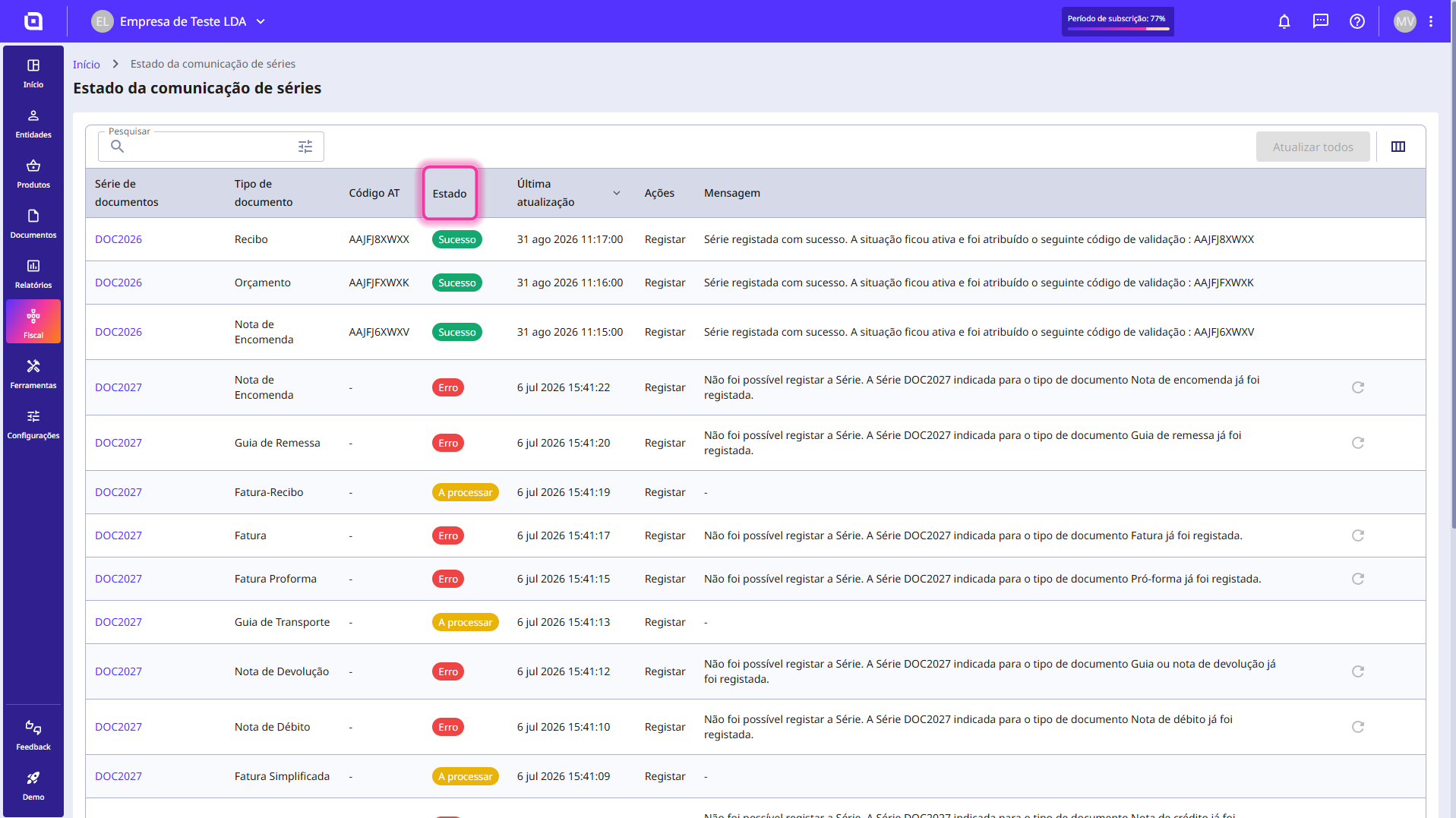
3. The Status column may show the following statuses:
- Success;
- Error;
- Processing.
Reading this guide does not waive consulting the documentation provided by the TA. For more information, consult the Portal das Finanças page on communicating document sets and the ATCUD.