How to apply a VAT exemption to products
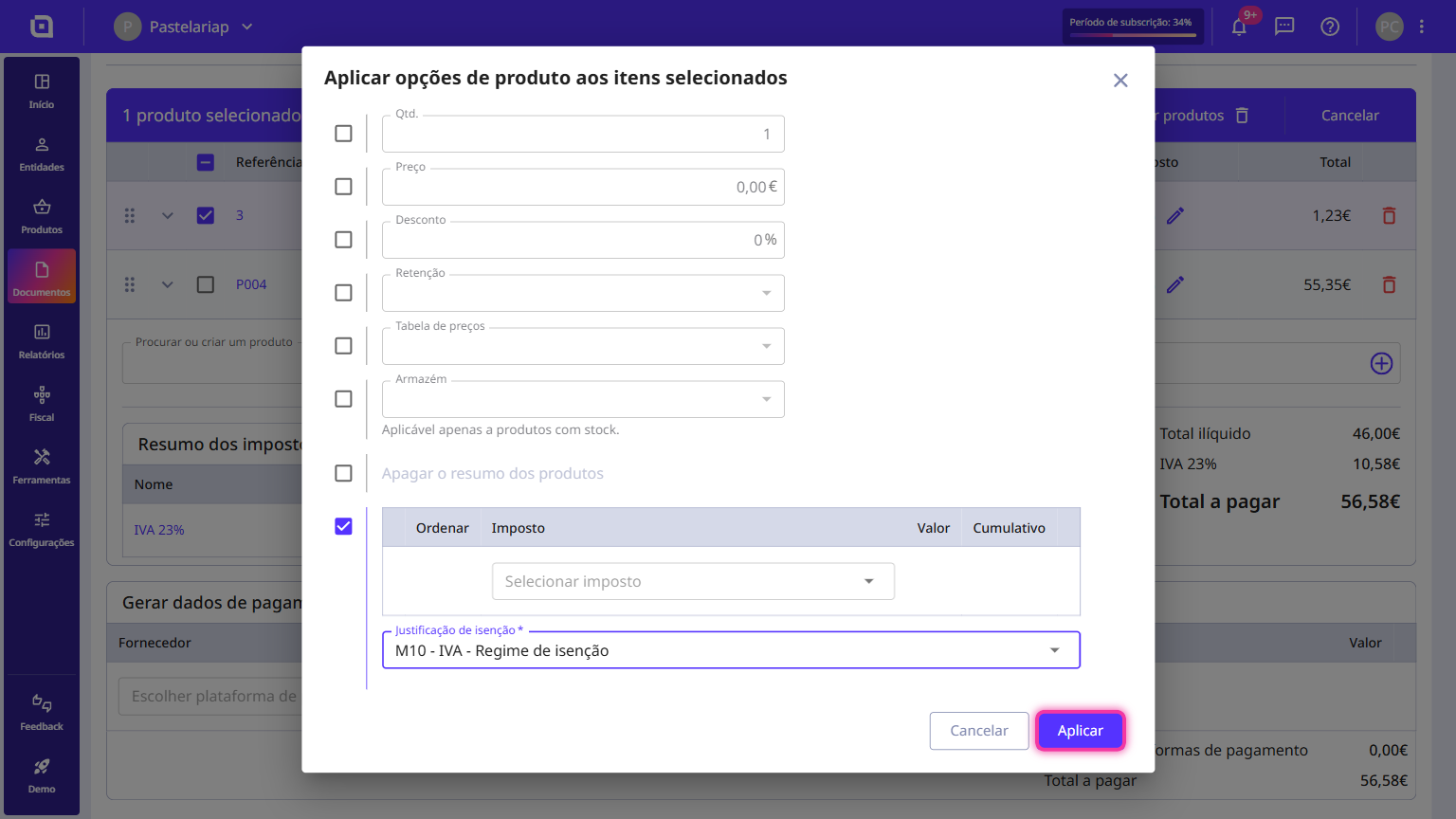
In Moloni ON you can apply a VAT exemption in two ways: on the product record, in the Tax tab, where you remove the associated tax and choose the exemption reason; or directly on a document, under Product options, by enabling the exemption and entering the reason. That reason is what justifies the exemption to the Tax Authority (AT).
The application of a VAT exemption can be done in two ways:
- By selecting this option when you create a product — the exemption is stored on the product record and applied to every document where you use it;
- By selecting this option when you create a document — the exemption applies only to the lines of that document.
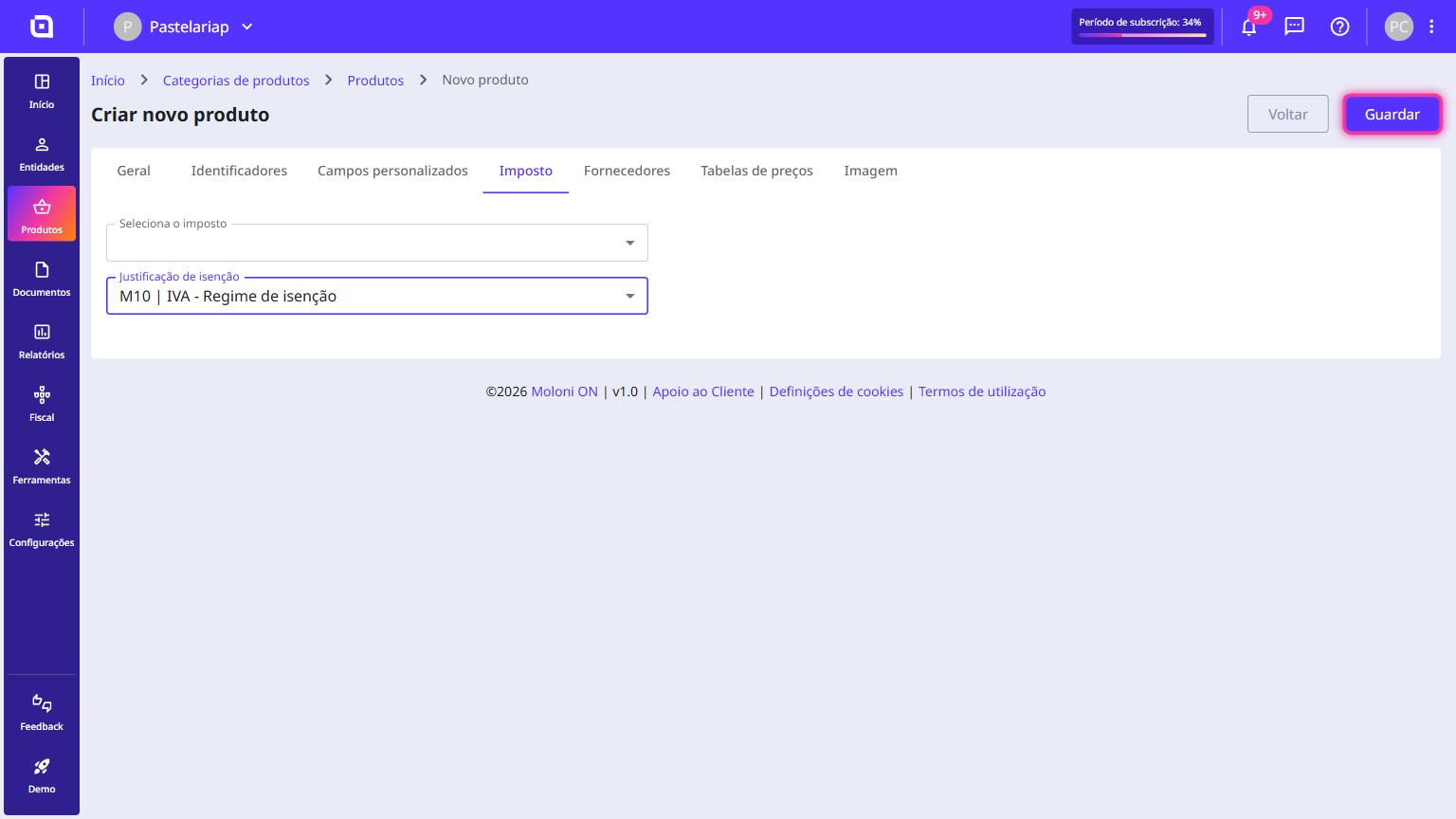
When creating a product
Follow the steps:
1. When creating a product, click the Tax tab.
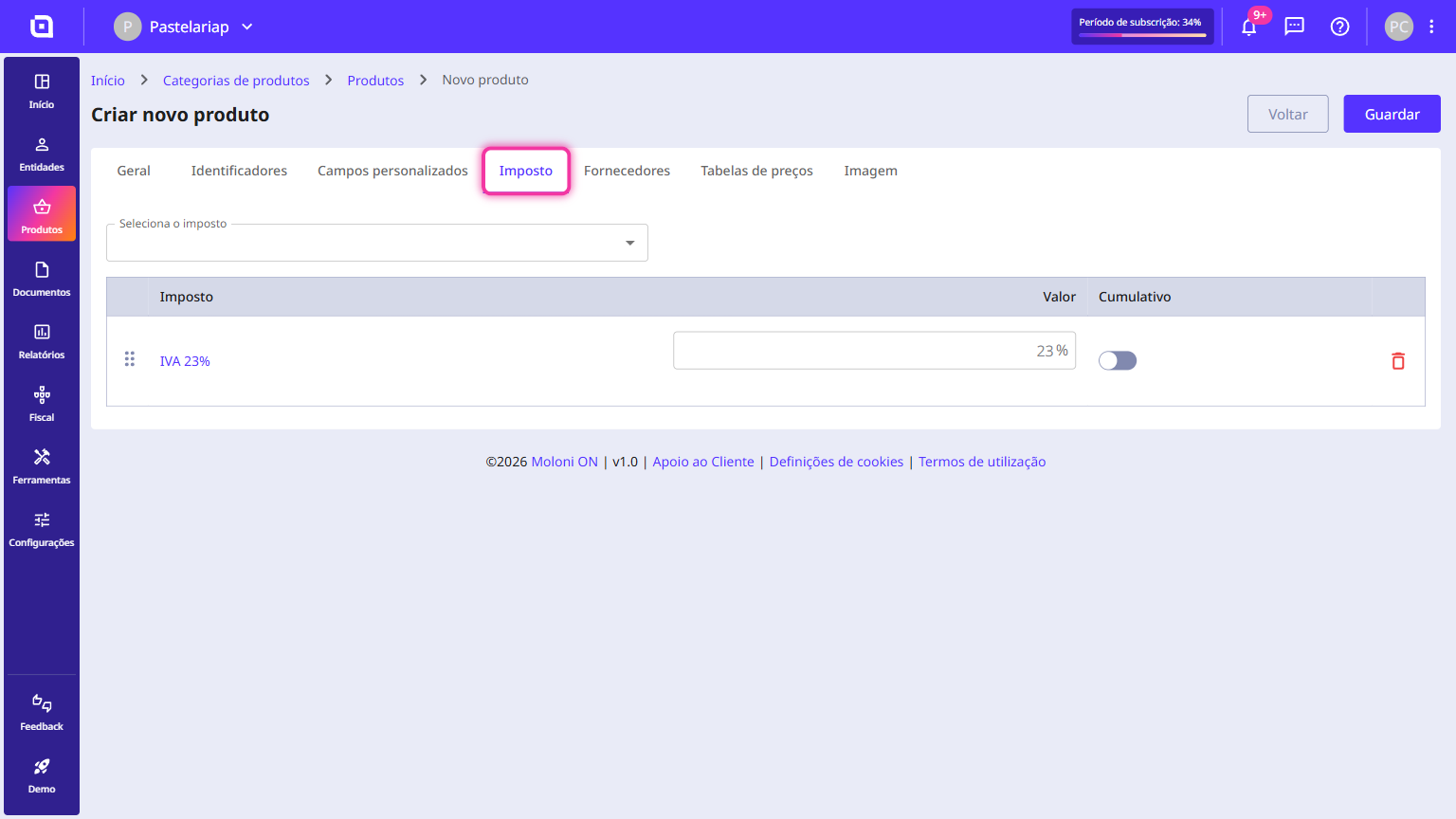
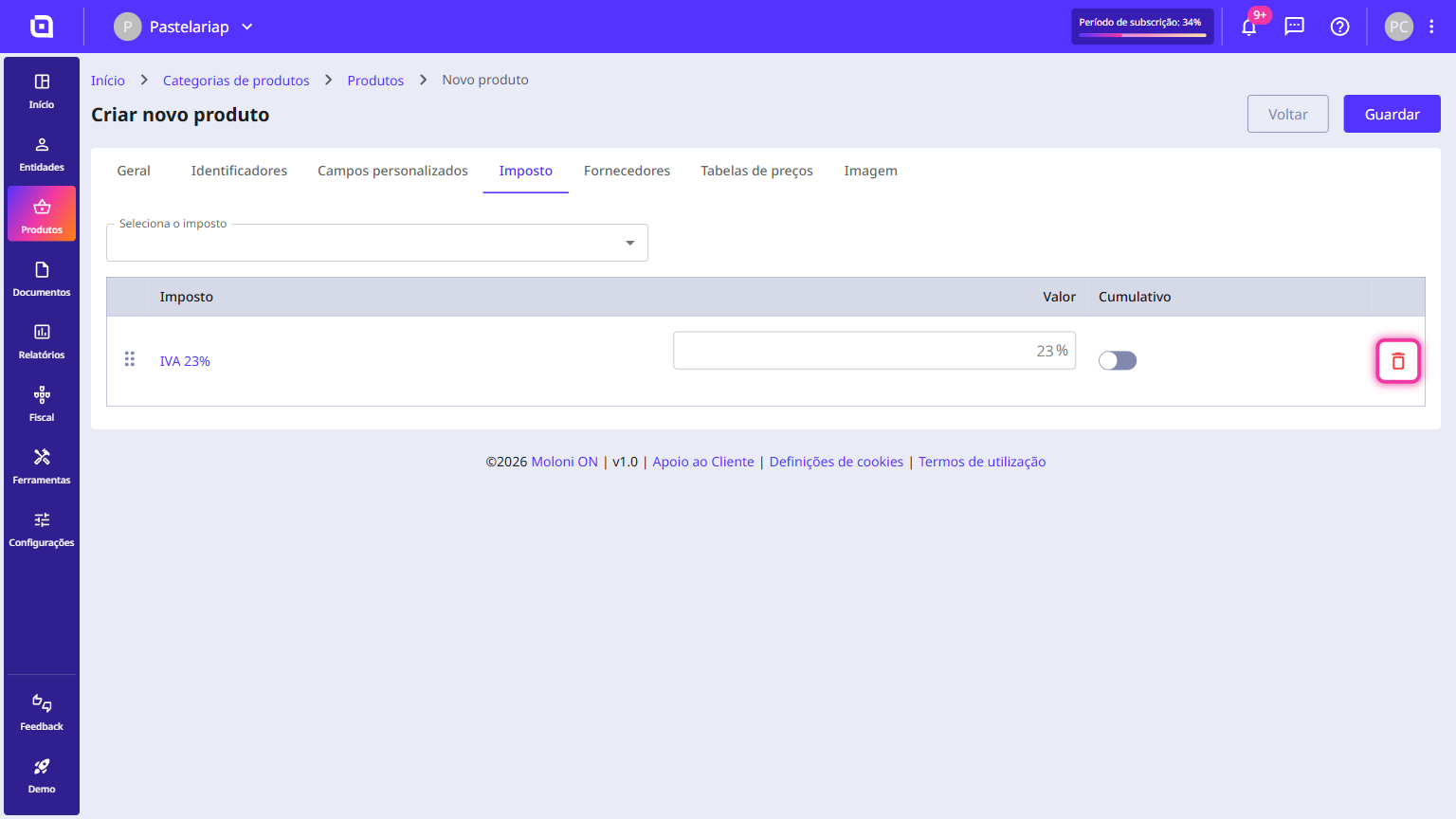
If there is a tax associated with the product, remove it.
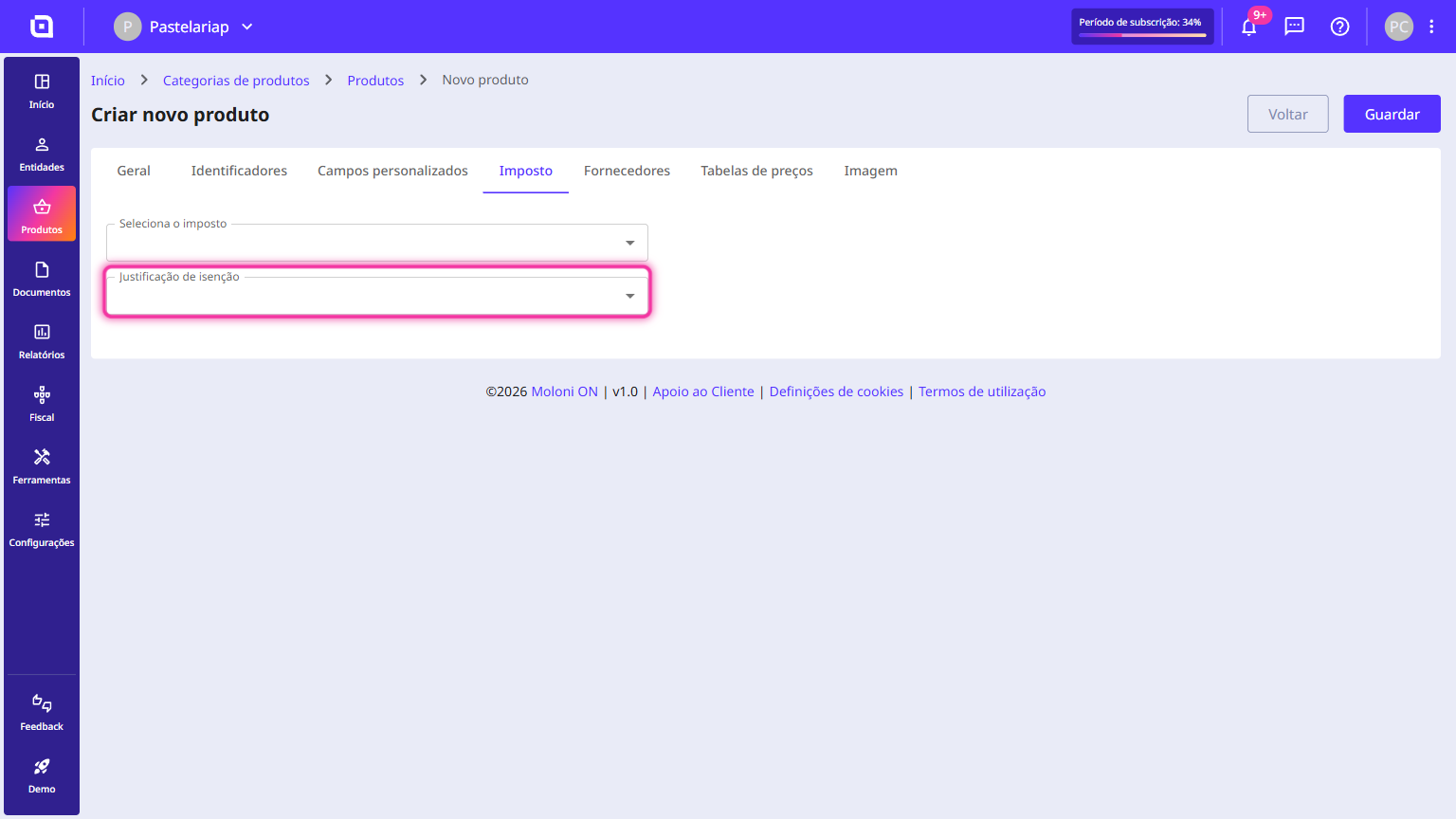
2. Select the product's exemption reason.
3. Click the Save button.
When creating a document
Follow the steps:
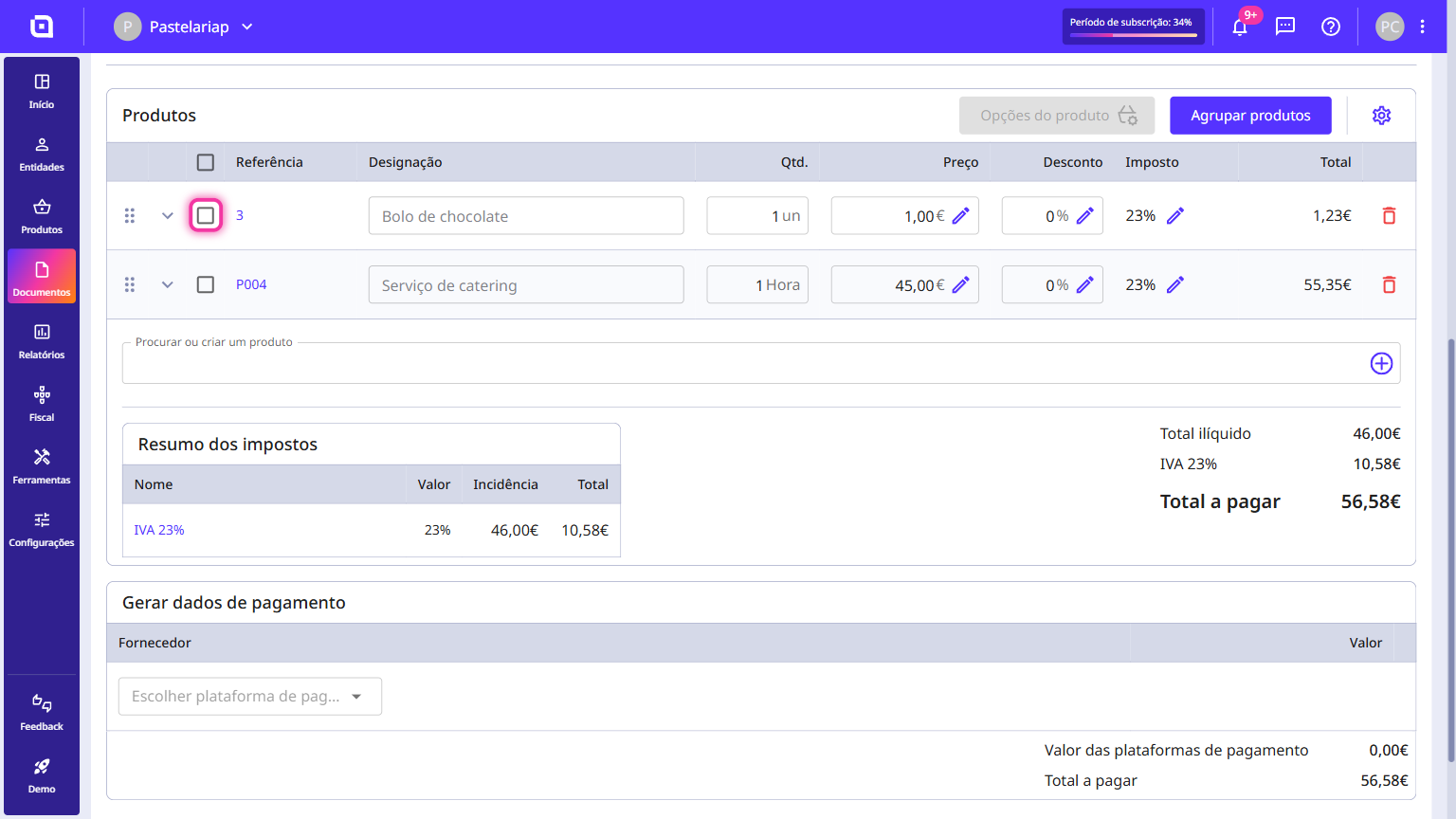
1. Add the products and/or services to the document and select the product line you want to apply the VAT exemption to.
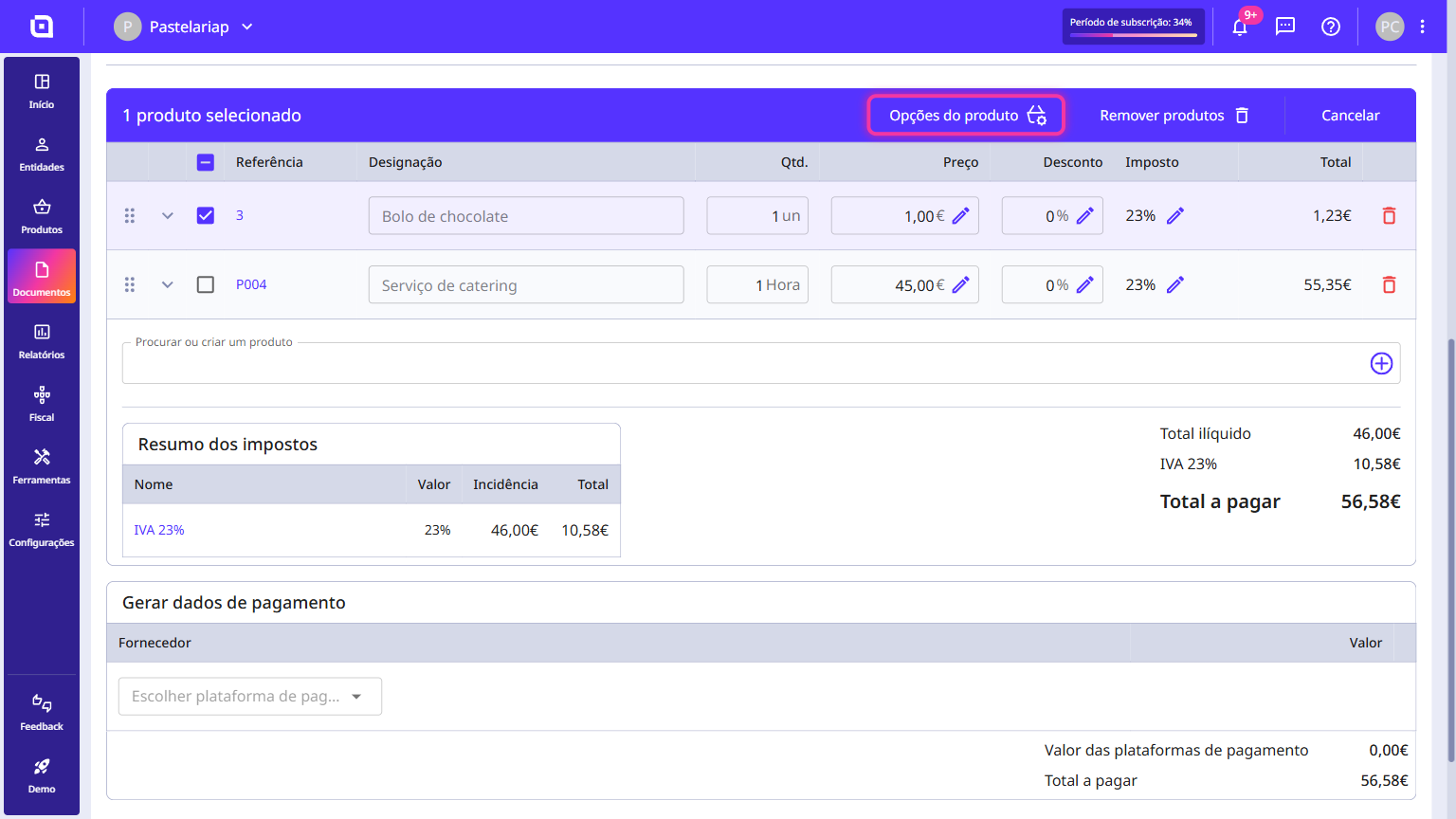
2. Click Product options.
3. Tick the tax checkbox.
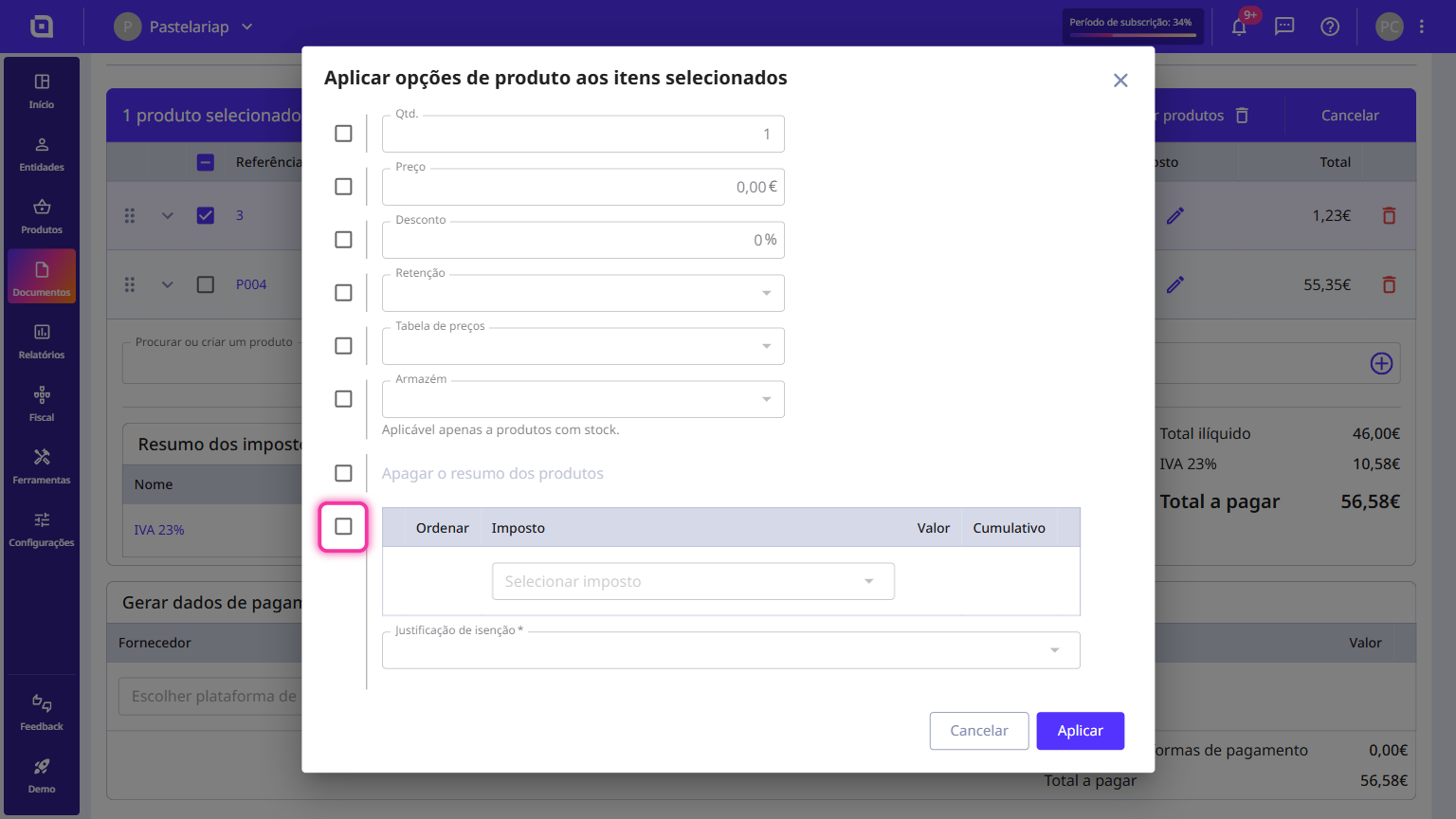
4. Enter the exemption reason.
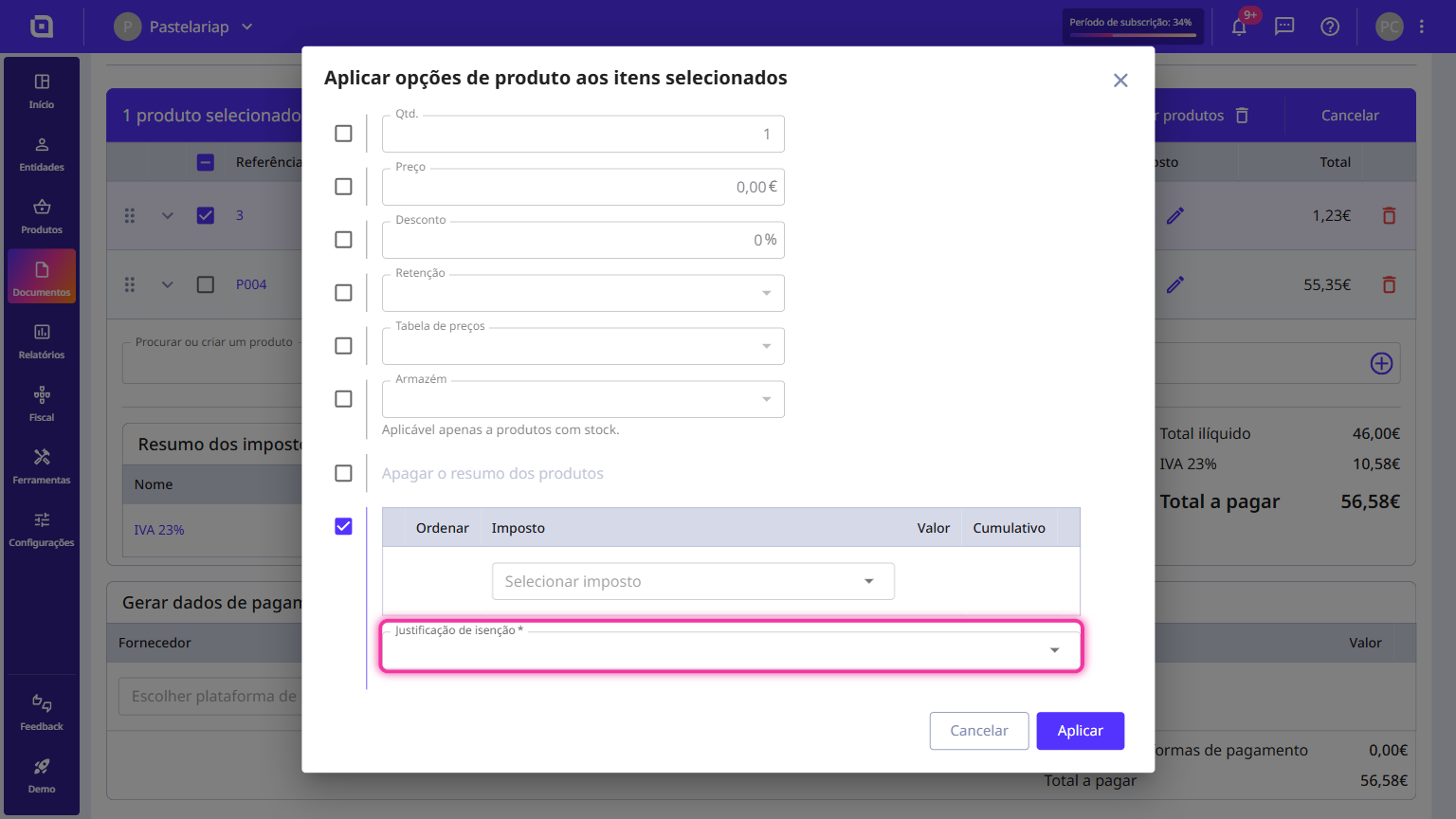
5. Click the Apply button.