How to subscribe to Moloni ON
Follow these steps:
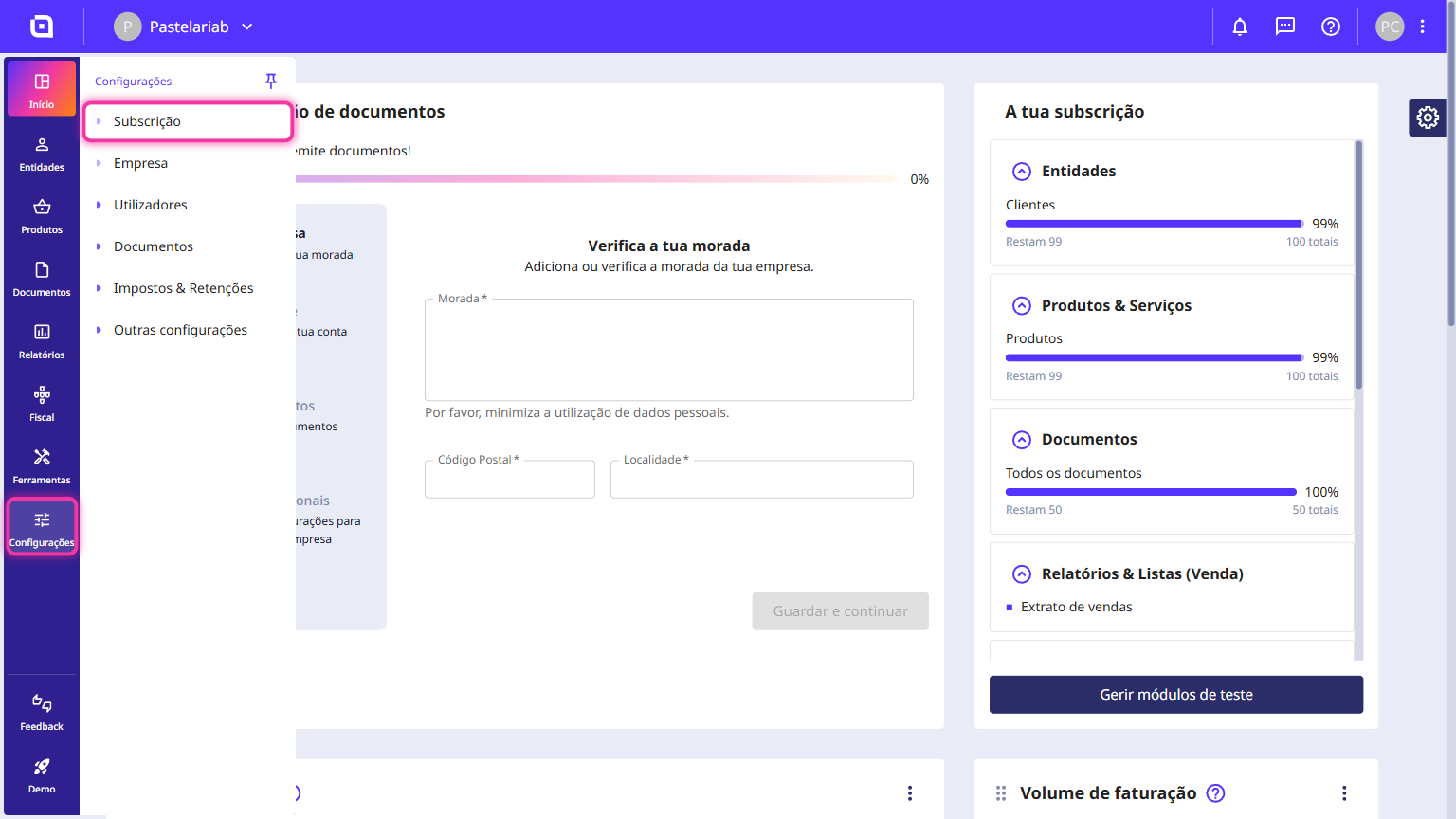
1. Go to the Settings menu and click on Subscription.
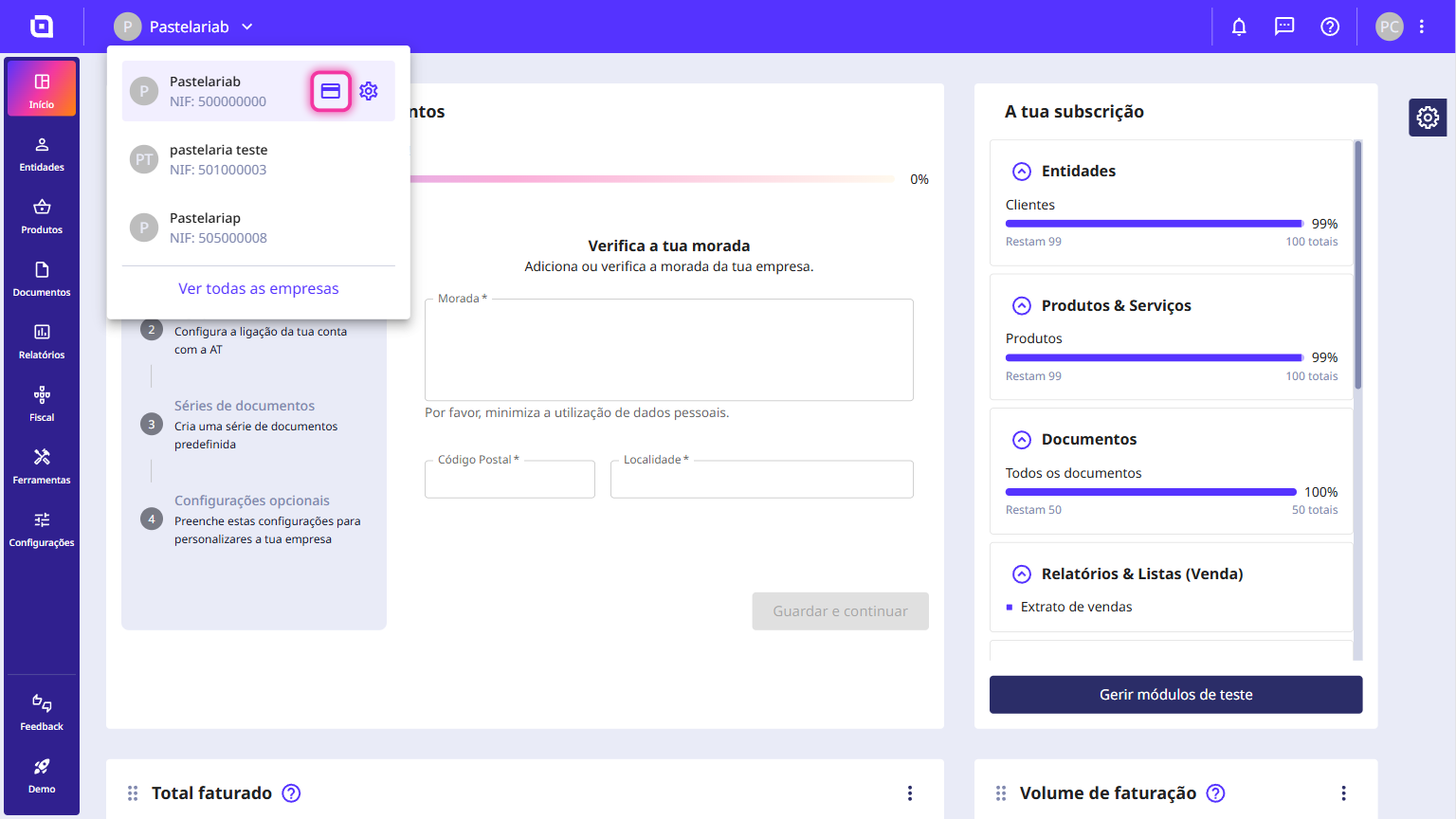
You can also access it via the card icon by clicking on your company name.
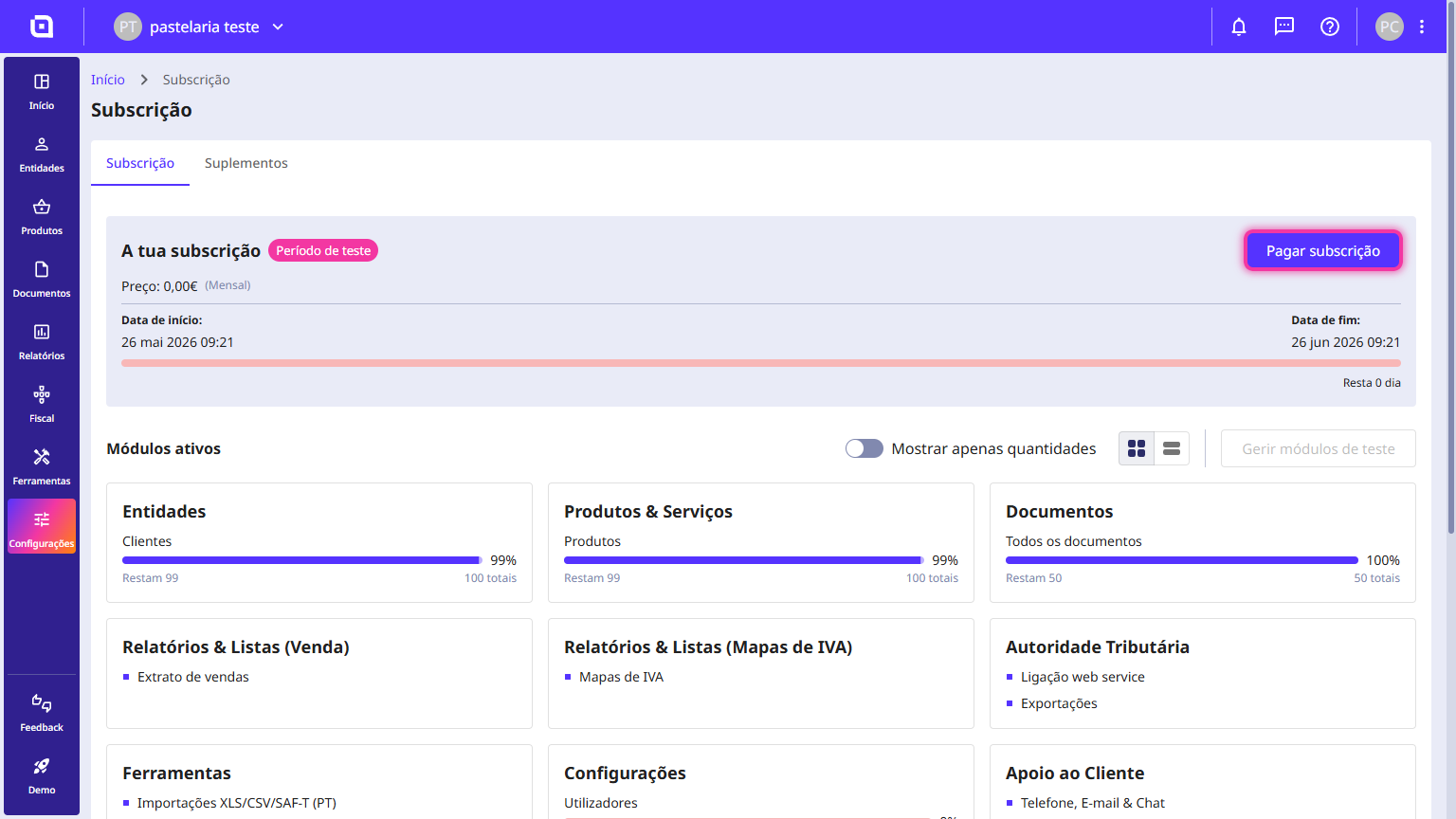
2. On this page, check your subscription status and click Pay subscription.
3. Select your preferred subscription period: monthly, quarterly, or annually.
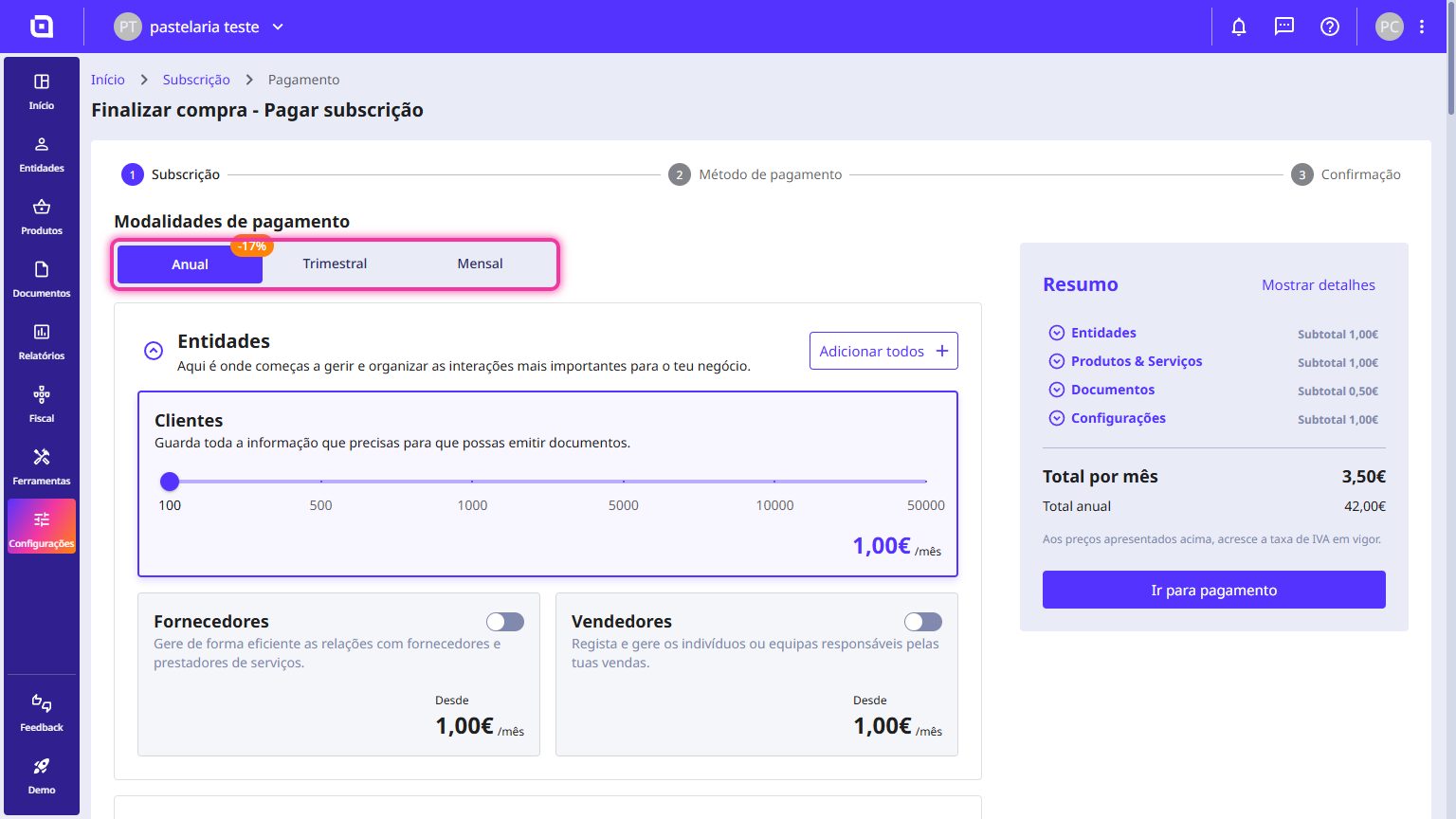
4. Confirm the added modules and click Proceed to payment.
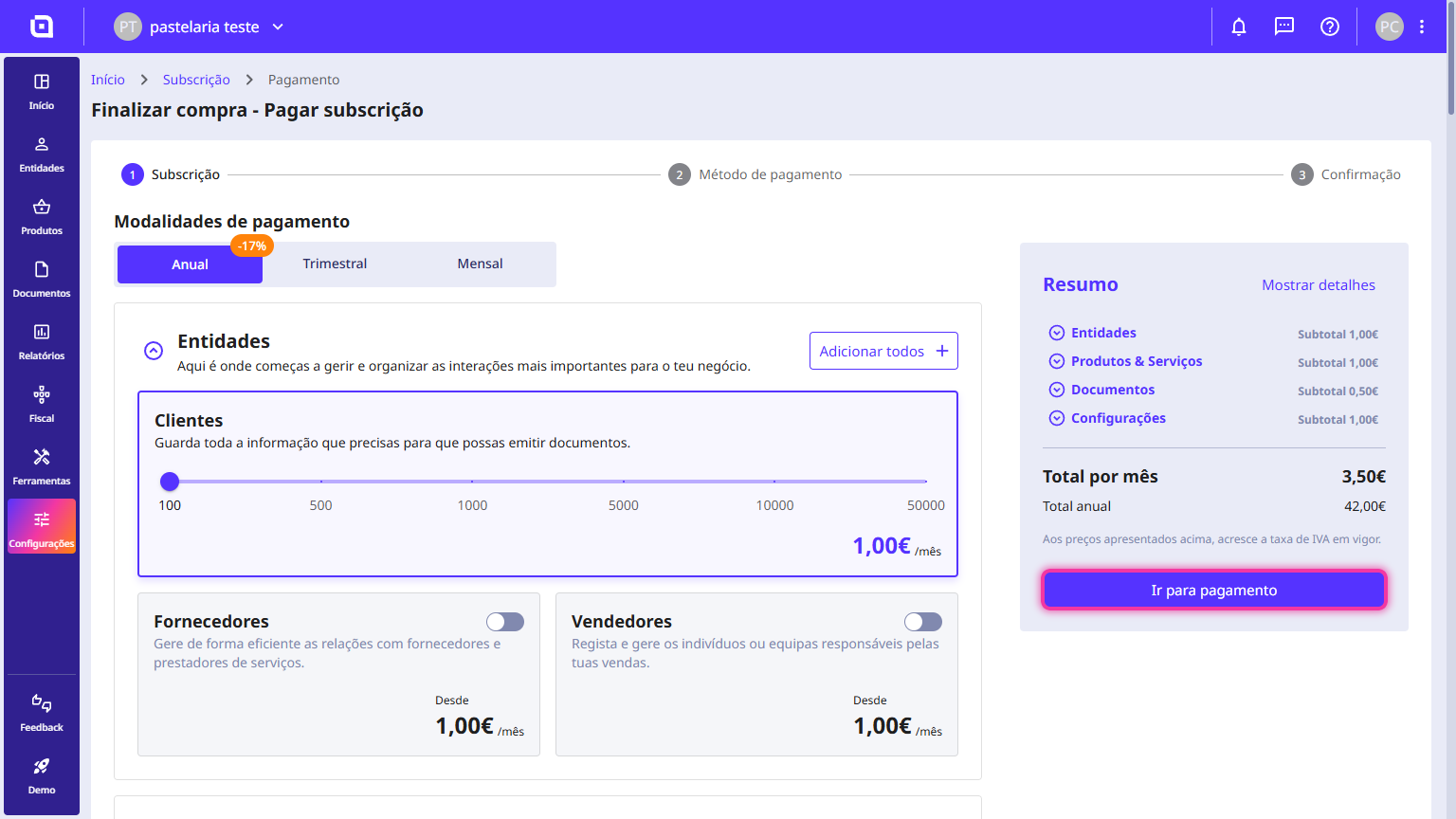
Payment via Multibanco Reference
1. Select the Multibanco Reference option and click Next.
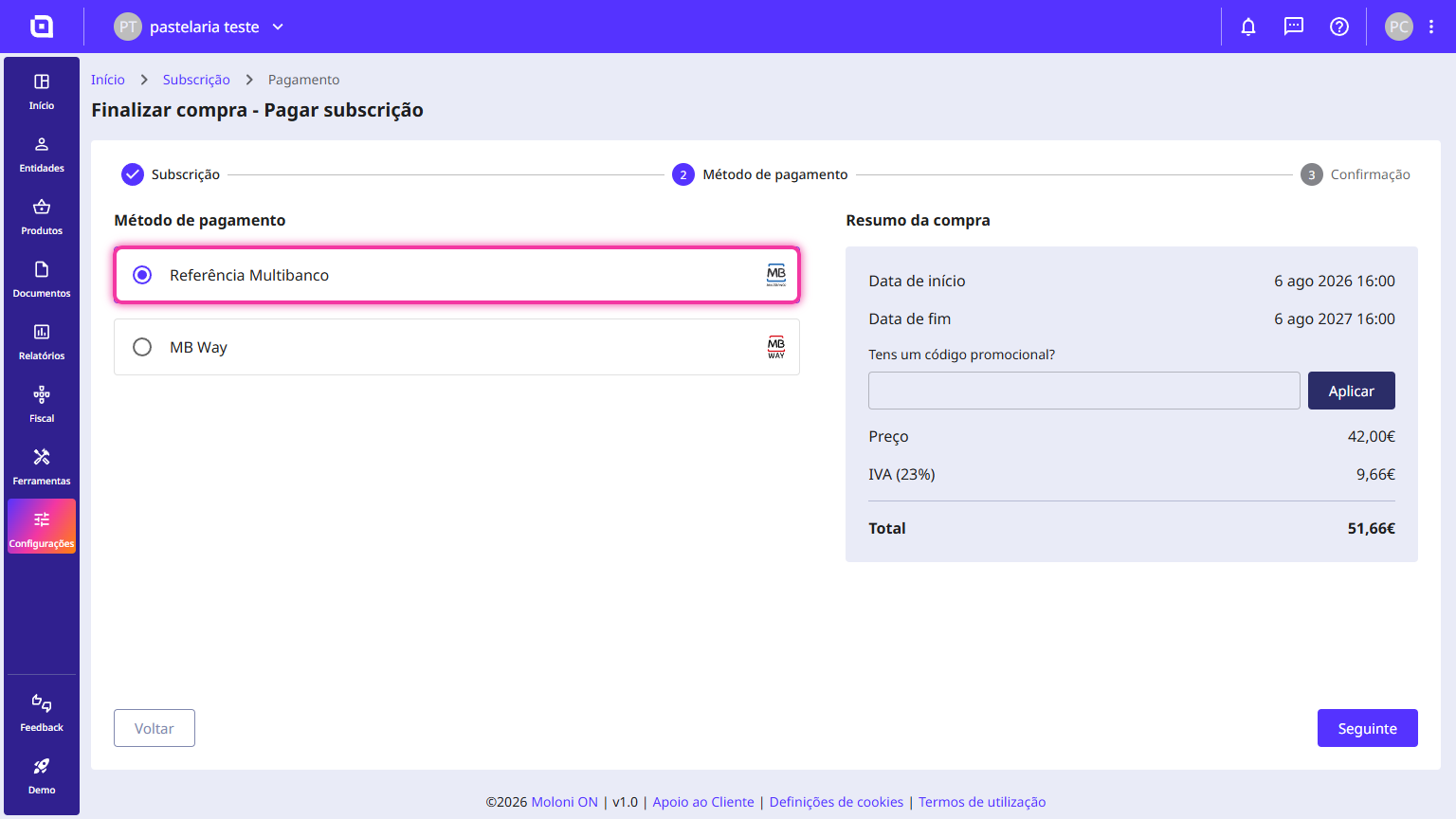
2. Review the purchase summary and click Confirm.
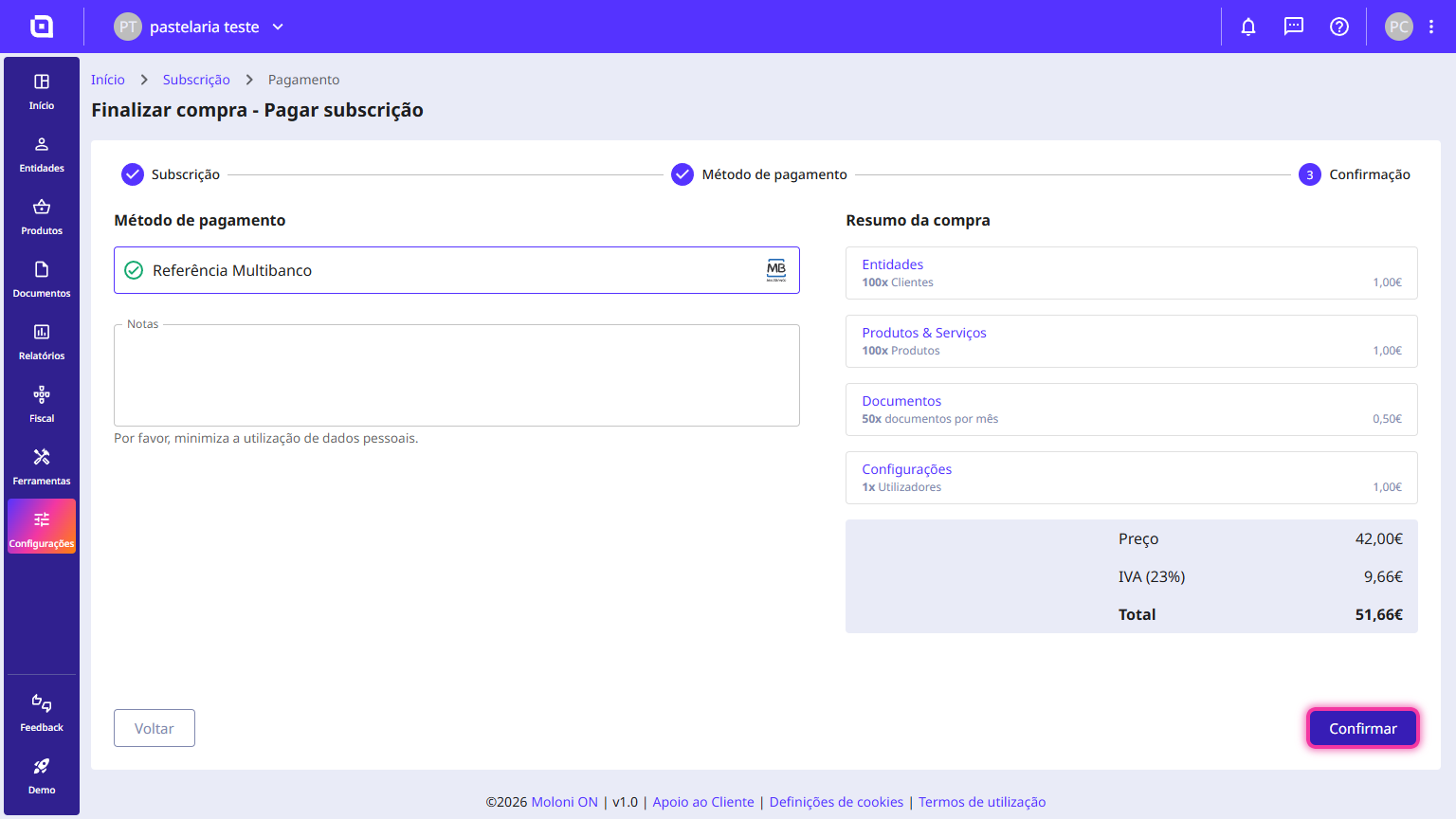
The payment reference has been created. To complete the payment, use the details at an ATM or via online banking.
Payment via MB Way
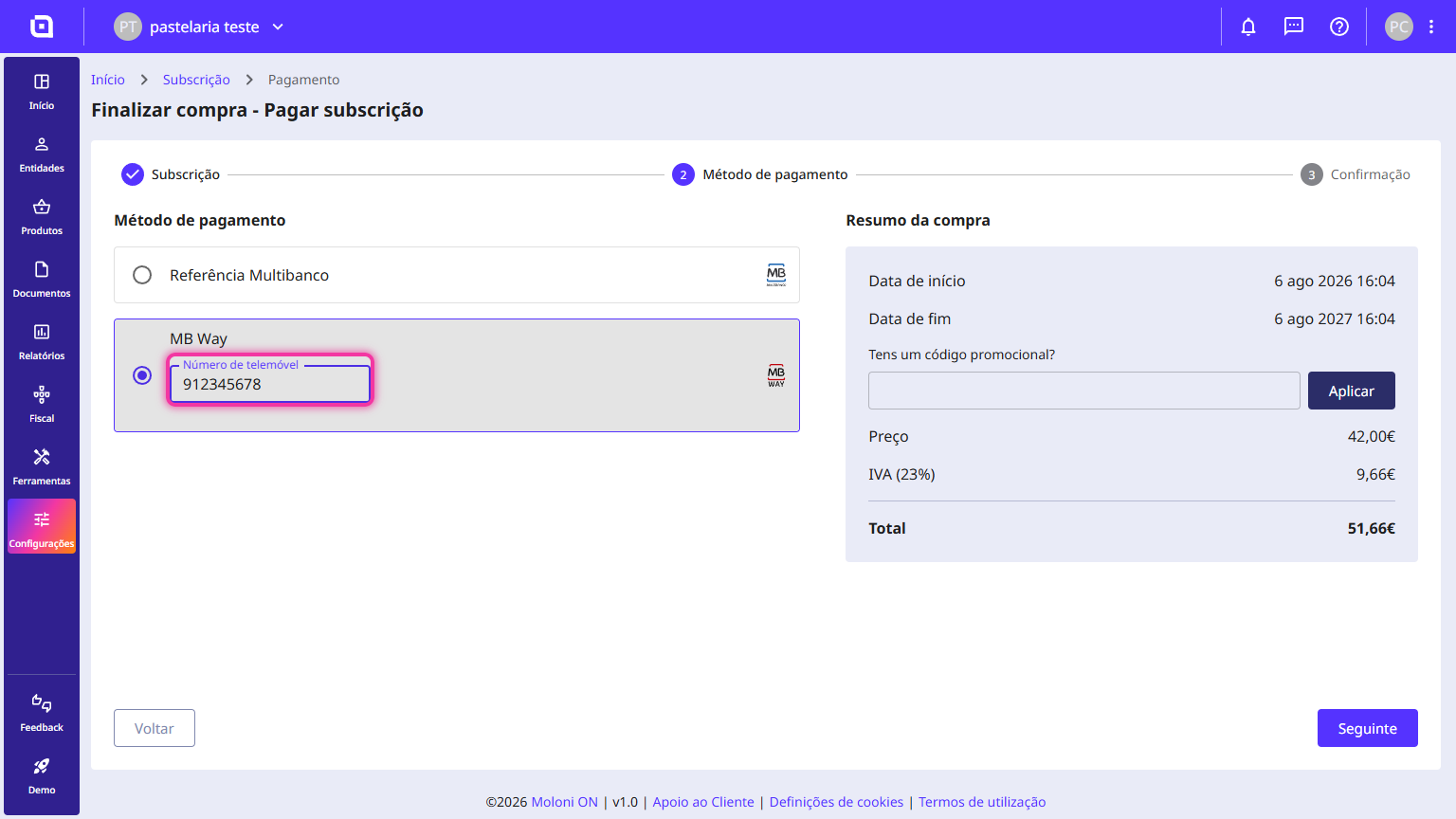
1. Select the MB Way option.
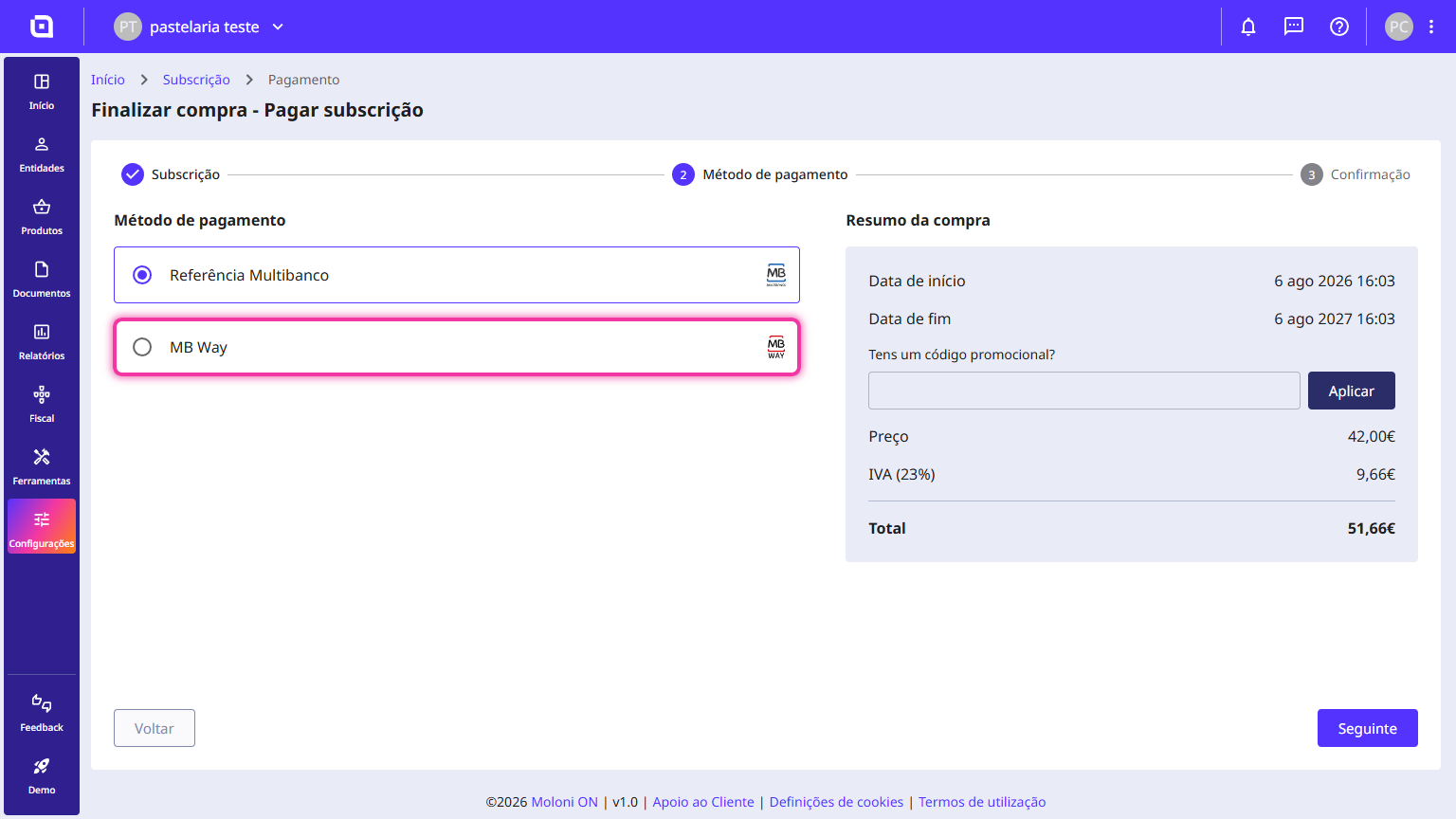
2. Enter your mobile number and click Next.
3. Review the purchase summary and click Confirm.
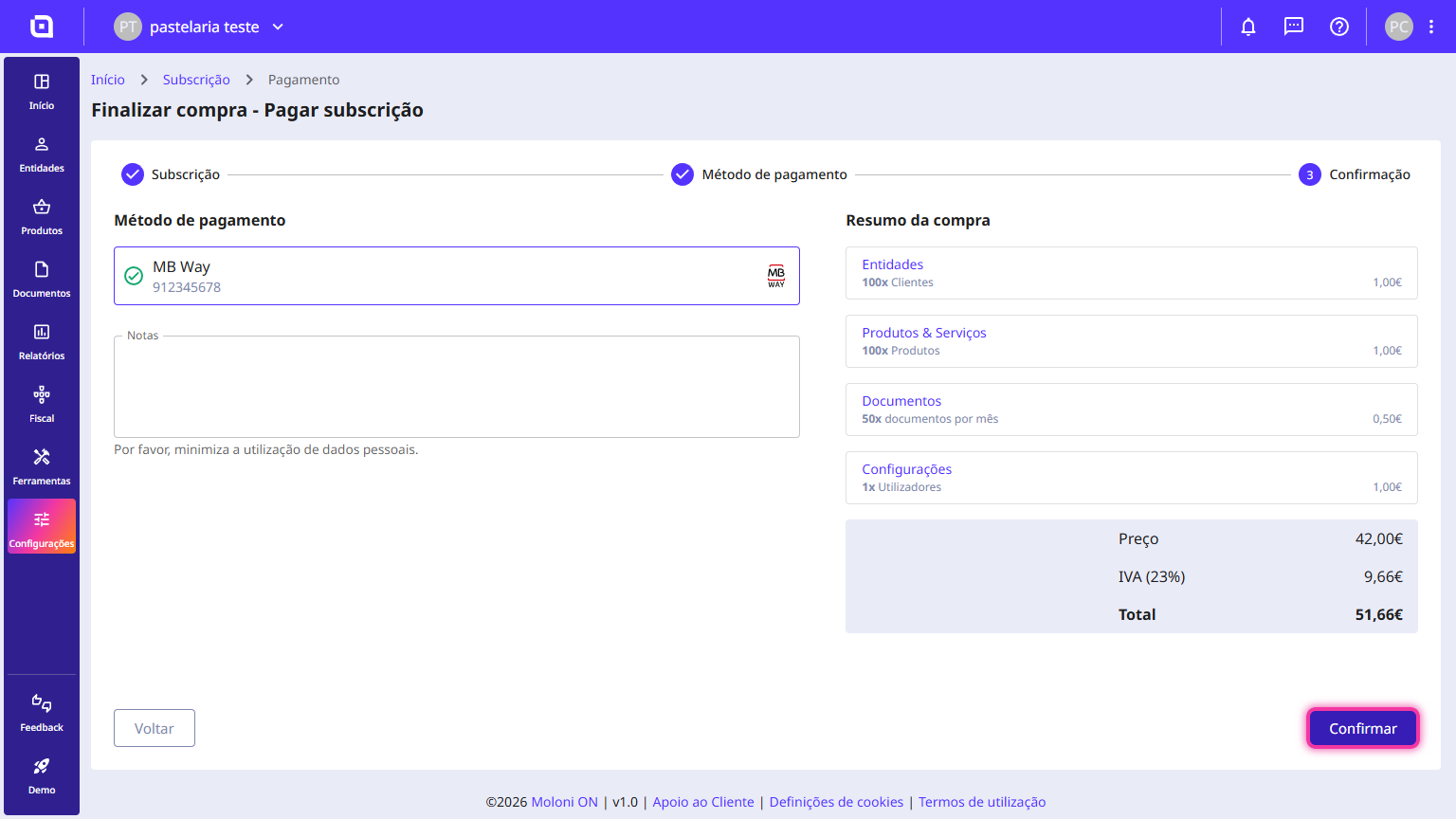
To finish, open the MB Way app and accept the payment notification.