How to issue a credit note for the total value of the document
In Moloni ON, the fastest way to do this is through direct conversion, which ensures an immediate link between the documents.
What happens next? Your customer's balance is updated automatically. If it is a full credit note, the invoice will no longer appear as outstanding. If it is a partial one, the amount payable by the customer will be reduced according to the adjustment made.
What is a credit note?
A credit note cancels or rectifies, in full or in part, an invoice you have already issued.
There are two ways to convert an invoice into a credit note:
- Automatic reconciliation: converts the invoice directly into a credit note;
- Manual reconciliation: creates a credit note and then links it to the invoice.
For this example, we will use Automatic reconciliation (the fastest method).
Follow these steps:
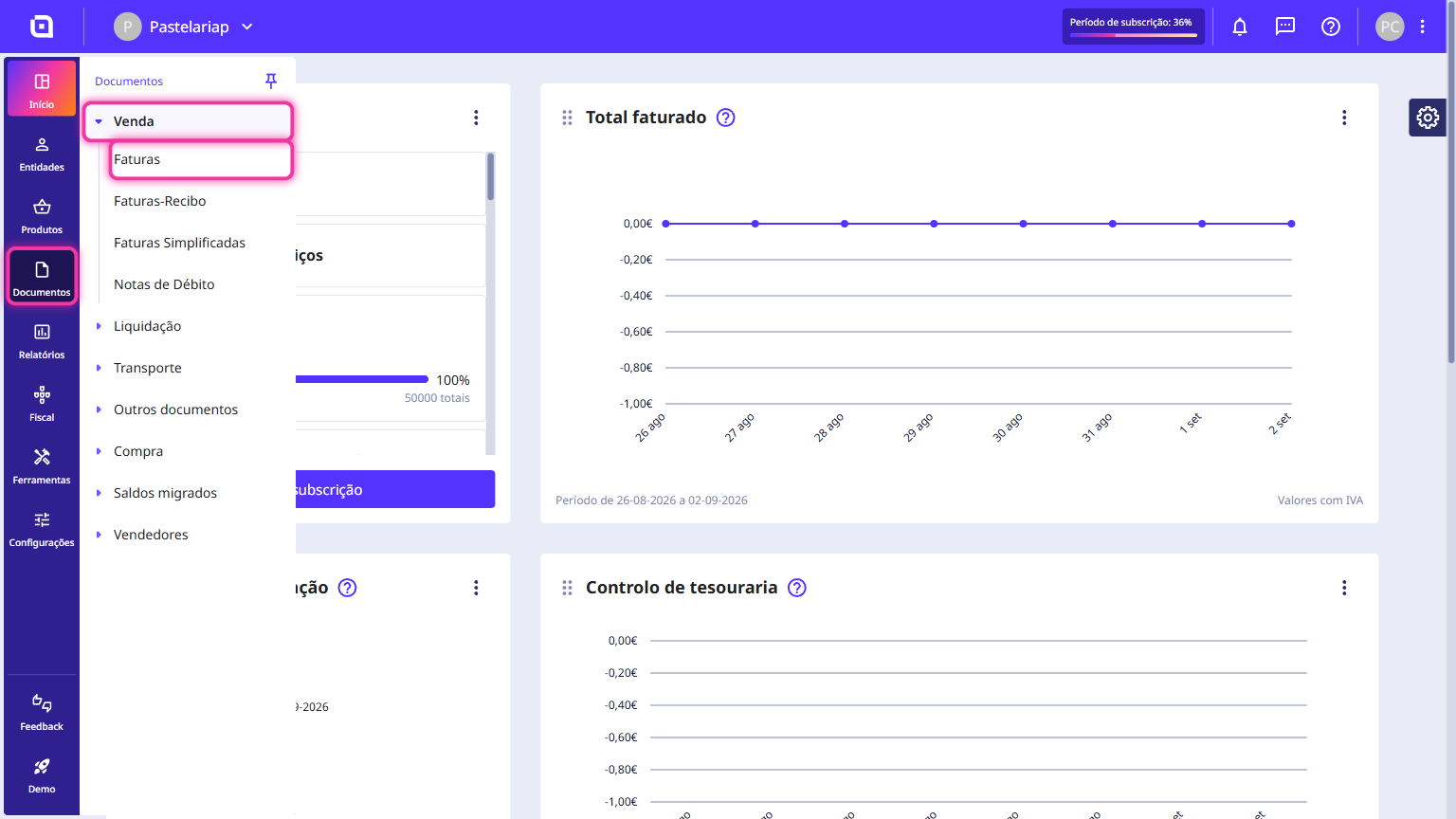
1. In the Client Area, go to the Documents menu, select Sales and click on Invoices.
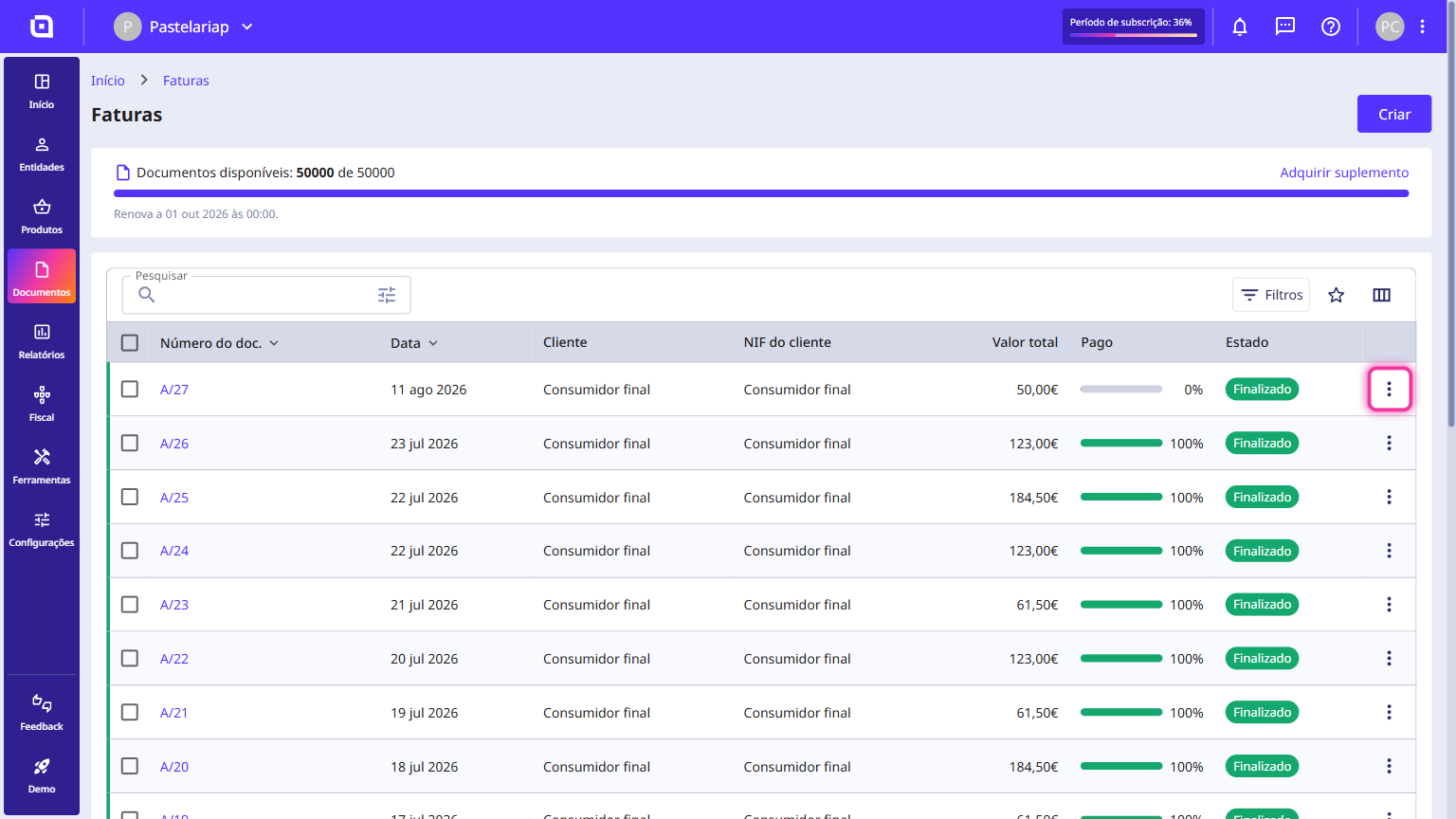
2. Select the desired document and click the three-dot icon on the right-hand side of the row.
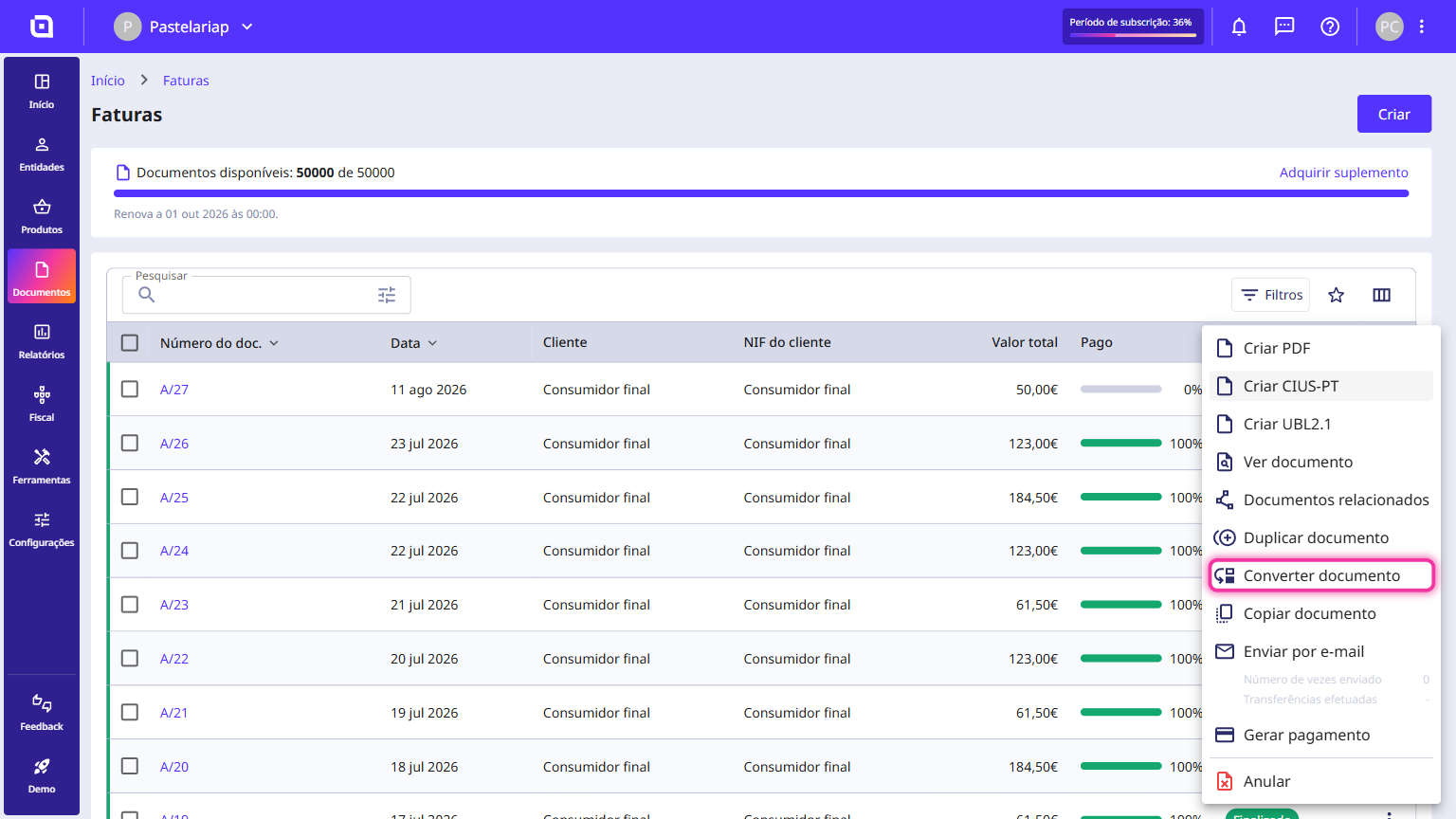
3. Click Convert document.
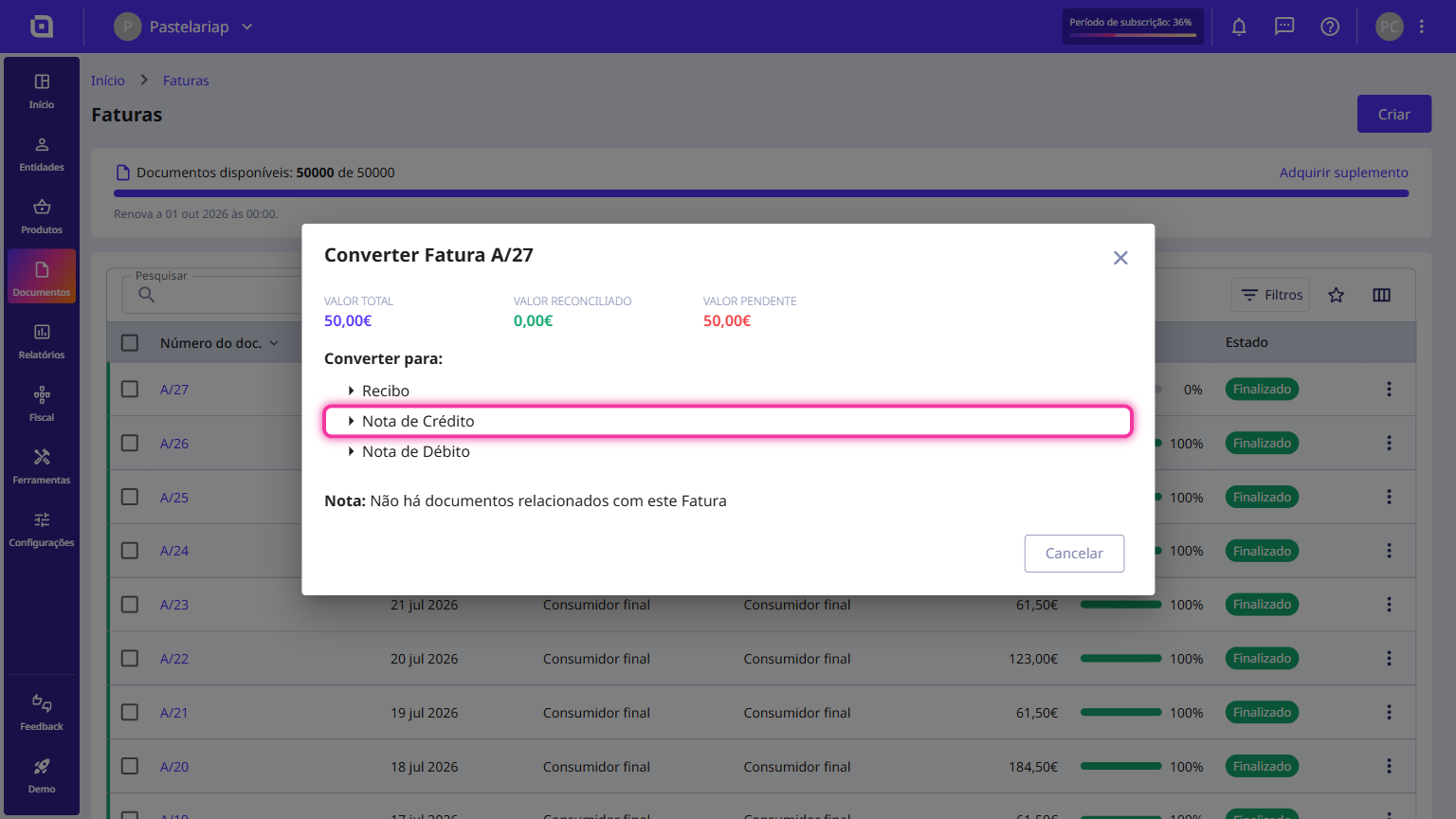
4. Click Credit Note.
5. Moloni ON automatically creates the credit note already linked to that invoice, for the full value of the original document.
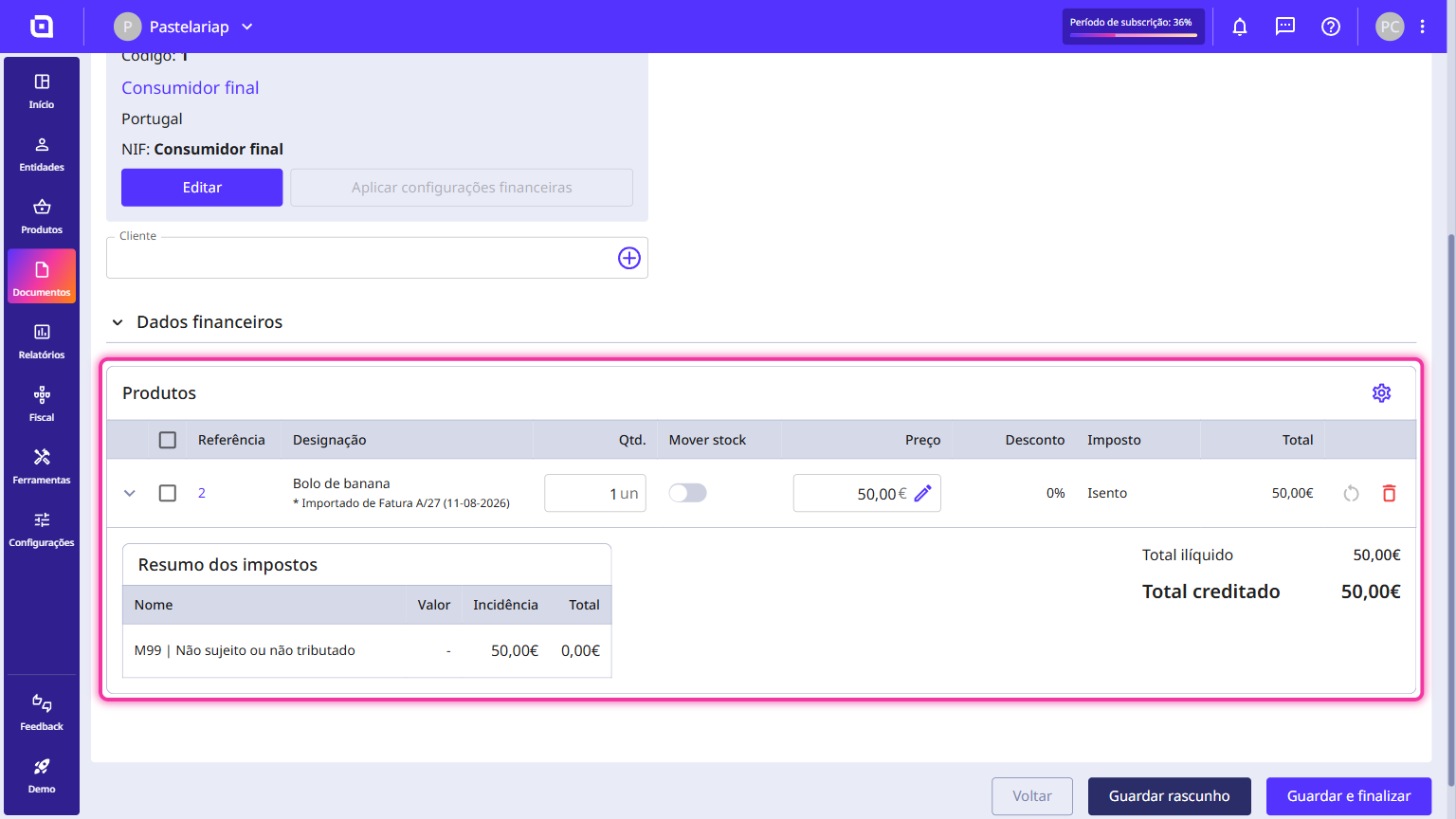
6. Finally, click Save and finish.
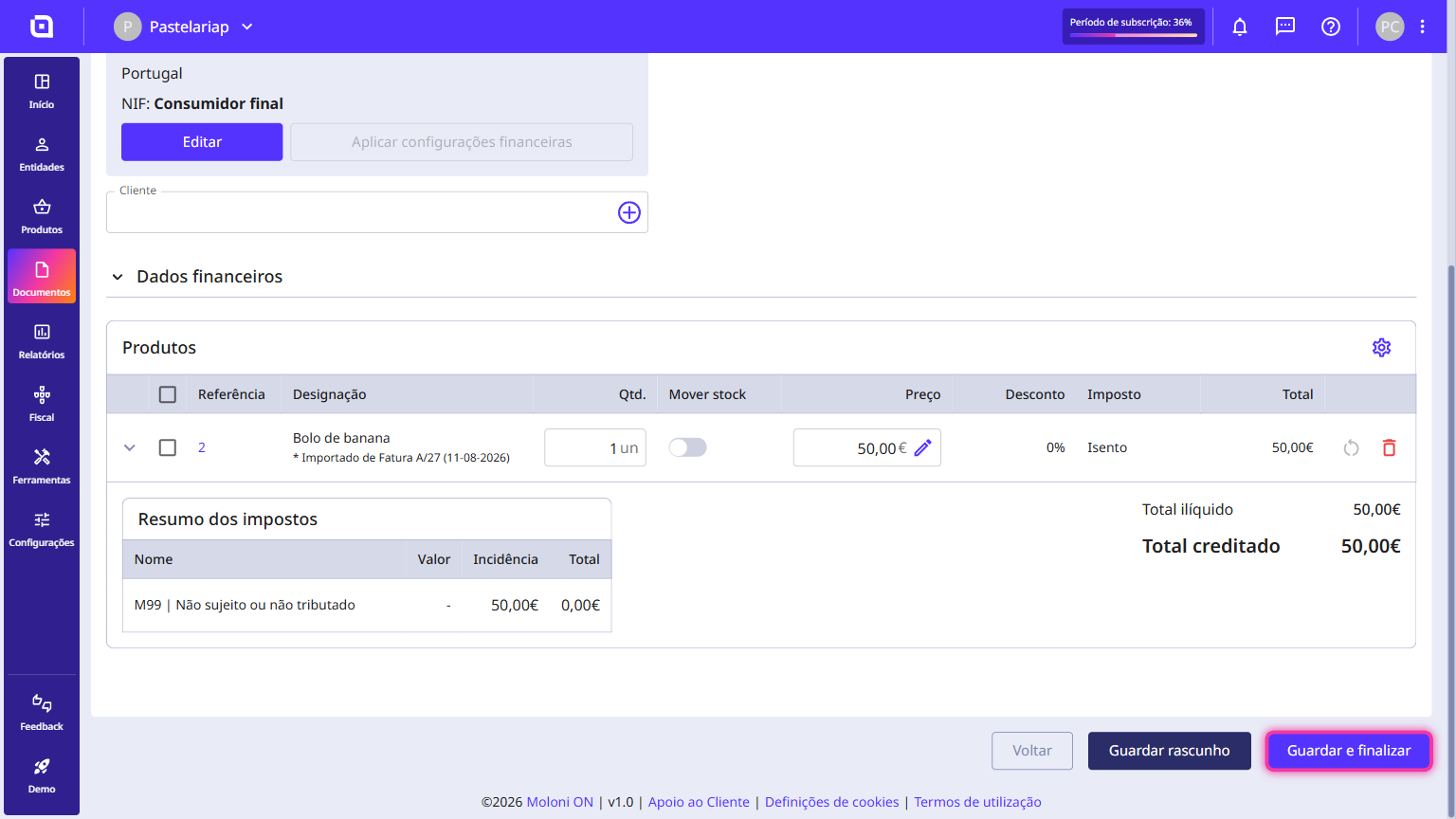
The credit note has been successfully created.