How to change the document language
When you work with customers or suppliers abroad, your documents need to come out in their language. In Moloni ON you do not touch your account settings: you choose the language in each entity's record, and that is the one that applies.
Once you save, every sales or purchase document for that contact is generated in that language, without you having to choose it each time you issue a document.
How to change a customer's language?
Follow these steps:
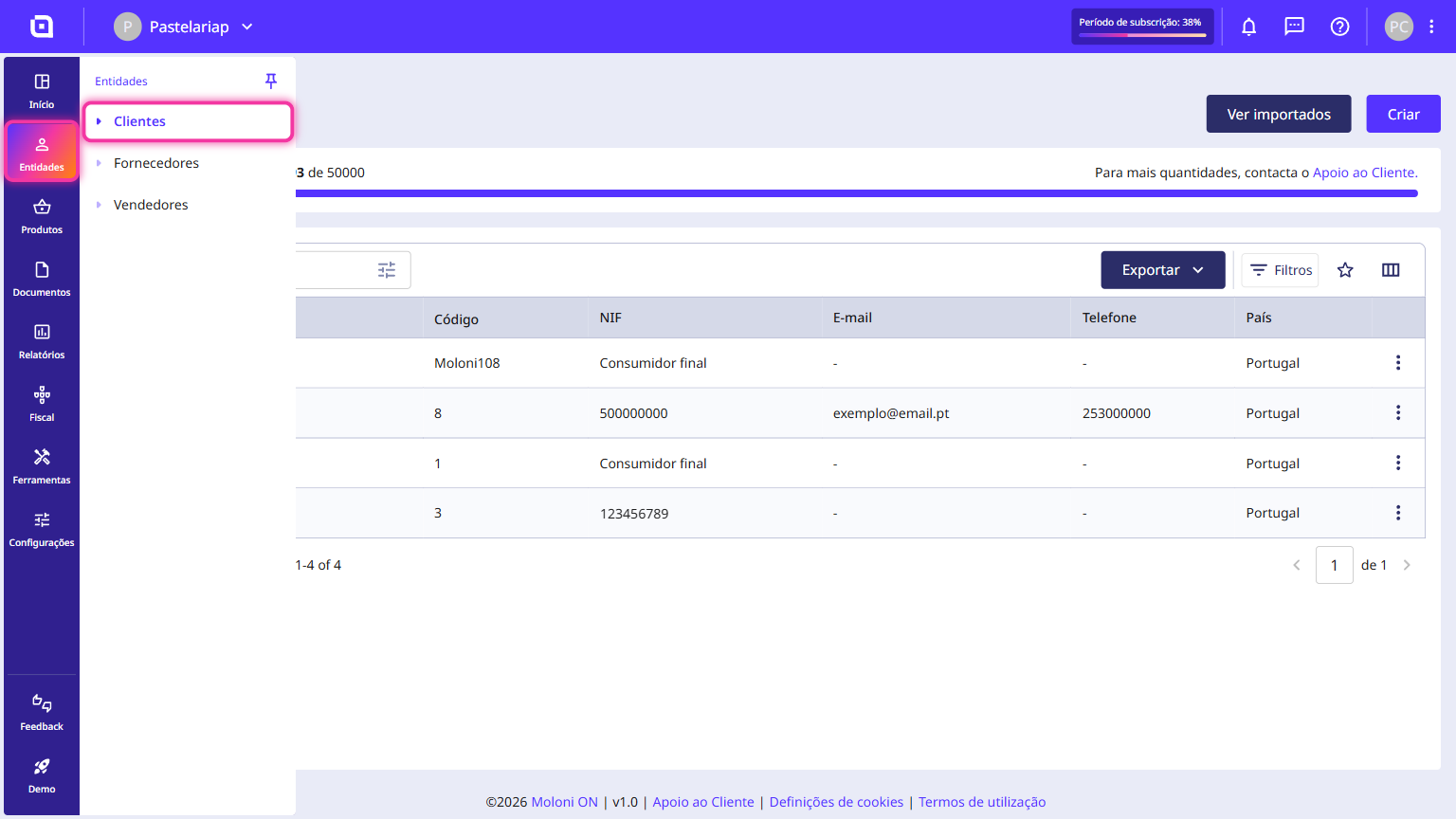
1. Go to the Entities menu and click Customers.
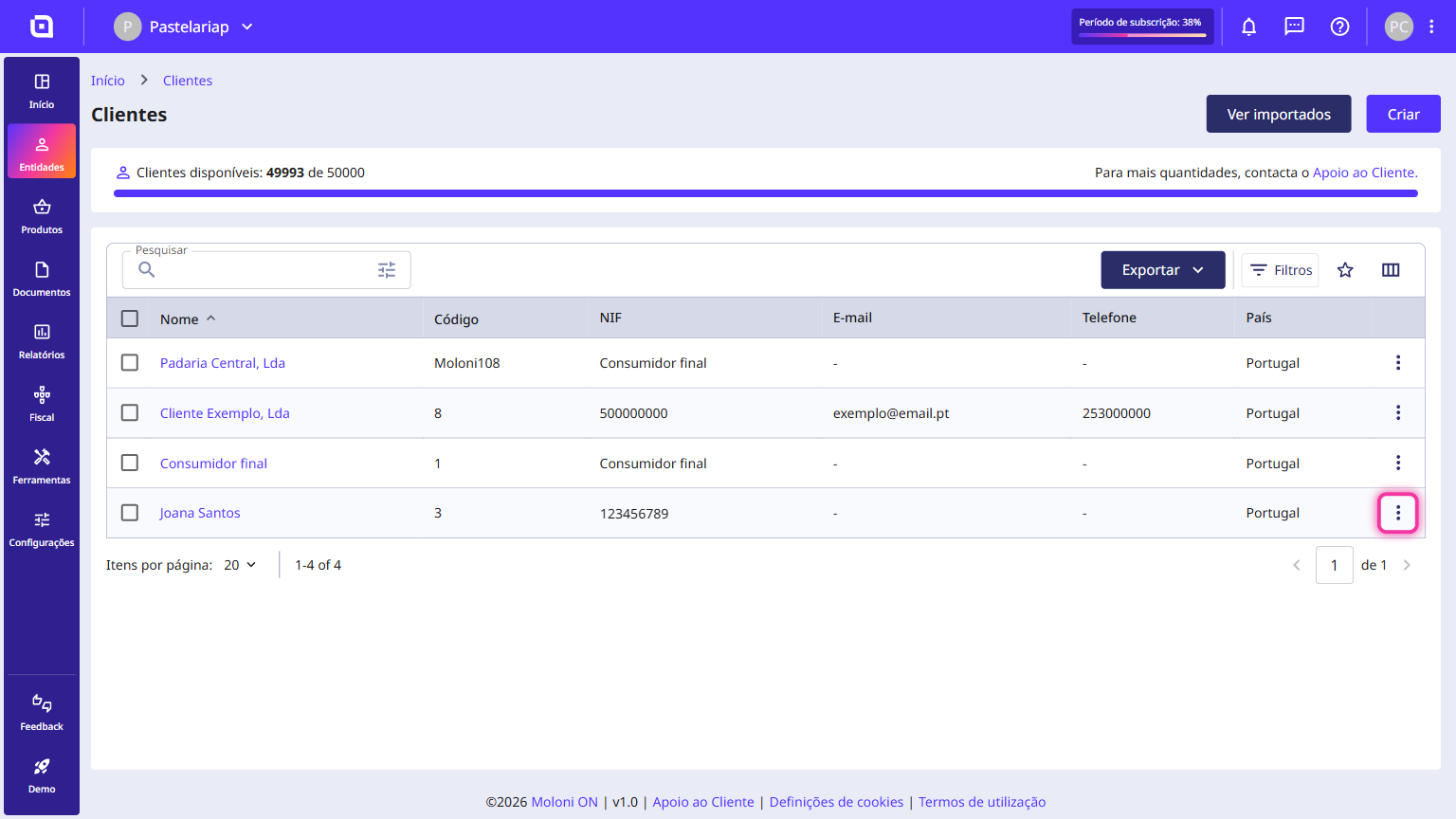
2. On the list, pick the customer you want and click the three-dot icon on the right-hand side of the row.
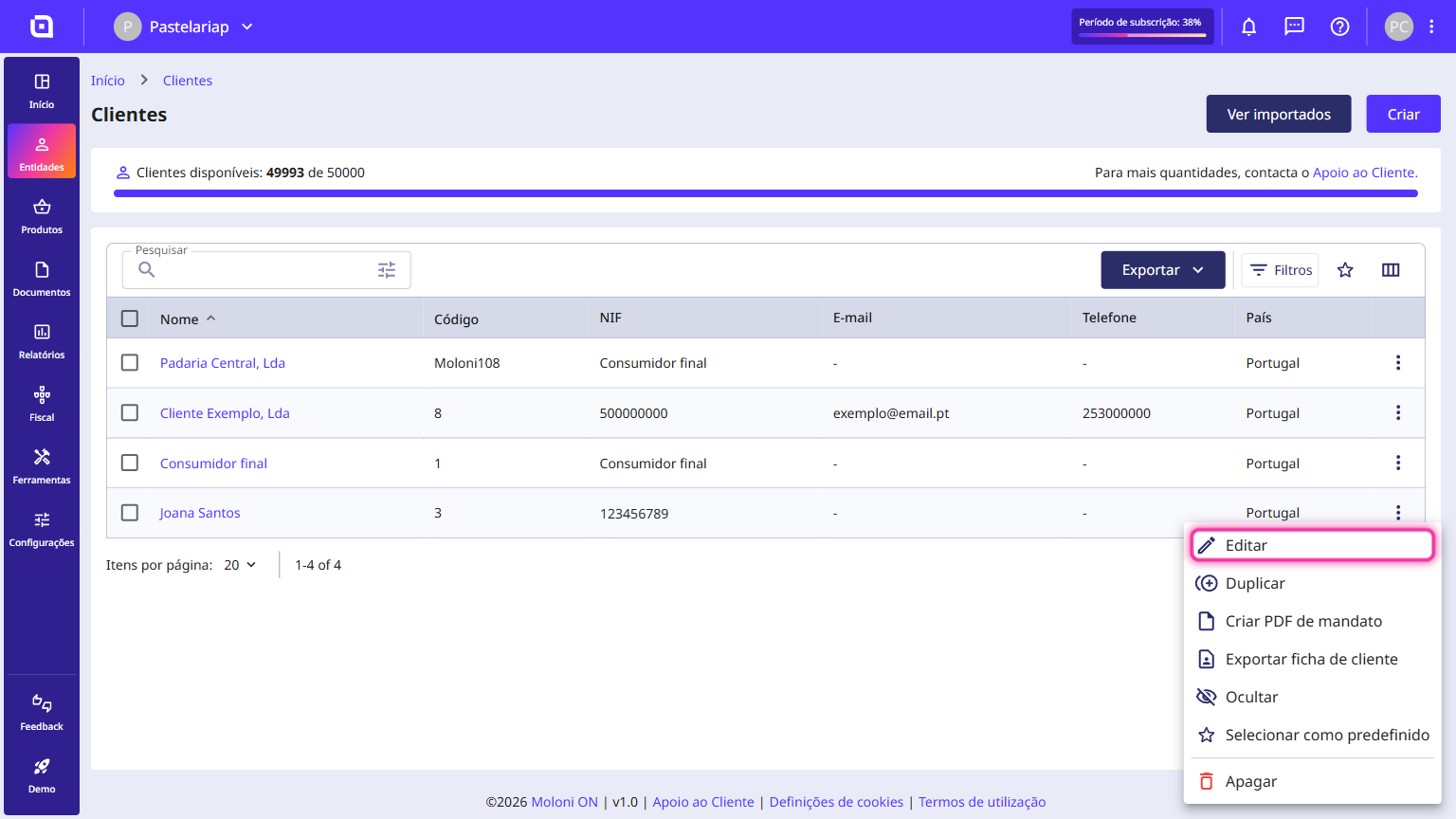
3. Click Edit.
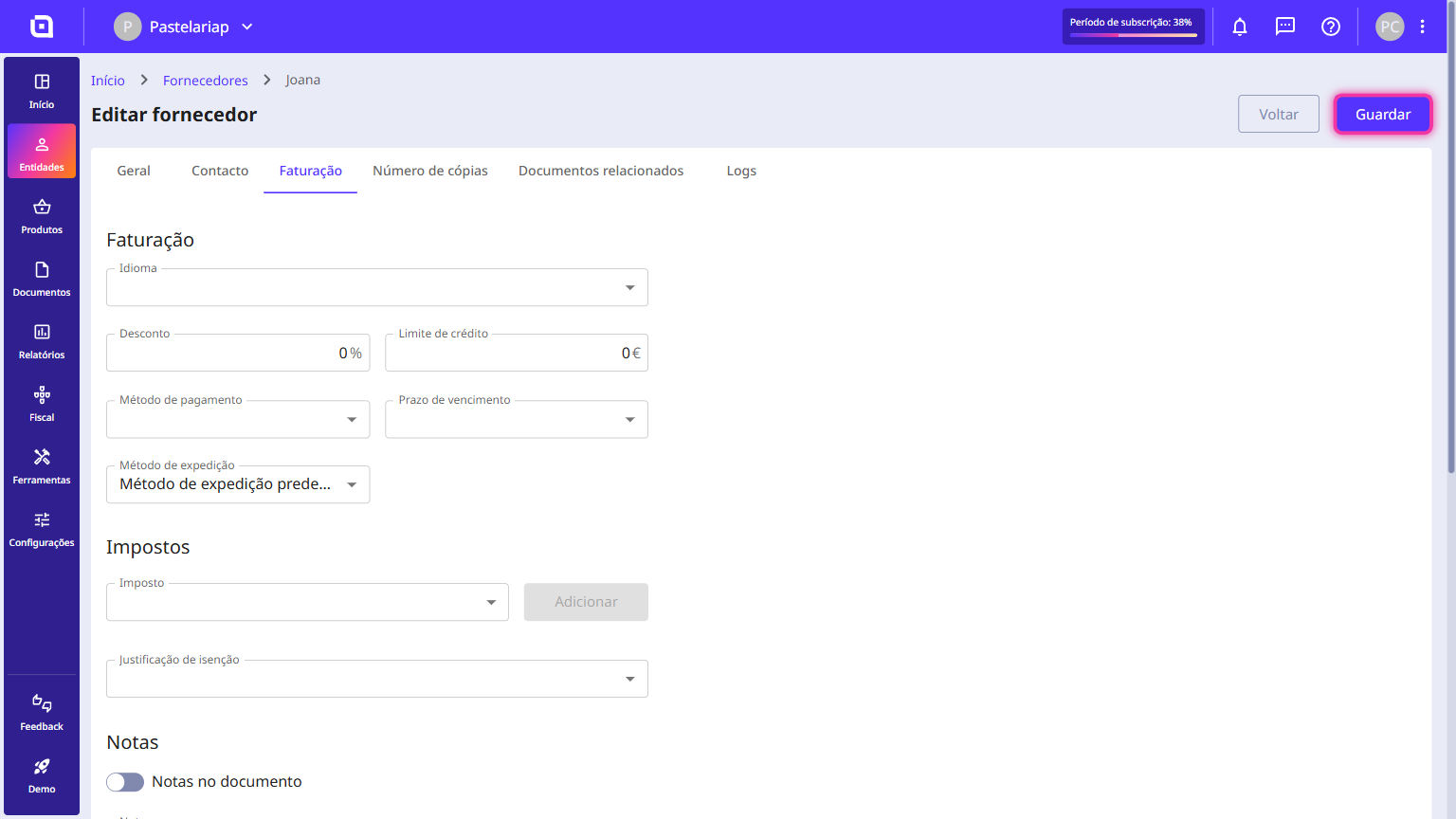
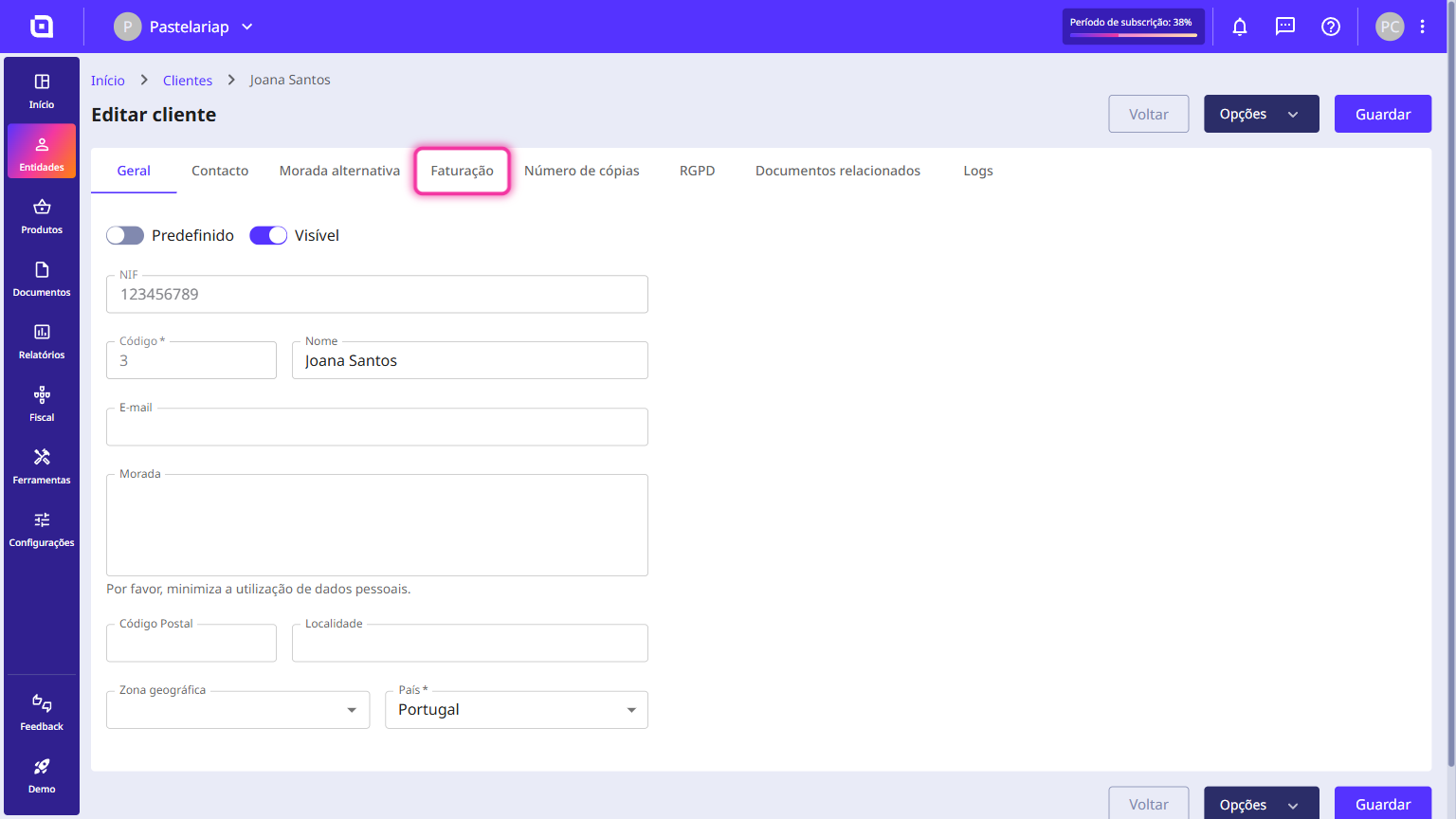
4. Click the Billing tab.
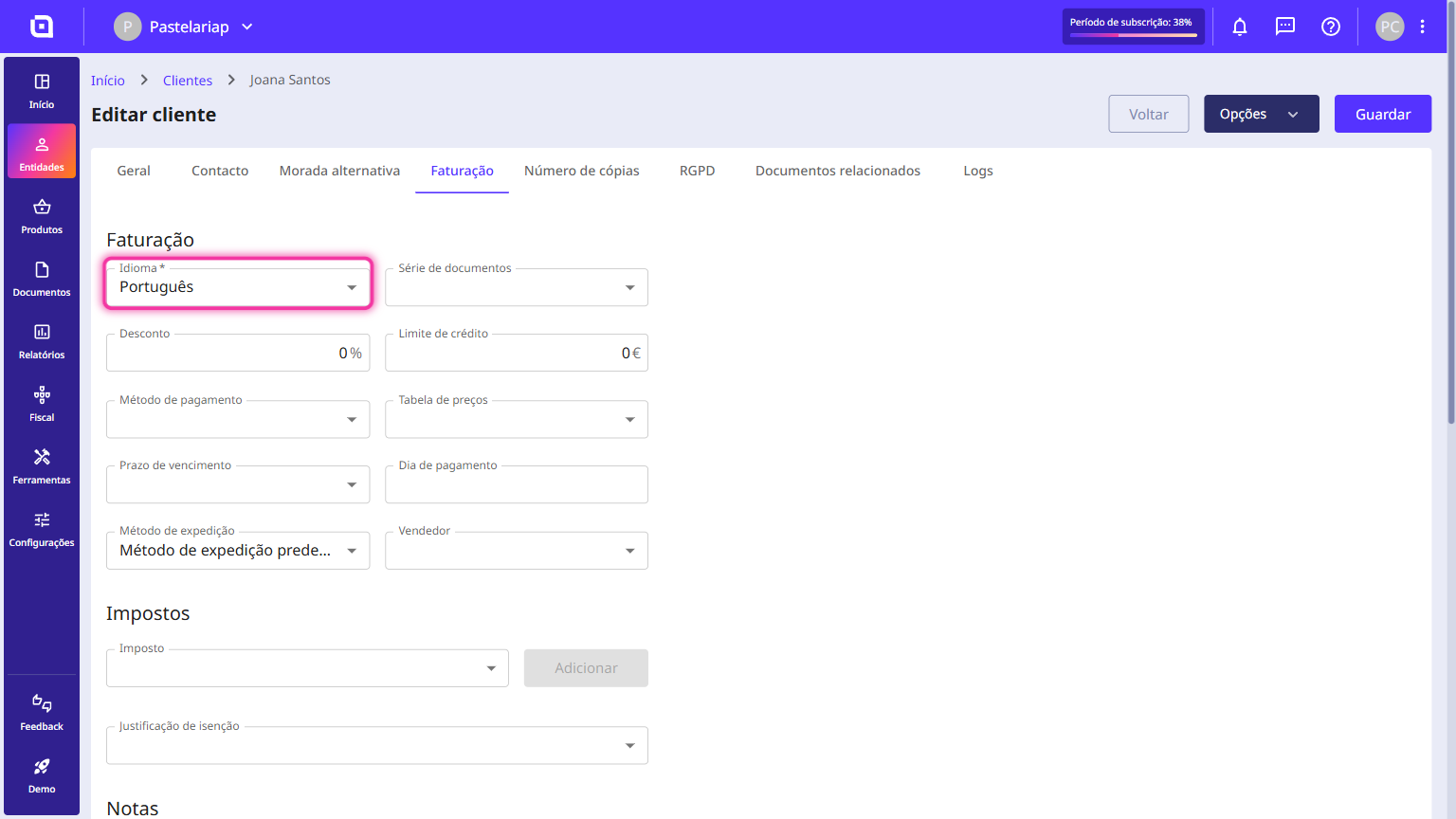
5. In the Language field, select the language you want.
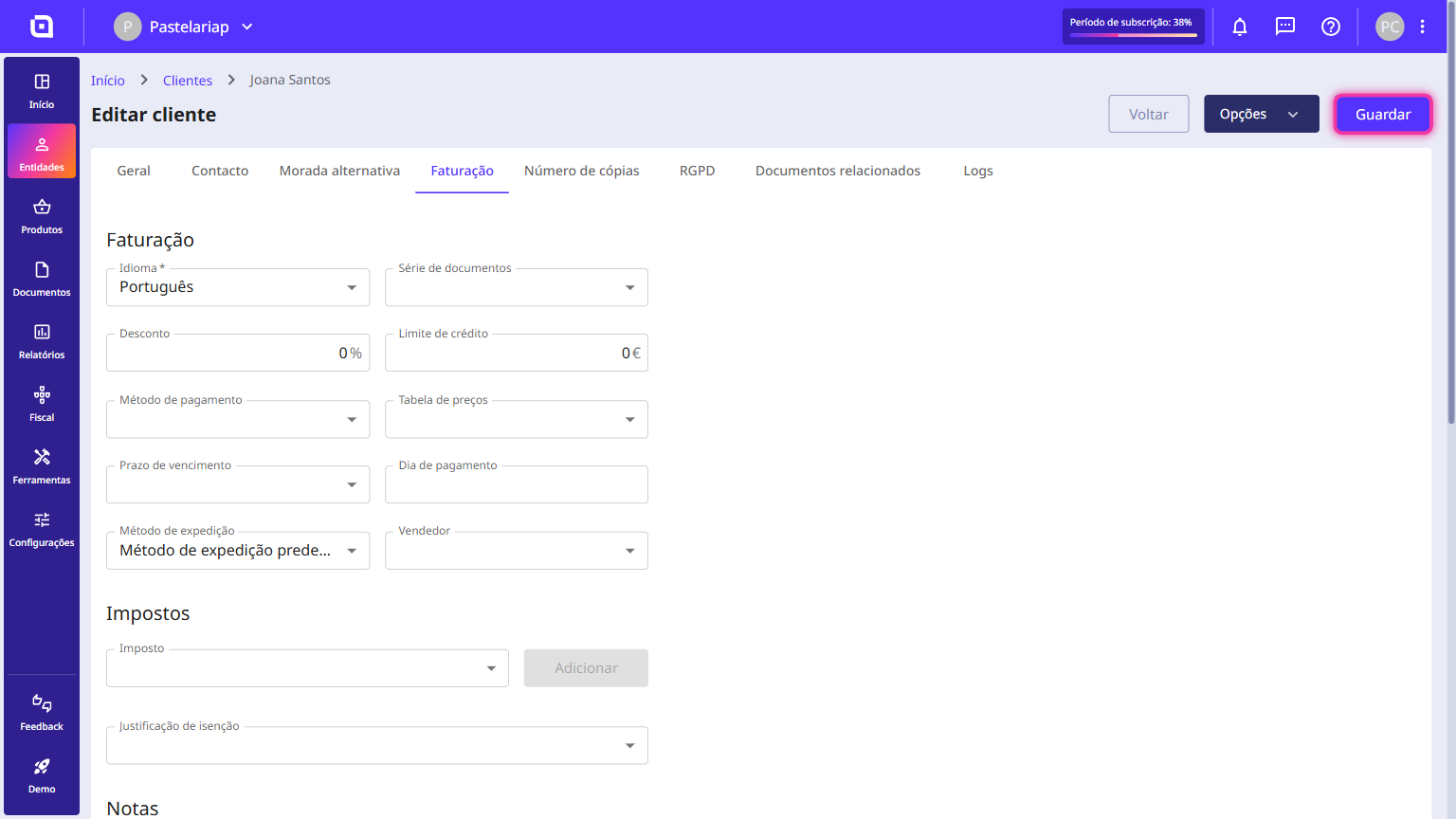
6. Finally, click Save.
How to change a supplier's language?
Follow these steps:
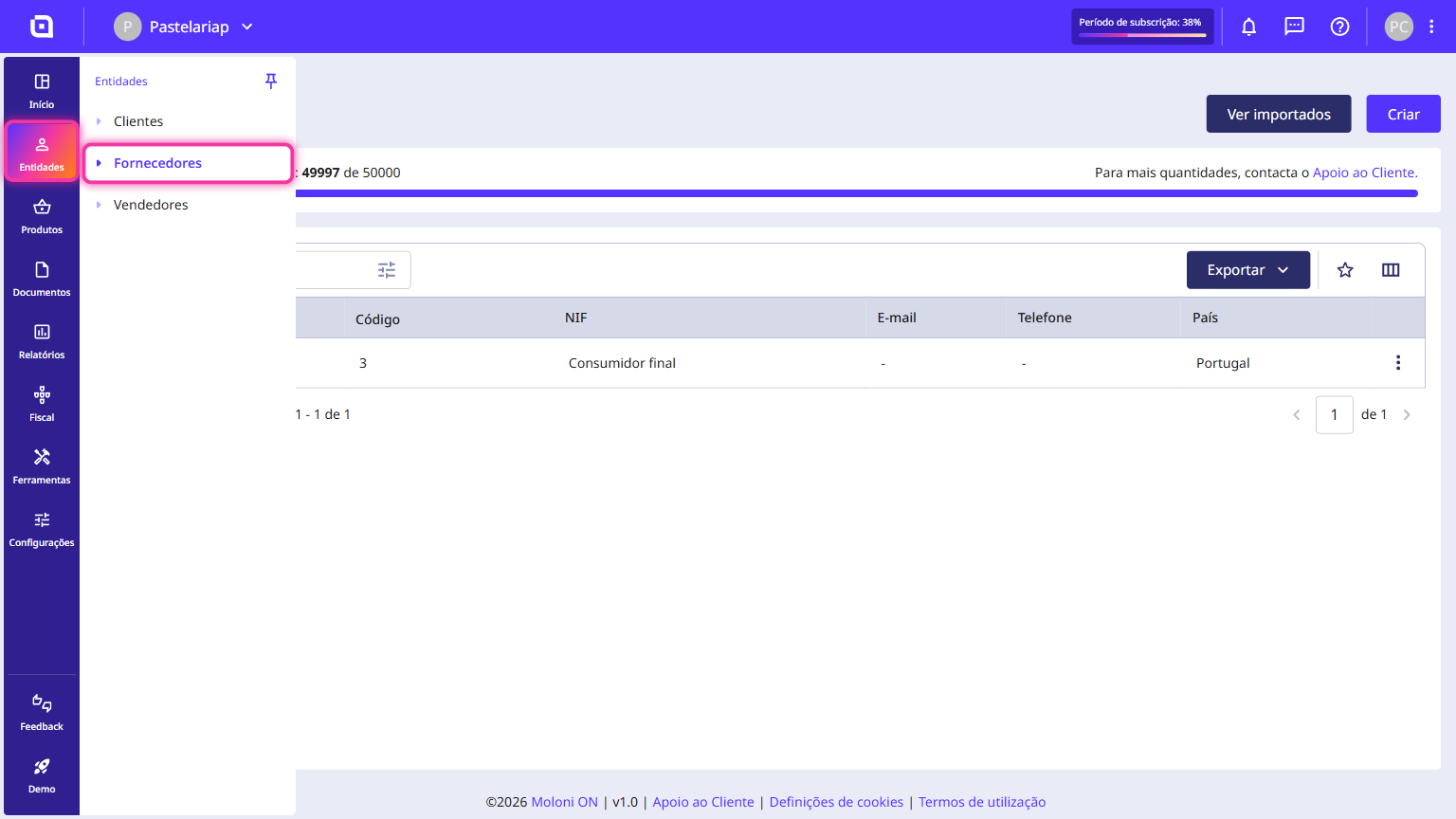
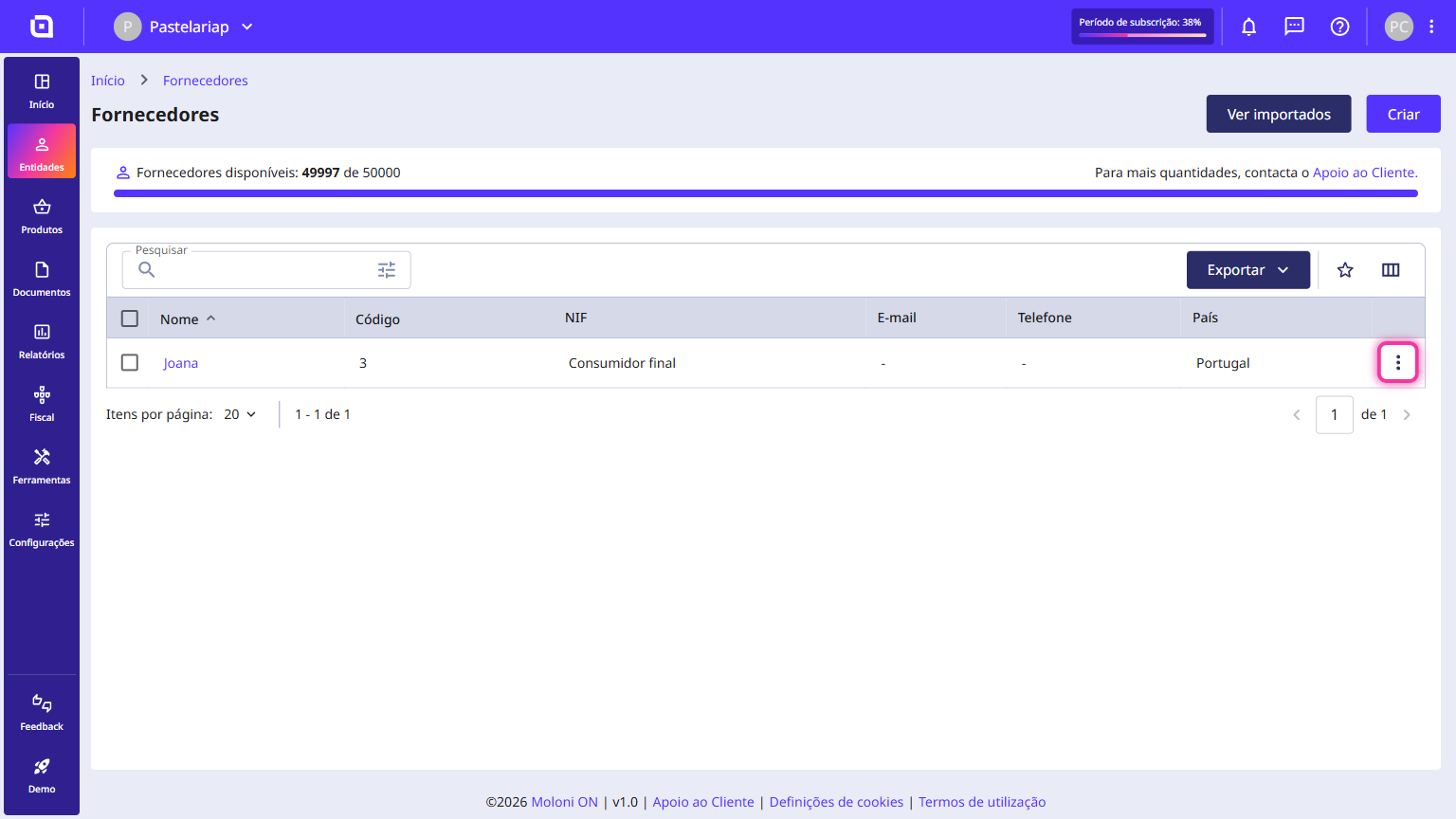
1. Go to the Entities menu and click Suppliers.
2. On the list, pick the supplier you want and click the three-dot icon on the right-hand side of the row.
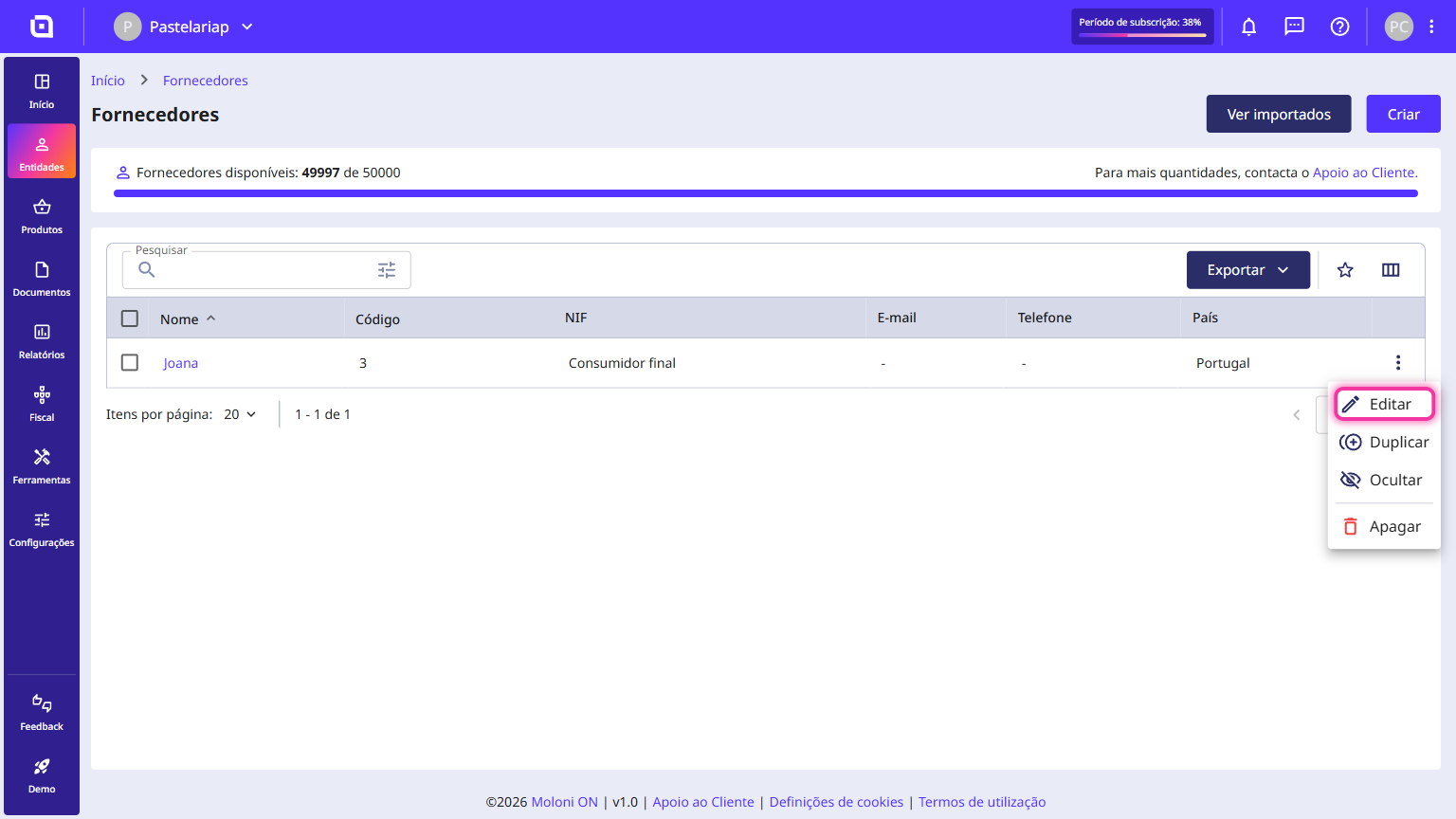
3. Click Edit.
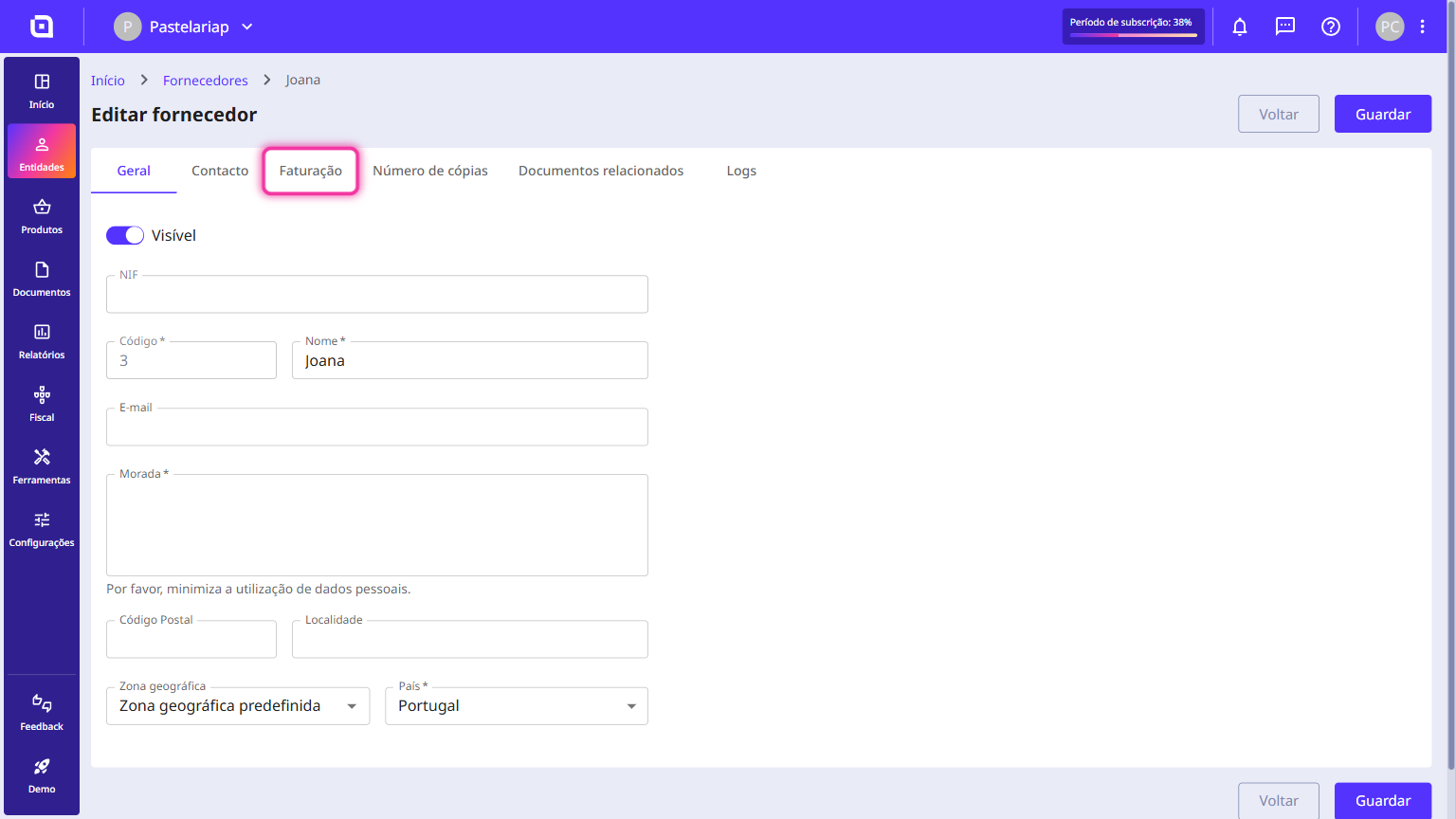
4. Click the Billing tab.
5. In the Language field, select the language you want.
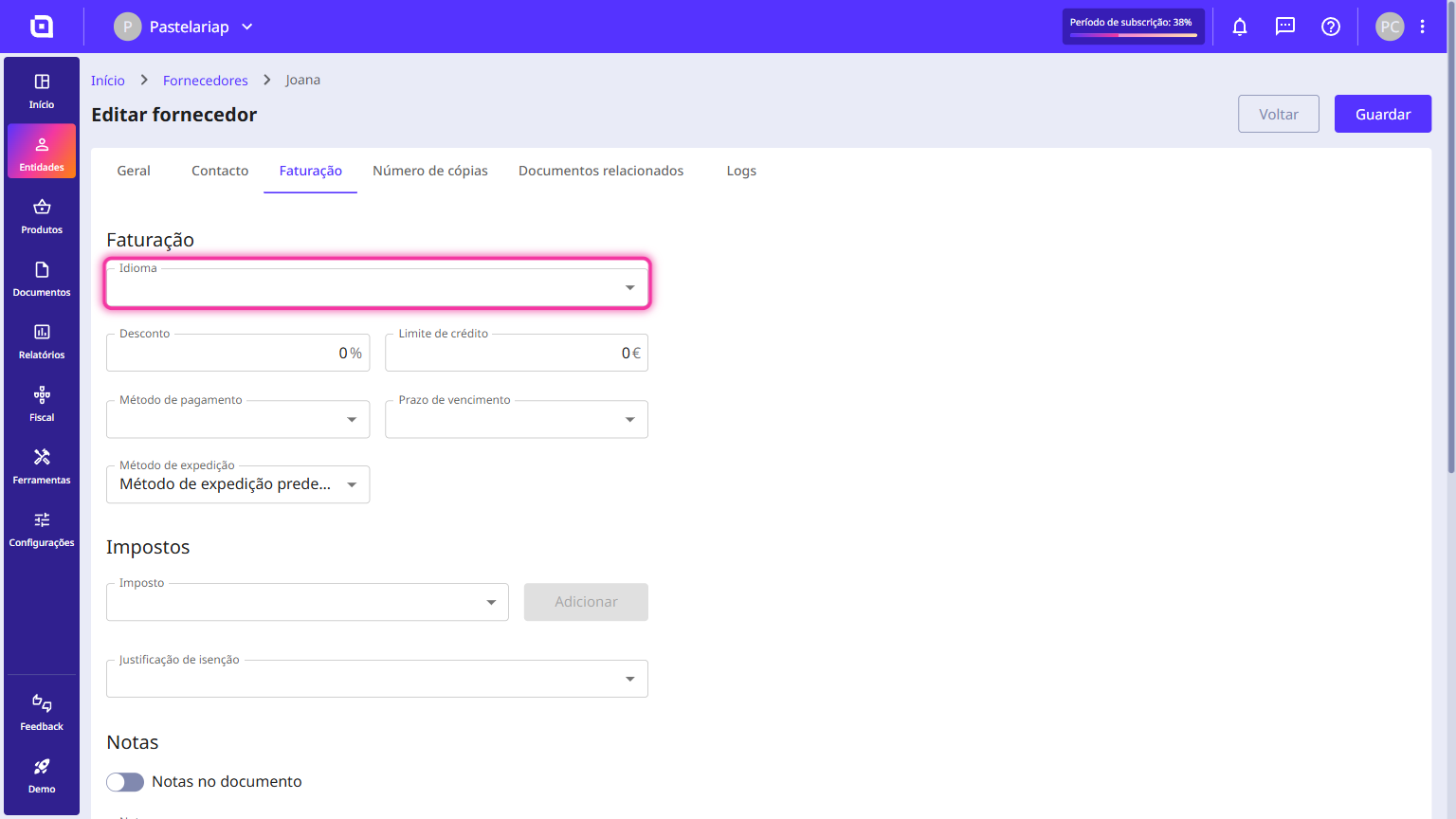
6. Finally, click Save.