How to apply a VAT exemption to products
The application of VAT exemption can be done in two ways:
- By selecting this option when you create a product;
- By selecting this option when you create a document.
When creating a product
Follow the steps:
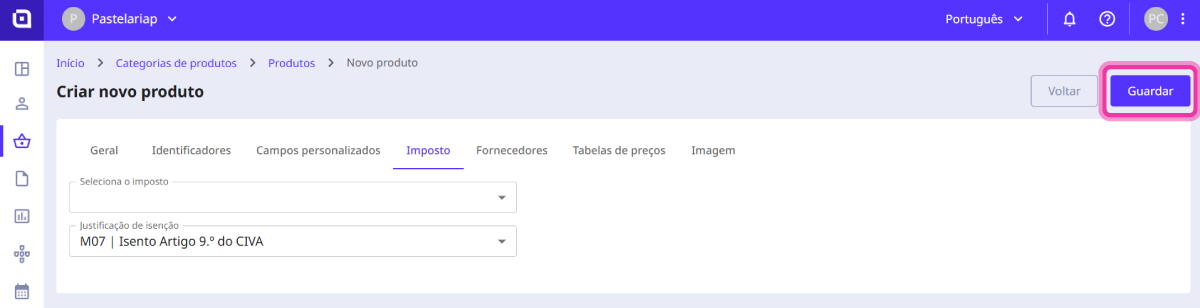
1. When creating a product, click on the Tax tab.
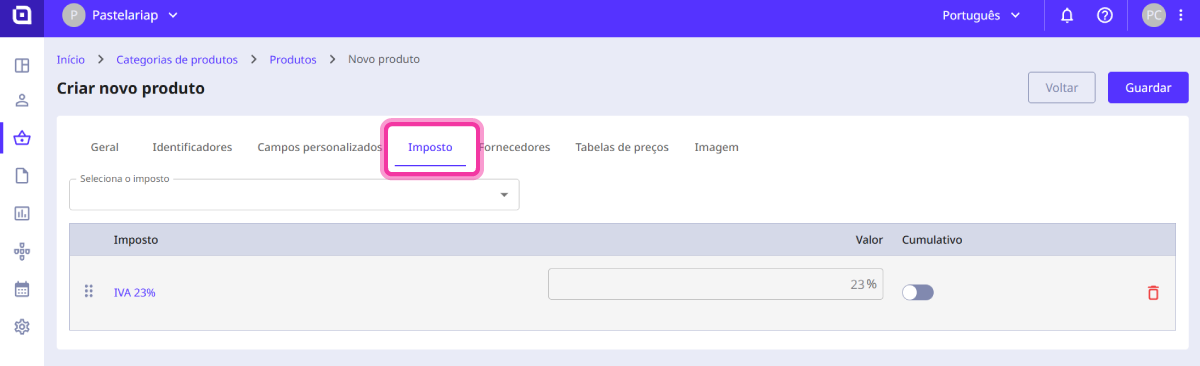
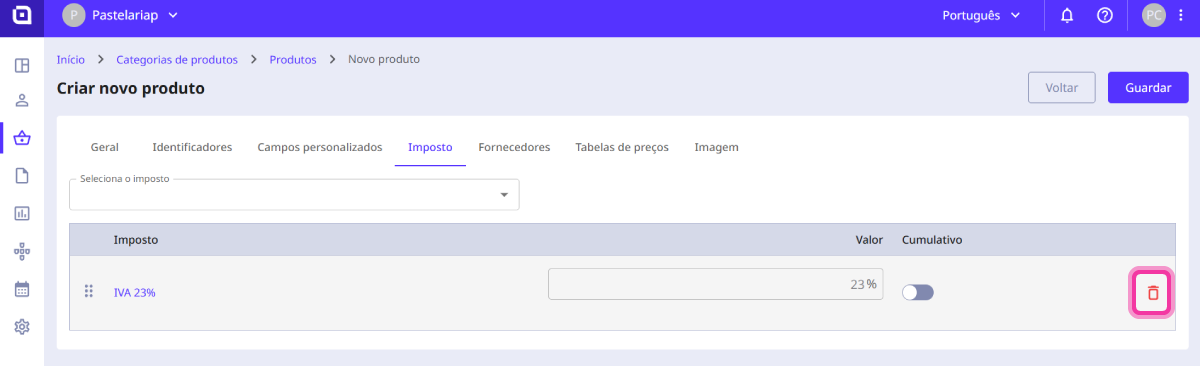
If there is a tax associated with the product, remove it.
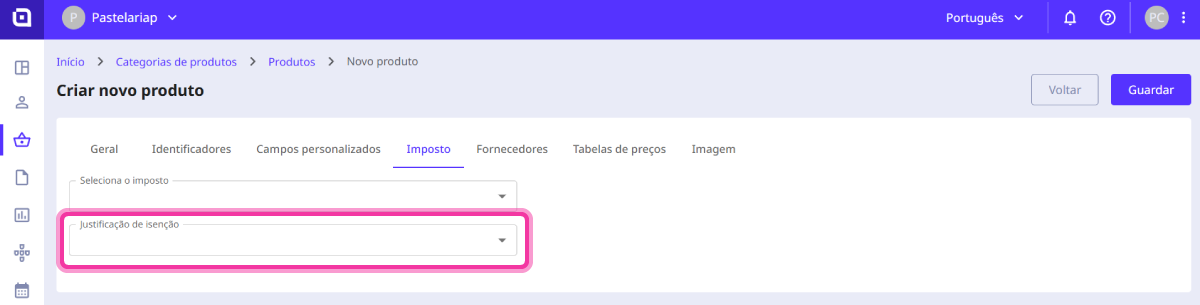
2. Select the exemption reason for the product.
3. Click the Save button.
When creating a document
Follow the steps:
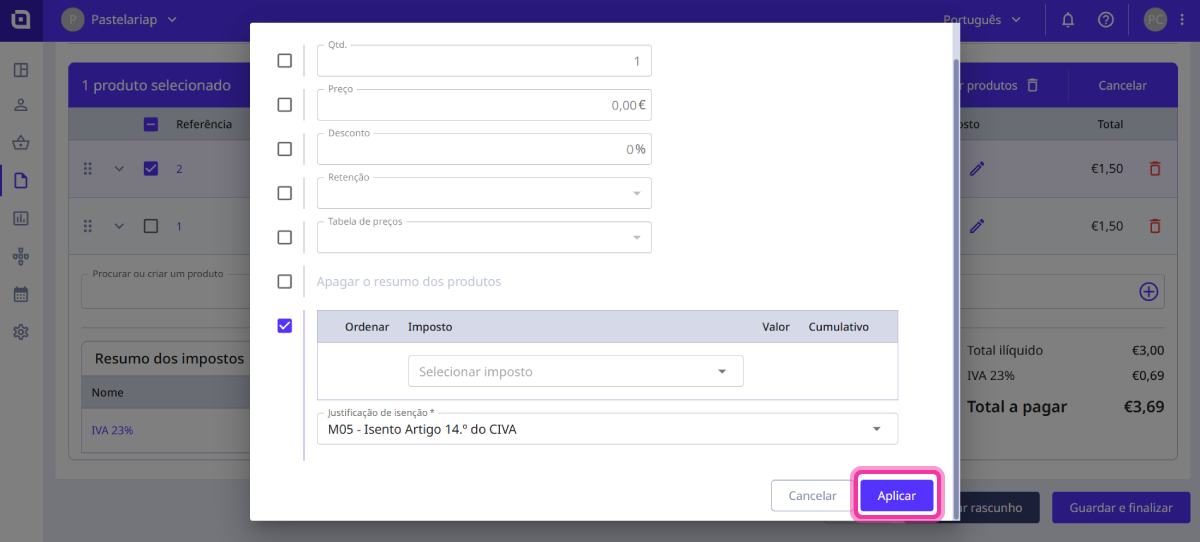
1. Add products and/or services. Select the products to which to assign the VAT exemption.
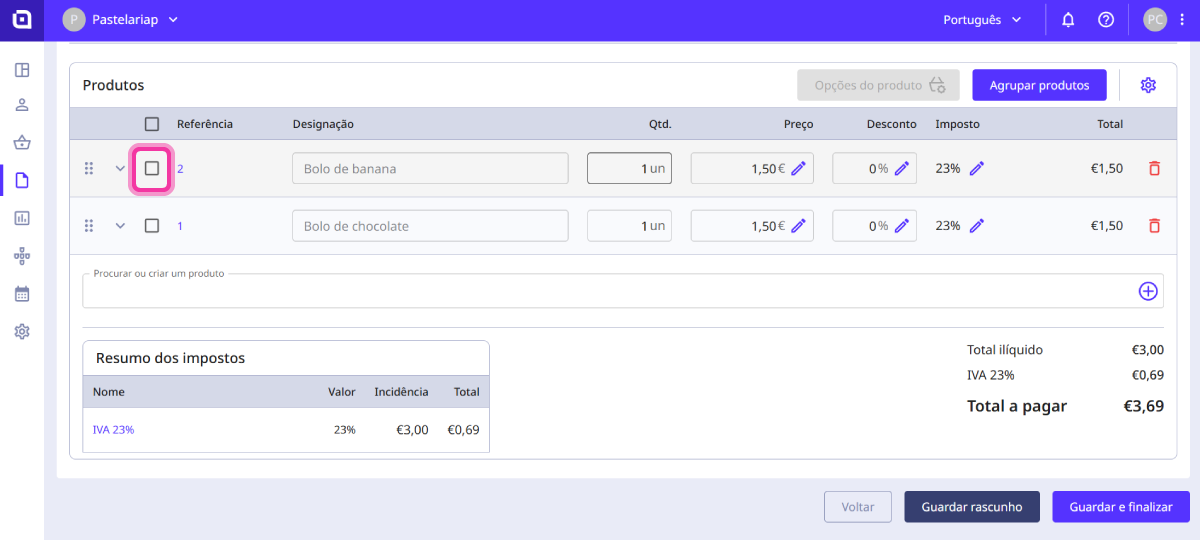
2. Click on Product options.

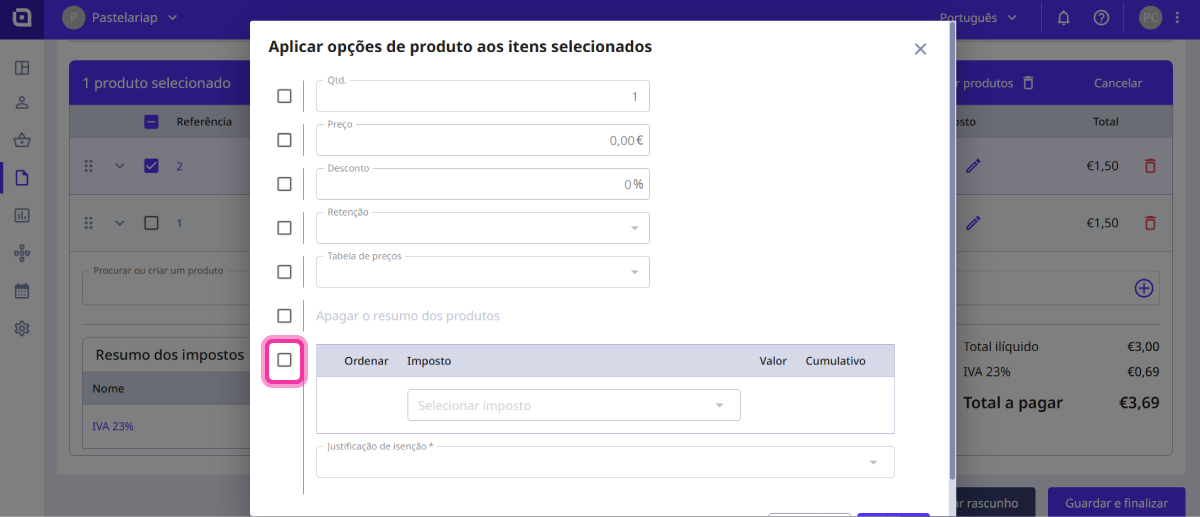
3. Activate the tax verification box.
4. Enter the exemption reason.
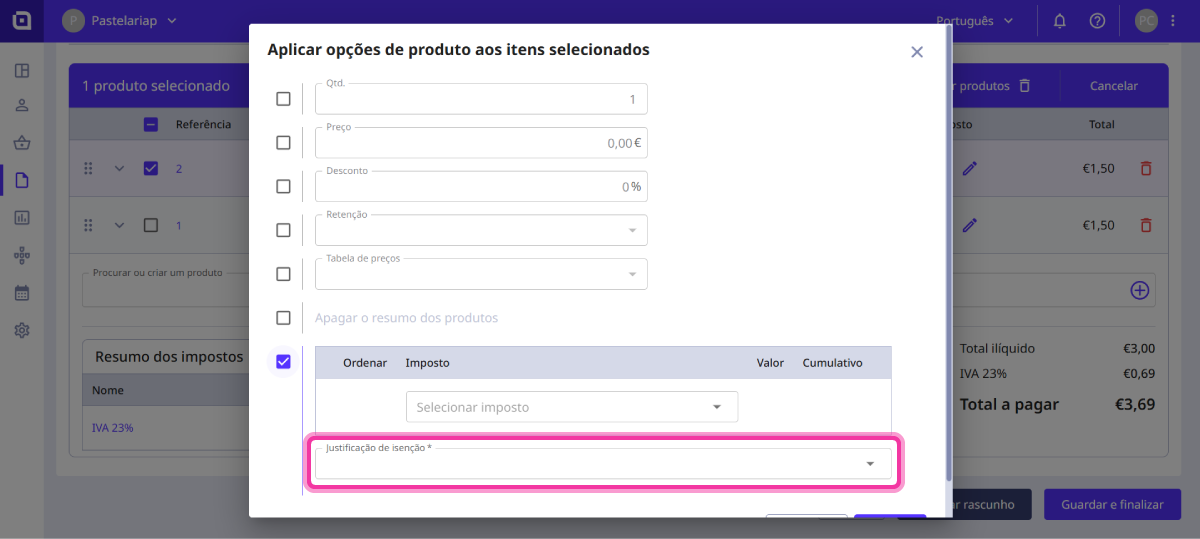
5. Click the Apply button.