EDI - How to export a document
General information
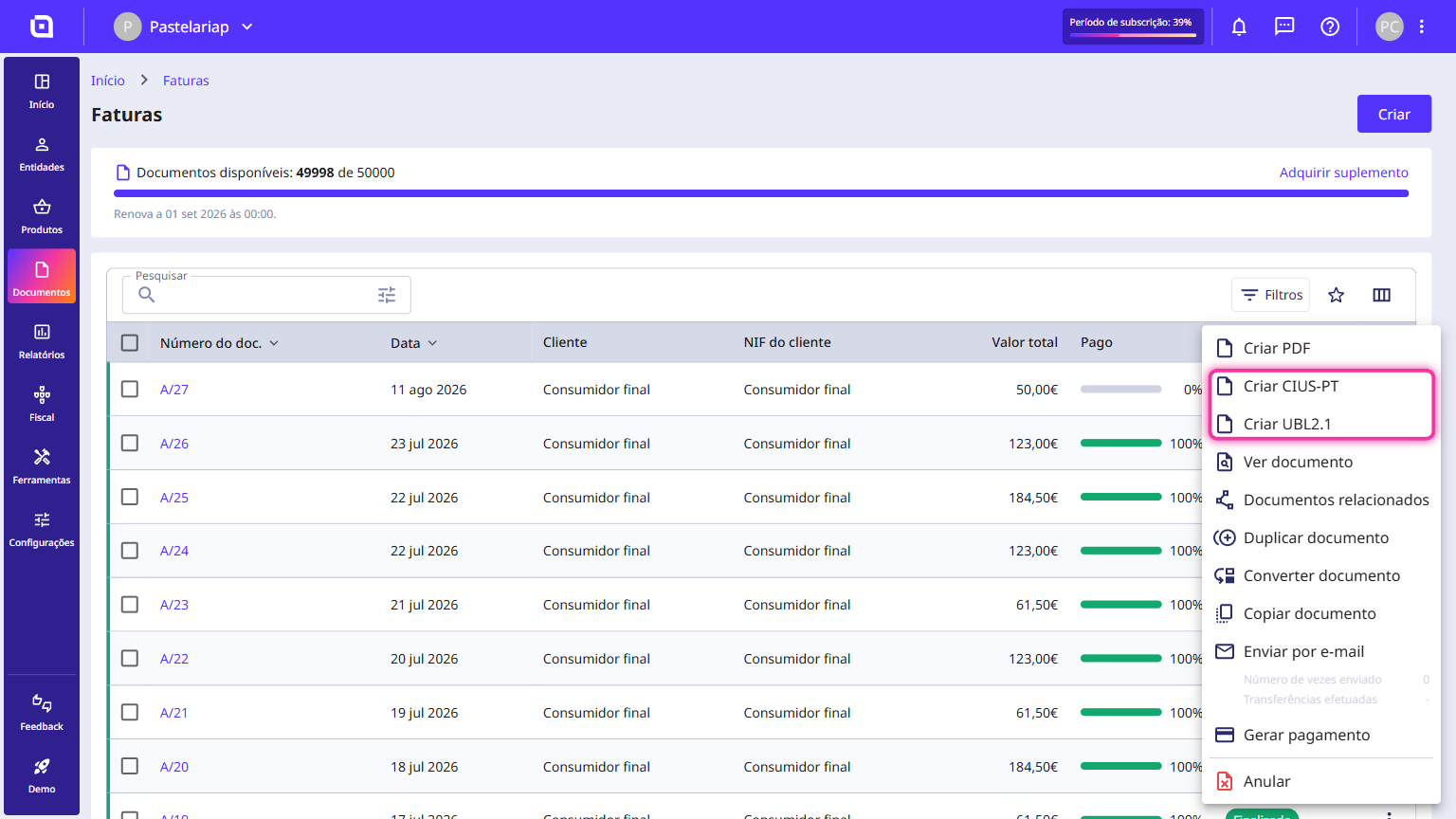
One of the requirements for electronic invoicing is to comply with the EDI agreement, meaning the export of a document must obey certain standards. Therefore, Moloni ON exports documents according to CIUS or UBL standards.
The functionality that allows you to export an XML file to the UBL 2.1 and UBL 2.1 eSPap specifications is available for the following documents:
- Invoices
- Debit Notes
- Credit Notes
For the CIUS-PT standard, Moloni ON exports the following documents:
- Invoices
- Debit Notes
- Credit Notes
- Simplified Invoices
- Invoices/Receipts
This code can be chosen in each unit of measure that you add, through the menu Settings > Other settings > Units of measure.
Follow these steps:
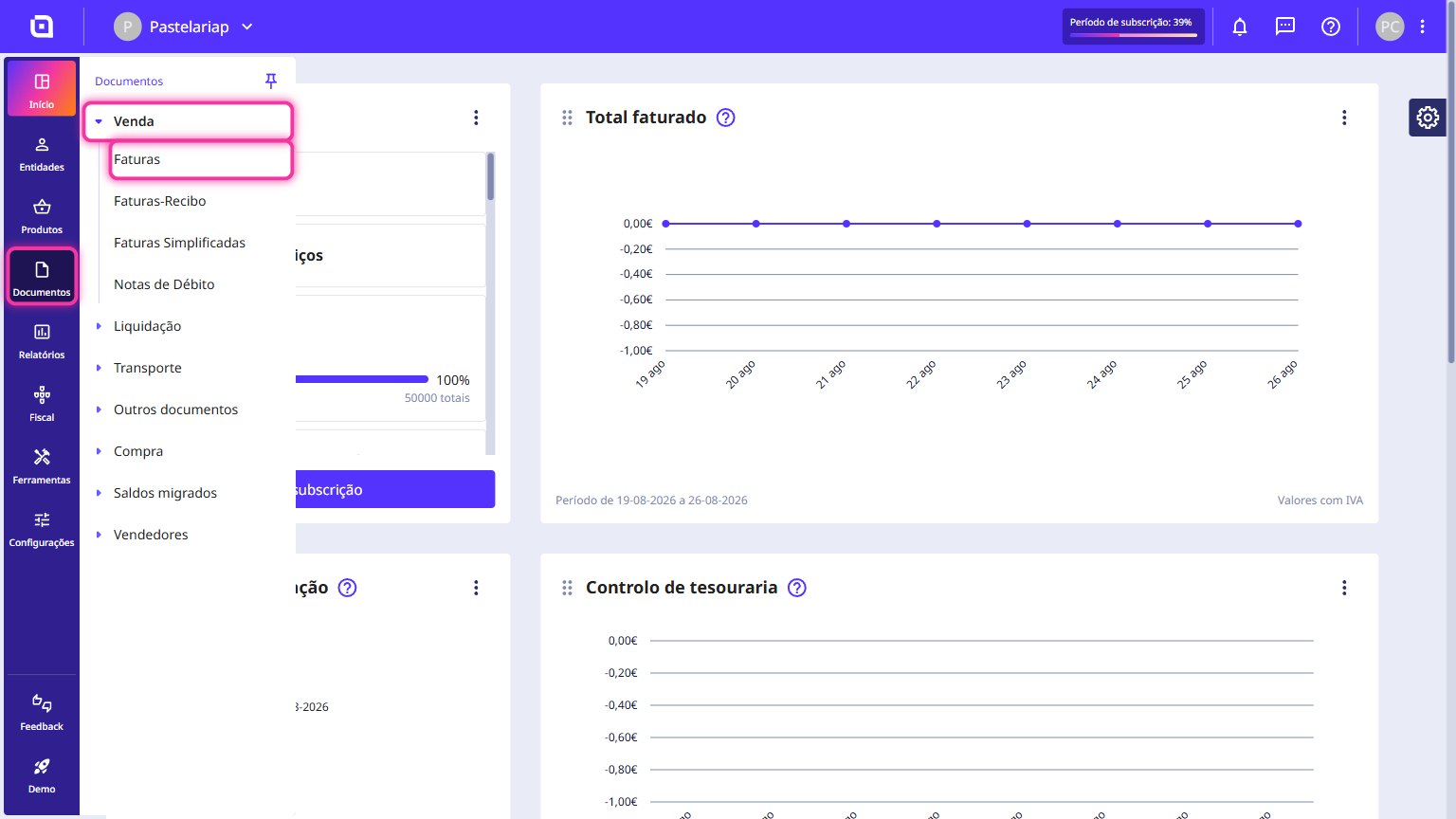
1. Go to the Documents menu, select Sales and choose the document type you want, for example Invoices.
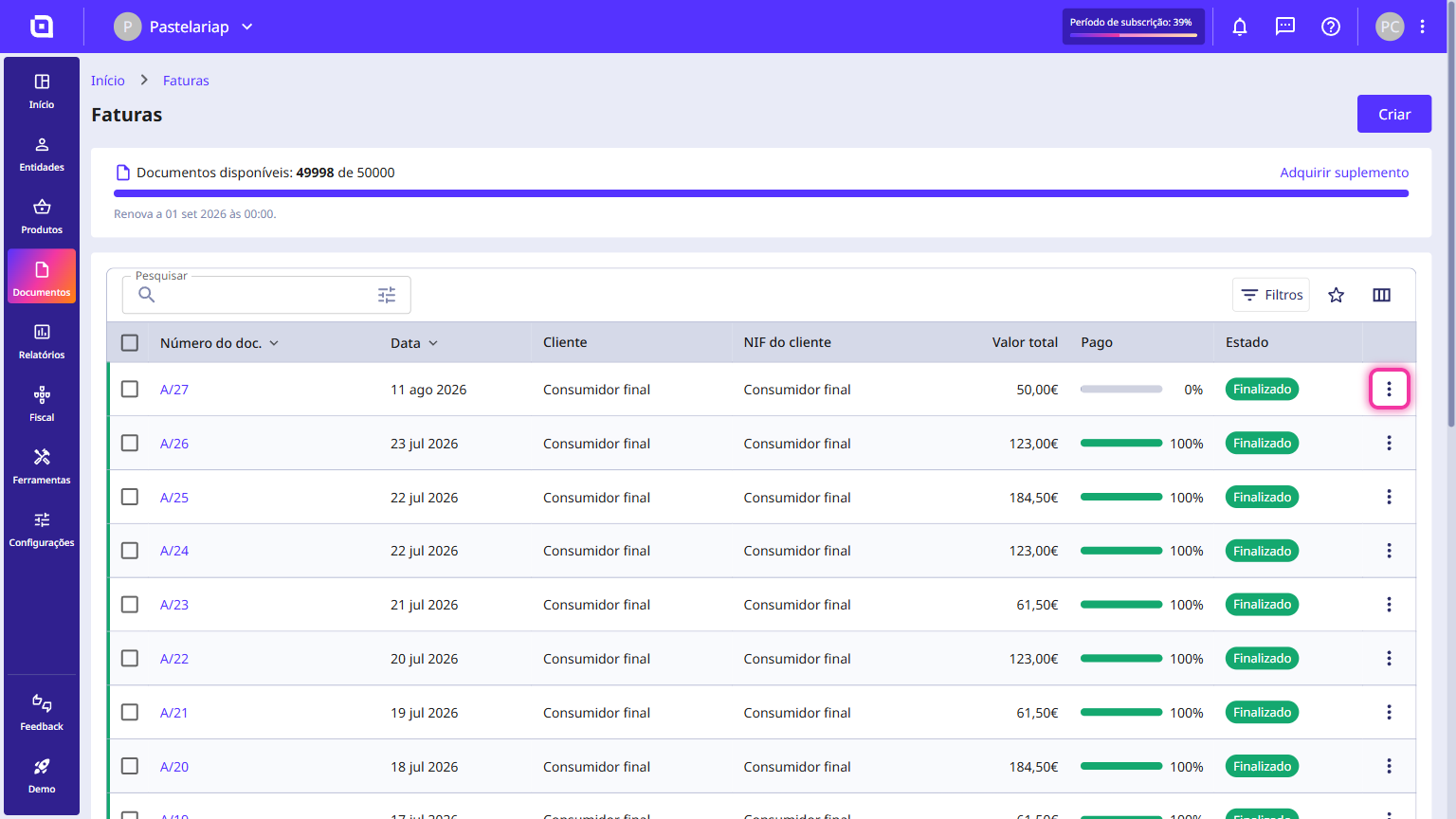
2. In the document list, on the desired document, click the three dots.
3. Select the desired option.
The document has been successfully generated.